How can I use Google Ads and Facebook Ads together? Let each platform do the job it is best at within one funnel: Facebook Ads create interest, and Google Ads capture people once they start searching.
The hard part is connecting a first introduction on social media to the search and purchase that come later. If you cannot see that link, you may cut the channel that started the journey.
This guide maps how the two platforms work across a funnel, from brand awareness and search capture to retargeting and headline choices, and shows how to share audiences and track conversions on both.
How Do Google Ads and Facebook Ads Work Together?
Facebook Ads reach people before they are actively looking, while Google Ads reach people who are already searching. Used together, one creates demand and the other captures it.

Interests and audience signals
Meta platforms such as Facebook and Instagram use interests, behaviors and audience signals to put ads in front of people, which is central to how Meta ads work. People can discover a brand there before they search for it or fully recognize a need, so Meta Ads create demand and build brand recognition.
Existing demand
Searches signal existing demand. Queries such as “best matte lipstick”, “digital agency pricing” or “hotel booking” often come from people closer to a decision, and Google Ads captures that demand with search ads, Shopping ads and campaigns such as Performance Max.
Repeated exposure
The Rule of 7 is a marketing idea, not a fixed purchasing rule: people may need to see a message several times before they buy, and the number varies. Running Facebook and Google together provides that repetition in different formats, especially as customers move between devices and platforms.
Put simply, Meta creates the itch and Google scratches it. Social ads introduce something people were not actively seeking, while search ads reach them at the moment they decide to find a solution.
How Can I Use Google Ads and Facebook Ads Together in Funnels?
A coordinated plan uses Meta and Google to move people from awareness through to purchase. The table shows how the channel mix can shift at each stage.
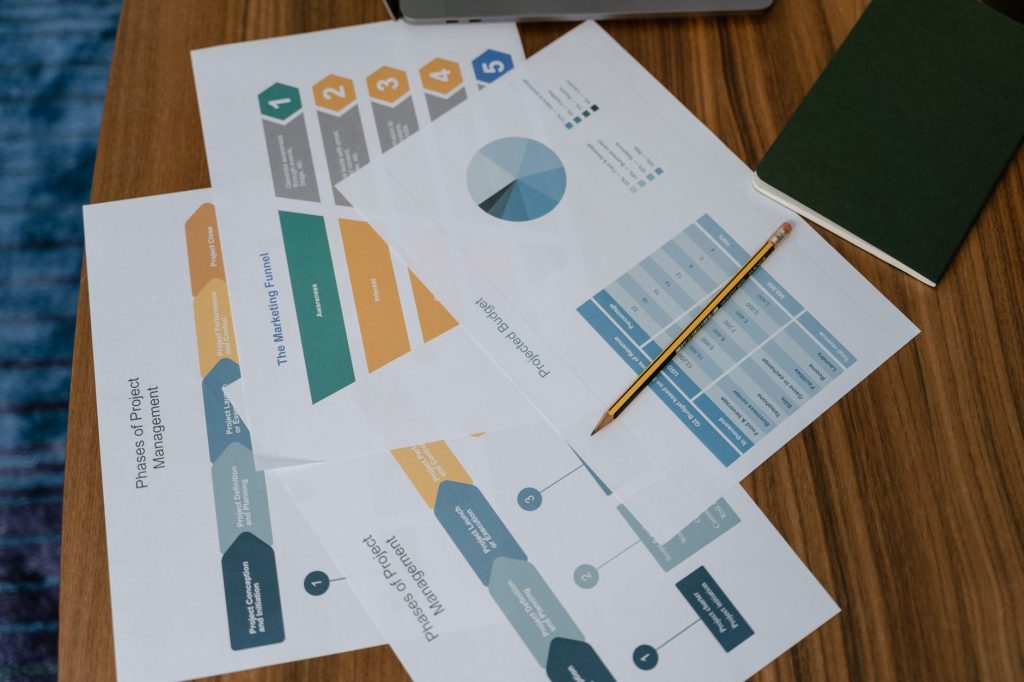
| Funnel Stage | Platform | Strategy |
|---|---|---|
| Awareness | Meta Ads | Brand awareness campaigns using visual and video content |
| Consideration | Meta + Google Display | Product and brand reminders, remarketing |
| Conversion | Google Search + Meta Retargeting | Search ads, tailored offers for high-intent users |
| Loyalty | Meta + Email | Repeat purchases, subscriptions, CRM integration |
One possible starting budget split:
- 40% Meta for awareness and engagement
- 40% Google for high-intent traffic and conversions
- 20% for remarketing and testing
Adjust that split for your industry, audience behavior, past results and business goals.
Brand Awareness to Search Capture
At the awareness stage, Facebook Ads introduce the brand and spark interest. Later, when people search Google to learn more, a Google ad brings the brand back into view. Seeing the brand again adds credibility, which can move people further through the funnel and closer to a purchase.
If a top-of-funnel social campaign runs without a bid on your brand name, competitors can capture the search traffic your Meta ads generated. Run a small branded search campaign alongside any Meta awareness push, and watch branded search volume as a sign that social is working.
Retarget Google Ad Visitors on Facebook
When someone clicks a Google ad and visits your site, the Meta Pixel can record that visit. Build a custom audience of those visitors who have not purchased, then retarget them on Facebook with content tied to what they searched for. This cross-channel approach builds a warm audience at the bottom of the funnel.
In retargeting ad copy, acknowledge the earlier visit so people know you remember them. A straightforward line could say, “Ready to come back and shop?” For a lighter touch, try: “Your cart is taking a break in the aisle. We’ll keep an eye on it until you return.”
Turn Facebook Ad Headlines Into Google Keywords
A catchy Facebook headline can stay with customers longer than the company name, especially if it is the brand’s tagline or USP. Add that headline as a Google Ads keyword, and you can answer the search directly. Because the phrase points to your company, clicks may face less competition and cost less.
It also works the other way: take the exact terms people searched on Google and use them in fresh ad headlines when you retarget those people on Facebook. Pair each personalized ad with an equally relevant landing page, or new leads will bounce.
How Do You Share Audiences Between Google and Meta?
You share audiences between Google and Meta by combining UTM data, website activity and first-party customer information. Neither platform passes audiences to the other automatically, so the signals have to come from you.

- Add UTM parameters to the destination URLs in your Facebook ads with a campaign URL builder, for example utm_source=facebook, utm_medium=paid_social and utm_campaign=spring_launch.
- Send traffic to those tracked URLs. Once visits come in, Google Analytics shows the UTM data for each campaign.
- In GA4, go to Admin > Audiences and build an audience from that traffic, such as visitors from your Facebook campaigns who did not convert.
- Link GA4 to Google Ads so the audience becomes available there. Search campaigns need a minimum list size before they can target it, so start building lists early.
- In Google Ads, add tracking parameters to your final URLs, so the Meta Pixel can see which visitors came from Google and you can build Facebook custom audiences from them.
- Upload a list of your best customers to both platforms, then use it as the seed for a Meta lookalike audience and as Customer Match or an audience signal in Google.
Google and Meta will not learn from one another on their own. They need first-party data, a sound measurement setup and a clear audience strategy:
- Audience segments that perform strongly on Meta can guide creative and targeting on Google.
- High-value customer and conversion data from your website improves audience signals on both platforms.
This only works when seed lists contain real paying customers. Unsegmented contact lists and casual newsletter signups teach both platforms to find low-intent browsers.
How Do You Track Conversions Across Both Platforms?
To track conversions across Google and Meta, set up GA4, the Meta Pixel and Google Tag Manager, and track the same key events, such as form submissions, add-to-cart actions and purchases, on both platforms. Clicks alone cannot tell you whether a campaign met its goal; a conversion is the action you actually want, whether a newsletter signup, a contact form, a message or a sale.

For example, if a lead generation campaign sends people to a “get an estimate” form, ad clicks will not show how many visitors submitted it. Track completed forms, because a click alone does not make someone a lead.
GA4, Meta Pixel and Google Tag Manager
Install GA4, the Meta Pixel and Google Tag Manager across your whole site. When each is set up correctly, you get a clearer view of the user journey. Our guide on how to set up conversion tracking in Google Ads walks through the Google side step by step.
Key conversion events
Track the same key events consistently on both platforms:
- Form submissions
- Add-to-cart actions
- Purchases
A well-structured measurement setup
A clear measurement plan cuts duplicate conversions, missing data and reports that do not line up. The Meta Pixel records when someone visits a page, fills out a form, adds an item to the cart or buys. On Google, you can add the conversion tag through Google Ads, or use Google Tag Manager or GA4 and import the conversions into Google Ads.
Review cross-channel data together to:
- Identify which channels contribute most to conversions
- Cut spend on inefficient campaigns
- Strengthen remarketing audiences
- Understand assisted conversion paths
In-platform reports give quick feedback from each network, but both platforms may claim credit for the same sale. Use an independent analytics tool to check the paths people actually took.
Conclusion
How can I use Google Ads and Facebook Ads together? Let Meta build interest, let Google capture it, and assess both as one customer journey. Bid on your brand name while social campaigns run, retarget Google visitors on Facebook, share audiences through UTM data and first-party lists, and track the same conversion events on both platforms. Check paths in an independent analytics tool so one sale is not counted twice, and judge the full journey rather than two campaigns on their own. If you want both channels planned and managed as one system, our digital ads team can help.