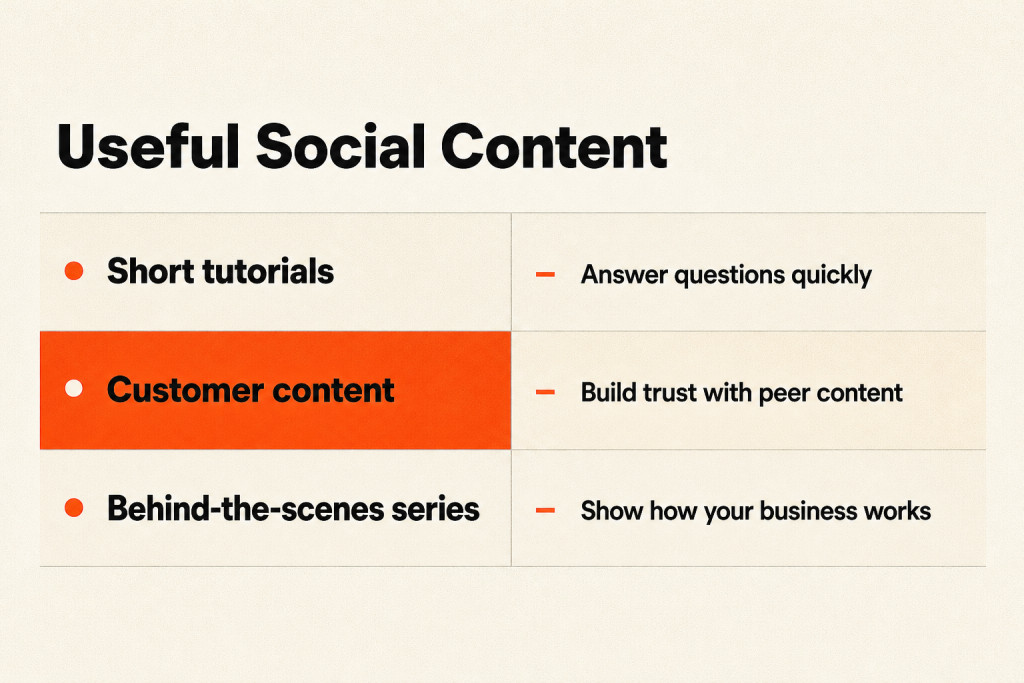
Social media marketing for chiropractors can start with a brief clinical video and reach people across several platforms. The more a practice shares, the more carefully it must handle patient information.
For chiropractors, social media can keep current patients connected and build trust with nearby people who may become patients. This guide covers privacy safeguards (written permissions and staff policies), local targeting based on the clinic’s actual patient draw, content creation, and community management, so you can decide how to keep a useful presence without overlooking the risks.
What Does Social Media Marketing for Chiropractors Offer a Practice?
Social media may bring in new leads, but reconnecting with people brings more value, especially with current patients. Reconnecting keeps the practice top of mind and builds trust with potential patients, while also reinforcing your local standing in health and wellness.
The nearly 4.9 billion users worldwide give chiropractic practices a broad potential audience on social media. Over 93% of people in the U.S. use social media. Alongside ads for services, social channels help practices stay connected with current patients and teach the public about chiropractic care.
More than 50% of people turn to social media when looking for a healthcare provider. Regular posts can keep your practice in view, sometimes before someone visits your website.
Patient Privacy and HIPAA Compliance
Protected health information (PHI)
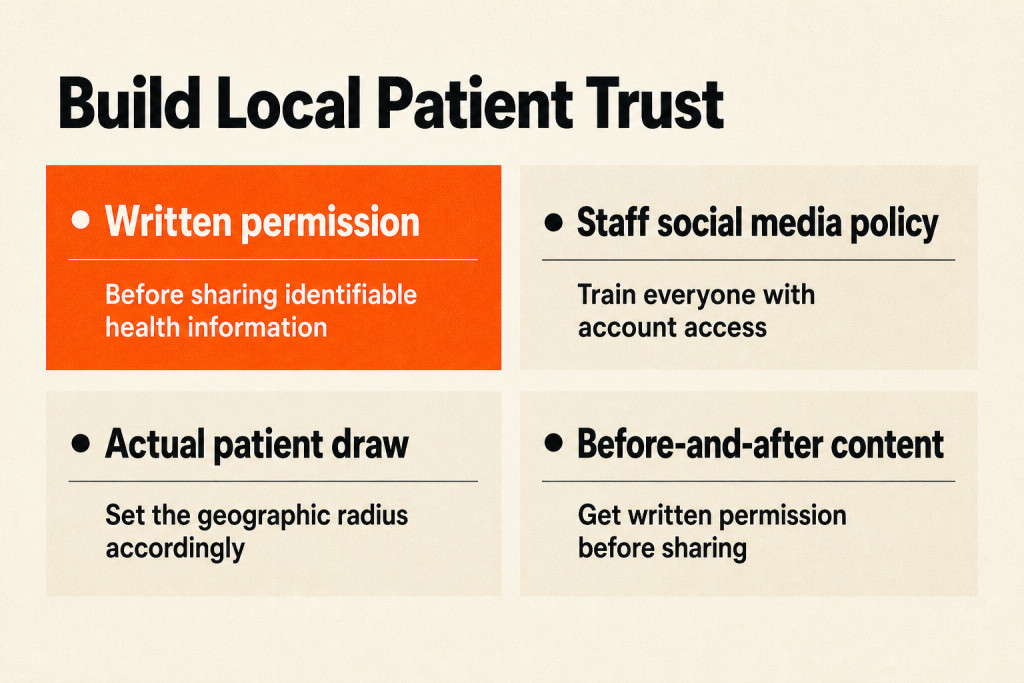
Share a patient’s protected health information (PHI) only with explicit, written authorization. That includes names, photos, treatment details, diagnoses, and appointment information. A casual “Great seeing you today, Sarah!” on a patient’s post could confirm they’re a patient and count as a violation. Tags or verbal permission don’t count as authorization. A patient tagging the clinic does not, by itself, authorize the practice to acknowledge that the person is a patient. Get signed written permission before using identifiable health information in promotional materials.
For testimonials and before-and-after content
Get a social media release form, separate from general HIPAA consent, before using testimonials or before-and-after content. Spell out what you’ll share, where it’ll appear, and how long it’ll stay there. Ask patients to review and sign the form during a visit that isn’t for treatment, when they’re less likely to feel pressured.
Staff training
Everyone who can access your social media accounts needs to know what they can and can’t post. A front desk employee with good intentions could still create serious legal risk by sharing a waiting-room photo with identifiable patients in the background; even a quick post can expose patient information. Write a simple social media policy, review it quarterly, and have new hires read it during onboarding.
HIPAA penalties
Social media carries risks that other outreach doesn’t. The severity of HIPAA penalties turns on culpability; amounts are adjusted annually for inflation, and upper tiers may carry penalties of seven figures each year.
Radius Targeting for Nearby Patients
For chiropractic practices, hyper-local targeting keeps outreach focused on nearby people.
To reach nearby prospects, use these targeting options and visibility tactics:
- Set the geographic radius to fit your actual patient draw area; check your records to see where most patients drive from.
- Target interest categories such as fitness, yoga, running, or workplace wellness.
- Add age demographics that match your ideal patient profile.
- Choose lead generation ad formats that allow prospects to submit their information without leaving the platform.
- Offer something valuable in exchange, such as a free posture assessment, a downloadable guide to managing back pain at home, or a discounted initial consultation.
- Tag local businesses and use geotags to expand your visibility.
How to Choose the Right Social Media Support for Your Practice
When comparing providers, ask who handles strategy, content creation, approvals, posting, and reporting, and agree on deliverables and what your team will need to supply. Across digital channels, social media management can take anywhere from 5 to 20 hours per week. Delegate when possible: have a front desk team member capture photos or video, hire a part-time content assistant, or bring in a Social Media Marketing Agency for full-service support when you’re ready.
Video and Graphic Content
For chiropractors in 2026, short-form video is one option for sharing social media content, alongside other formats. A 15-to-60-second video can put your practice in front of thousands of people who’ve never heard of it. Show a stretch for lower back pain or explain the popping sound; desk ergonomics also makes a useful subject.
Choose specific topics that show what you know and are clearly aimed at your viewers. “5 Tips for Better Posture” is fine; “The Exact Stretch I Give Every Patient Who Sits at a Desk for 8 Hours” speaks to a clear audience. Good lighting and clear audio matter, and a smartphone on a tripod can beat an overly corporate production.
Open a chiropractic video with the adjustment result, then demonstrate the technique. Alternatively, lead with a provocative question or add a chiropractic angle to a trending sound. You could start with “Your pillow might be causing your headaches: here’s why.”
Choose a posting pace you can sustain and test it for 90 days, then judge results by whether the videos are reaching local viewers and prompting meaningful engagement or patient inquiries.
Pick a “smart” topic you could comfortably talk through for five to ten minutes if someone put you on the spot and started filming. Disc herniation works as an example; ergonomics and spinal curves are other possibilities.
That subject becomes your pillar piece, the first item you can build the rest around. Filming can feel challenging, so record yourself talking about it for 5-10 minutes. Video gives you material to adapt into other formats.

While recording, speak with confidence and describe the topic clearly. Then turn the video into text for a blog post. You can share a still from it on Instagram and post the blog link on Facebook. A single patient education video can become an Instagram Reel, a TikTok, a Facebook post with a text summary, and an email newsletter topic.
The recording’s audio can also become a podcast episode. Another option is to cut a 60-second segment from the 5 to 10 minutes of footage and share it as a story on your Facebook or Instagram page.
For educational graphics, use two or three brand colors alongside a consistent font on text overlays. Stick to one template style. People should recognize your posts while scrolling, before they see your name.
For Instagram images, use these sizes:
- Square images: 1080px by 1080px
- Vertical posts: 1080px by 1350px
- Horizontal posts: 1080px by 566px
Use title cards to sum up a video at a glance; they usually include your logo and colors, along with any other branding elements. That helps reinforce your brand identity and helps your target audience discover topics relevant to them.
Making personalized clinical videos takes time between patient adjustments. Canned wellness graphics take little effort, but may do little to build community trust.
Messages, Reviews, and Live Q&A
Direct Messages or comments
Reply quickly to questions or concerns in Direct Messages or comments to build trust. Those answers can build connections with new and existing patients, as long as replies never confirm who is a patient.
Practice reviews
Your Facebook and Instagram pages also give you a place to keep an eye on practice reviews. Thank people for positive feedback, and respond to negative reviews and resolve the issues.
Following a testimonial post, encourage other patients to submit online reviews through your pages and Google Business Profile.
Stories and Live Q&A sessions
Use Instagram and Facebook Stories for behind-the-scenes posts and polls. Ask questions to learn what followers would like to see. These exchanges can boost page engagement and help shape future posts around their preferences.
Facebook and/or Instagram Live Q&A sessions let you talk with your audience in real time. They can increase online engagement and showcase your expertise. Set a recurring time, such as “Wellness Wednesdays,” then promote each session through your accounts, your email newsletter, and your website to maximize participation. Save each live video for patients who couldn’t join.
How Much Does Social Media Management Cost?
A recent study reports that most businesses pay $500 to $3,000 per month for outsourced social media services, with the amount varying according to their needs (4).

If you’ve got time, use AI tools and free design tools to improve the process and manage it in-house.
Using Local Paid Ads to Fill Your Schedule
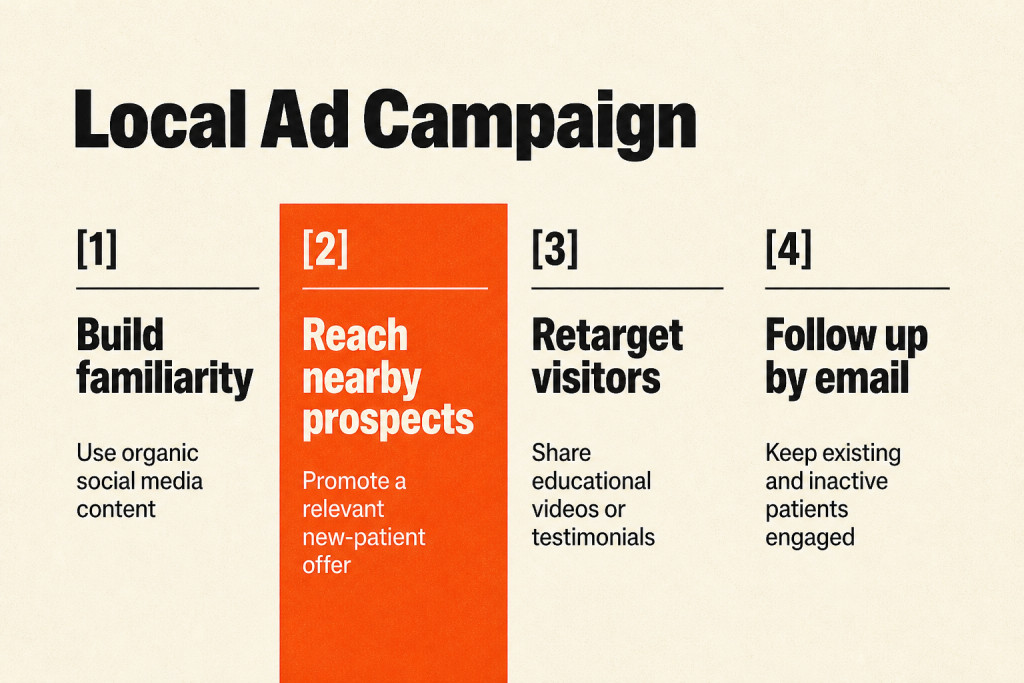
Organic social media builds your brand over time, while paid advertising can help fill your schedule now, and the two work together. Paid local ads deliver educational clinic invitations directly to nearby households.
Instagram sponsored posts are ads you can pay to run for greater reach and engagement. Because Facebook owns Instagram, you create them in Facebook Ad Platform. Link your Facebook business page to your Instagram account, then create an ad in Facebook Ad Platform and choose Instagram placement. If you already run Facebook Ads, choose to show them on both Facebook and Instagram.
Hyperlocal Lead Campaigns for New Patients
A hyperlocal lead campaign promotes a new-patient offer to people in your area and tracks the cost of each lead. A daily budget of $15 to $25 gives practices enough room to start seeing meaningful campaign data.
- Set the budget at $15 to $25 per day.
- Run the campaign for at least two weeks before making major changes.
- Track cost per lead closely.
For example, your ad might read: “We are having a new patient special for a $29 Consult and Xrays for the month of September. Come stop in!”
Retargeting for Website Visitors
Someone who visited your website but didn’t book
These visitors are some of your warmest prospects, and retargeting ads can follow them on social media with relevant content that nudges them toward scheduling.
Educational content for retargeting
Serve educational content that nudges them toward scheduling, such as a video about what to expect during a first visit, a testimonial from a patient with a similar condition, or a post addressing common fears about chiropractic care. When a neighbor visits your booking page during a sudden neck pain flare-up and gets pulled away by a phone call, show them a condition-focused video on their feed that evening so they can finish the appointment request.
Email complements retargeting by keeping existing and inactive patients engaged.
Which Metrics Show Whether Social Media Is Working?
Each month, track these metrics to see how social media contributes to the practice:
- Cost per lead from paid campaigns, aiming for under $15 in most markets
- Lead-to-appointment conversion rate: the share of leads that actually book
- New patient source attribution: ask each new patient how they found you, then record the answer consistently
- Engagement rate on organic content: total interactions divided by reach, not followers
- Website clicks from social profiles
Add UTM parameters to links in your social media profile descriptions and paid promotions so you can identify which platforms and posts bring people to your website. Google Analytics makes tracking simple, while some social media scheduling tools can automatically attach UTM tags.

Check the numbers every 30 days and change one thing at a time. If a campaign’s lead cost runs high, test new ad creative before you change targeting; if organic engagement falls, check whether your content has drifted from its core pillars.
An agency retainer should never hinge on a number that can’t be linked to a real patient sitting on your adjustment table. For a chiropractic practice, track how many patients are gained and how much revenue they generate, instead of focusing on follower totals and likes.
Conclusion
Consistent, locally relevant education gives social media marketing for chiropractors a clear purpose; the numbers show whether it’s helping build patient relationships. Use the monthly review to choose what to adjust, changing one campaign element at a time. Keep the focus on whether social activity is leading to patient relationships.