
Choosing content marketing tools gets harder when your team needs to cover search, creation, visuals, planning, email, and measurement without buying a suite it won’t use. The key is finding where the work is getting stuck—not choosing the platform with the longest feature list.
This guide helps you compare tools by fit and trade-offs, decide what to prioritize across your channels, and see when a focused tool makes sense as publishing grows. Choose around the wrong bottleneck, and a new tool can add another workflow to manage instead of clearing one.
Content Marketing Tools for SEO and Search
A market forecast puts content marketing software at 13.76 billion dollars in 2026, with about 13.6 percent annual growth on the way to 29.6 billion by 2032. Budgets still get scrutinized.
Ahrefs
Search research and reporting
Our SEO team turns to Ahrefs for varied search tasks, including finding content gaps, tracking keywords, and spotting older posts to refresh. You can use it to spot conversion-focused keywords, assess content, dig into competitors’ keywords and traffic, follow rankings, find article ideas, and audit sites. It covers plenty of ground.
Ahrefs’ keyword research covers over eight search engines. It also puts your brand beside competitors and estimates the backlinks your content picked up over a chosen stretch of time (the reporting gets quite detailed).
Authority and estimates
SEO specialist Amer considers Ahrefs’ estimates relatively accurate, which helps us decide where to focus. Domain Rating is widely used in SEO to gauge site authority and website value, so it can help when weighing partnership opportunities. We also find the tool easy to use.
Keyword lists and pricing

SEO specialist Amer gets volumes and forecasts for several keywords at once by uploading a CSV file or pasting a list.
Ahrefs’ entry price is $129 per month, though many features sit in Standard or Advanced, priced from $249 and $449 per month, respectively.
The listed Lite, Standard, and Advanced plans are priced at $$99,199, and $399 per month, respectively. Enterprise pricing begins at $999 per month.
Semrush
Search, PPC, and social
Semrush centers on SEO, with PPC and social media features alongside it. We don’t use it now, but we tested the well-known tool and kept it in the mix because of its popularity and reputation.
Our Semrush tests covered plenty of the same ground as Ahrefs, including keyword research, rank tracking, competitor checks, and site health. Its added tools cover content writing and social media, from AI writing and brief building to scheduling. The suite has more than 55 content marketing tools for research and analysis from start to finish. Newer users may find keyword research straightforward. Real-time reports cover brand positioning and content performance.
Semrush can help content teams bring in organic traffic and gain more space in search results. Its advanced features show keyword volume and difficulty, competitor rankings in search engines, and link-building details. Topic research, content audits, and post-tracking round out a broader content plan.
AI content features
Semrush Content Toolkit uses AI to find article ideas, make SEO briefs and drafts, and tune content for stronger search rankings. In my test, creating and publishing an 800-word piece about “how to choose avocados” went from two hours to just 20 minutes. A separate run produced an 833-word draft, including its title and meta description, within 42 seconds.
I kept every other setting from the first test and asked for an SEO-boosted article. This time, AI Article Generator needed two minutes and 43 seconds, almost 4X as long. Content Toolkit’s SEO booster can improve rankings, but the added time may slow agencies handling high volumes for multiple accounts.

Semrush AI Visibility Toolkit follows your brand’s visibility in AI, checks it against competitors, and helps you look into prompts tied to your topics. It also reports AI systems’ sentiment about your brand and your share of voice across AI tools.
Audits and keyword research
Site Audit spots technical problems that can hurt visibility in AI tools and search engines, then gives guidance for fixing them. On my site, it turned up 42 other possible search visibility problems, from broken links and missing alt text to thin content (as well as AI visibility issues). That’s quite a list.
Keyword Magic Tool uses AI to weigh whether keywords may be worth pursuing, and it can find them at scale. Enter “travel,” select the U.S. as the target country, and add your site’s domain to see keyword difficulty and potential traffic tailored to that domain.
Keyword Magic Tool reports keyword data by country only. To work around that, add a city to the seed keyword, for example, “[keyword] new york city.”
Site Audit sends detected issues directly to Trello, and to no other tool. If your team handles web development in another place, connect Site Audit to that tool with Zapier.
Comparing the tools
After trying Semrush, we kept Ahrefs. We favored Ahrefs’ UI, and its keyword-volume estimates seemed more dependable to us; Semrush is also the most expensive option. Either tool is a solid pick, and you can do good work with both.
Semrush offers Pro plans starting at $139.95 per month, while enterprise plans begin at $5,000 per month.
Google Keyword Planner
Google Keyword Planner is built to help businesses running paid ads find keywords, though content marketers also use its keyword tools for planning. It is an essential option among free content marketing tools. Our SEO team turns to it for keyword research, trends, and forecasts.
Google Keyword Planner draws on Google’s data, but its volumes are grouped and rounded estimates. In an independent comparison of 72,635 keywords, Ahrefs found that 54.28% of GKP figures exceeded Google Search Console impressions for the same month by more than 50%. The tool is free, but exact search volume estimates are available unless you run paid ads; otherwise, it shows ranges, which can make keyword choices harder.

It is a good fit when you want a free starting point for comparing keyword ideas and checking how interest changes over time. Use the volume ranges and trend data to help prioritize topics, but treat the ranges as directional when you are not running paid ads.
Google Search Console
Google offers Search Console at no cost as a marketing tool for seeing how sites perform in Google Search. Its reports help you keep an eye on your site’s presence, and show Google’s view of your keyword performance, index status, and crawl issues.
Our SEO team checks Search Console to see which keywords our content ranks for and to follow visibility on Google. It flags technical problems that may affect indexing or search visibility as soon as they show up (the data comes straight from Google). SEO specialist Amer trusts that accuracy, since even dedicated tools like Ahrefs can’t offer the same insight.
A delay of 48 to 72 hours applies before confirmed clicks and impressions appear in the dashboard.
Google Trends
Google Trends tracks changes in search term and topic popularity over time, giving you a view that can guide data-led SEO choices. It also offers keyword data for YouTube searches, and its features include:
- Search term comparison: Compare terms or topics to see how popularity changes over time, spot rising or falling keywords, and decide which ones to target in your content.
- Real-time data: See the latest search trends, including how interest shifts around timely topics or events.
- Regional data: Find the regions or countries with the most search interest for a term, then shape content and SEO plans for specific markets, especially with a global audience.
- YouTube search data: Explore keywords people search on YouTube, useful for video creators because YouTube is the second largest search engine after Google.
Keep two limits in mind before using it:
- Exact numbers aren’t available; search term popularity appears on a scale of 0-100.
- Demographic data isn’t available, so the tool shows general search popularity.
Google Trends is free, but it provides relative search-interest scores rather than exact counts and does not include demographic data.
Yoast
On-page checks and snippets
The WordPress.org Plugin Directory lists Yoast SEO at 10+ million active installations as of October 2026, the highest count among dedicated SEO plugins; its tools can tune content, raise readability, handle technical SEO tasks, and find useful internal links for blog posts.
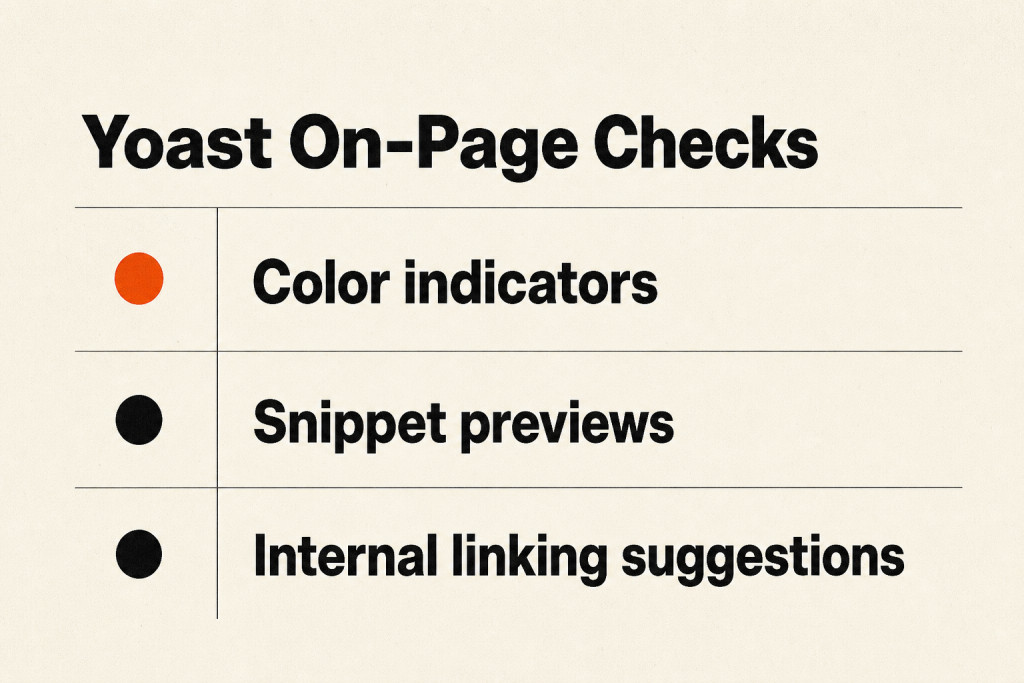
Its tools include:
- Color indicators that show where improvement is needed, including keyword placement
- Options to preview and edit meta descriptions, URL slugs, and social media snippets
- Internal linking suggestions that can improve content discoverability
Yoast can struggle to read intent. Several versions of the same keyword in a piece may confuse it, and the free version gives you only one focus phrase.
Yoast has a free plan. Yoast SEO Premium costs $99 per year.
Content Creation and Optimization Tools
Content marketing tools support the writing work behind a content strategy, from social posts and YouTube scripts to article research, drafting, and review. Drafting and grading solutions are among the content creation tools for digital marketing teams can use for this work.
Clearscope
Clearscope builds reports around a target keyword, showing what to cover and what already-ranking Google pages include. It helps shape articles around that keyword, with the aim of improving their chances of ranking. The tool can also review drafts and existing pages, then point out ways to optimize them.
Our SEO specialists use Clearscope to optimize relevant articles and website pages for search engines. First, an SEO specialist creates a report using the target keyword, which writers consult to map out what Google expects. Once the draft is ready, we check it in Clearscope and add content or keywords to improve its score.
A Google Docs plugin keeps reviews in the document (no copying and pasting between the report and draft). The suggestions are clear, and the tool is easy to use.
The Essentials plan starts at USD $129 per month, while the Business tier costs USD $399 per month; enterprise contracts are custom.

MarketMuse
MarketMuse is an AI platform for content planning and optimization; it evaluates topical authority, produces content briefs, and identifies gaps in a site’s existing library.
A practical use case is reviewing gaps in an existing content library and turning the most relevant ones into briefs for future work. Because the platform focuses on planning and optimization, teams looking for a tool centered on drafting or publishing may need other tools in their workflow.
Its plans depend on tracked topics and monthly brief allowances. Pricing is quoted by scope, rather than published as a flat seat price.
ChatGPT
ChatGPT is an AI assistant that generates text from prompts, answers questions, conducts research, explains topics, and takes part in conversation.
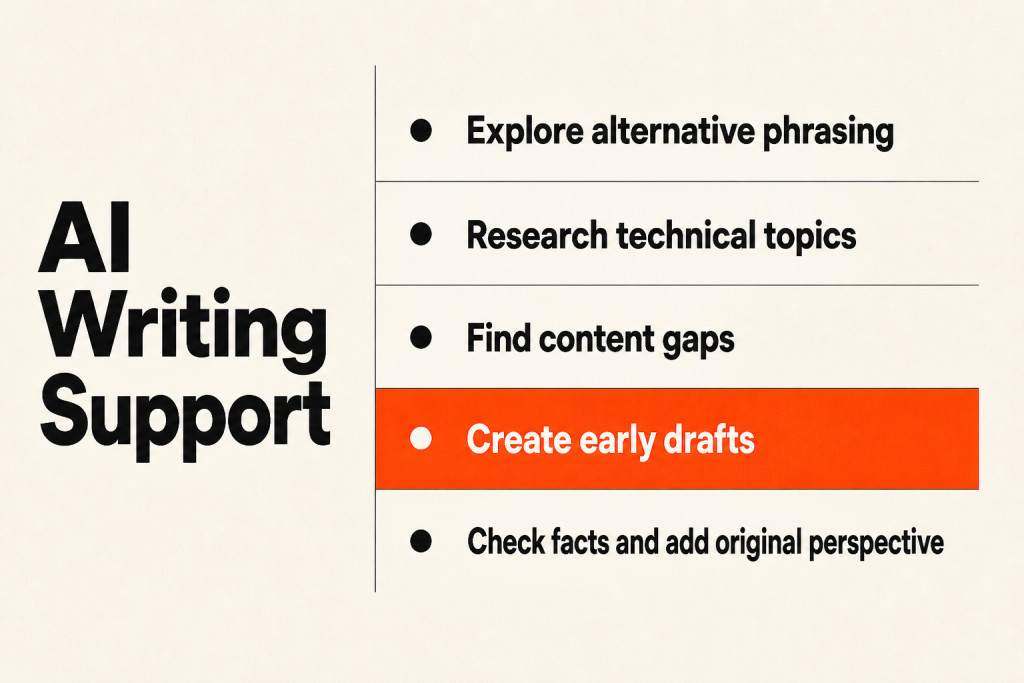
Our content teams are still experimenting with ChatGPT. We use it for tasks such as:
- Finding synonyms and alternative phrasing to improve writing
- Researching and generating code for technical articles
- Translating a customer interview transcript from Italian into English for a case study
- Comparing our articles with ranking pages to find content gaps
- Handling basic writing tasks, including meta titles and descriptions
ChatGPT is free and gives consistently useful answers, even with so many AI tools now available. Jasper is one option among specialized ai content marketing tools for team drafting. Generative assistants can help explore angles and create early drafts, but they cannot verify facts on their own or supply the original industry perspective that earns reader trust.
AI was never the magic bullet for content creation some expected. I used ChatGPT to outline an article on “how to choose avocados,” turn it into a full draft, and revise it to my liking, all in under 15 minutes. Check ChatGPT’s output before using it in your content strategy, and learn to write effective prompts to get more from the tool. The whole process happened inside ChatGPT.
For marketing, ChatGPT may not suit organizations looking for one writing and publishing tool. It does not integrate with common content management systems (CMSs) like WordPress out of the box (you still have to move the text yourself). After creating my article, I copied and pasted it into my CMS manually; the task was quick, but tedious.
Plus plans start at $20/month, Pro plans at $200/month, and Business plans at $30/user/month; Enterprise plans have custom pricing.
Grammarly
Grammarly is an AI editing tool that checks grammar and punctuation. Its Goals feature lets marketing teams match content to their target audience and objectives.
- Suggestions for improving vocabulary and sentence structure
- A rating for each piece’s clarity and engagement
- A plagiarism tool that scans content to ensure it’s 100% original
- Compatibility with platforms such as Google Docs, email, and social media apps
- Grammarly Business, which enables teams to create a style guide
Review Grammarly’s suggestions, since some can change the meaning of your text. The tool also checks writing in American, British, and Canadian English (useful when writers switch between variants). I can produce error-free writing in either American or British English.
Hemingway App
The Hemingway App grades readability by highlighting words, phrases, and sentences that may affect a piece’s score.
- Review sentence complexity, passive voice, and overuse of adverbs
- Import content easily from Microsoft Word or other writing platforms
- Connect with Medium and WordPress through one-click integrations
The free version works online only, and you cannot save your work; Hemingway App also skips grammar and punctuation checks.
A free plan points out issues without suggesting corrections. At $10 per month, the premium plan offers AI suggestions for as many as 5,000 sentences.
Visual and Video Tools for Content Marketing
Canva
Making graphics with Canva is straightforward for beginners and design pros alike. The online design tool handles social media graphics, presentations, posters, and more, and its friendly interface makes polished visuals easy to create.
We still reach for Canva when a project needs quick visuals or a presentation. Writers can resize images, cover sensitive details, and turn screen recordings into GIFs for articles without taking on complex design work.
Canva is simple to pick up, and its spacing tips help give designs a professional look. Most of its features are free.
A one-person content team without design skills can get a lot done in Canva. Design pros may prefer the broader set of tools in Figma or Adobe Creative Suite.

The no-cost option has limits, and paid plans begin at $15 per month.
Adobe Creative Cloud
Adobe Creative Cloud provides professional creative software for design and video work, making it a fit for teams with professional design skills. Our professional design team handles most of its design needs with Adobe Creative Cloud and Figma.
A subscription to Adobe Creative Cloud opens the door to Adobe’s creative software, including Photoshop, Illustrator, InDesign, Premiere Pro, After Effects, and more.
For blog and social content, use Adobe Photoshop to adjust or crop photos. When the job calls for vector images, our designers make them in Adobe Illustrator, then bring them into Figma to prepare the finished assets.
Adobe’s tools ask more of you than Canva does. A solo content marketer without professional design skills may find them hard to use.
Adobe Creative Cloud begins at $59.99 per month.
Lumen5
Lumen5 uses AI to turn text prompts, blog posts, and raw media clips into polished videos that are ready to publish.
With its chat-based video option, I made a 30-second video on how to choose avocados in less than a minute, using text, images, and music. Doing the scripting, filming, and editing by hand would have taken at least two hours.
I began by telling Lumen5 what the video should cover and how long it should run. It generated a draft, which I watched before asking for changes.
The first cut looked more like a potato than an avocado. I told Lumen5 to correct it, and the updated version arrived in less than 10 seconds.
I made a few changes before downloading the video, adding media, icons, and a voiceover.
With Blueprint, I trained Lumen5’s AI to shape future videos in the style of one I’d already made. That can help keep videos on-brand, but BluePrints have to be based on videos created in Lumen5.
Building BluePrints from existing media takes extra steps: you must upload the files by hand, then have Lumen5 turn them into videos first. That process may feel cumbersome for organizations sitting on a large library of reference media.
Lumen5 can also connect to your blog’s RSS feed. When a new article goes live, it spots the post, makes a video, and emails an alert, so fresh videos can arrive on autopilot.
Lumen5 offers Basic at $29/month, Starter at $79/month, Pro at $199/month, and Team with custom pricing.
Vidyard
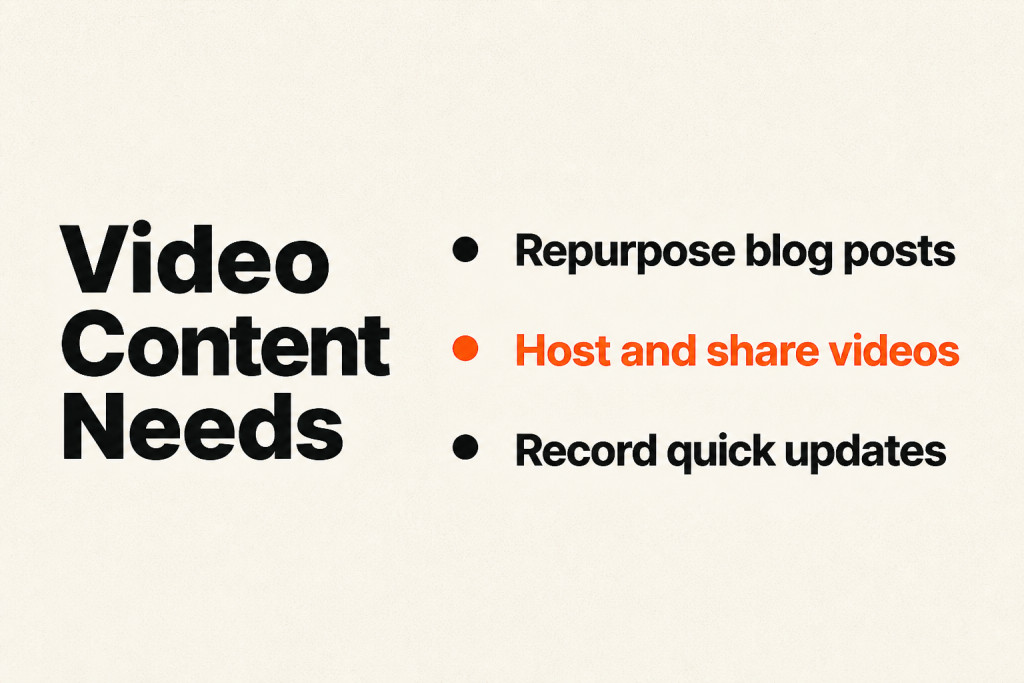
Vidyard gives content marketers a place to host, publish, and share videos on websites, by email, or through social media. It also supports interactive experiences, SEO, and the buyer journey.
Its tools and features include:
- Integrations that let people watch videos across various platforms
- Video hubs for collecting all your content in one place
- Reporting features for understanding content performance
- A Chrome extension for screen and video recording
Vidyard takes time to learn, and it doesn’t let users mark videos as private. It also has a steep learning curve.
Vidyard’s free plan covers up to 25 videos. At $29/mo, Pro adds unlimited videos, viewer insights, and CTAs; Plus costs $89/mo and brings full video analytics, customizable branding, and team performance. Business pricing is custom, with CRM/MAP integrations and priority support included.
Loom
Loom is an async video messaging tool that content teams can use to record quick updates and reduce meetings. Loom has these features:
- Recording both your screen and camera
- Sharing videos with your team easily, without requiring viewers to have an account
- Emojis and comments that help keep your team connected
You’ll need internet access to record. The free version caps recordings at five minutes and comes with limited editing options.
Loom’s free plan lets you create 25 videos, each with a 5 minute maximum. Business starts at $12.50/mo and removes caps on video count and recording length. Loom also offers a customer Enterprise tier.
Workflow, Planning, and Collaboration Tools
Workflow, planning, and collaboration tools help teams manage publishing as volume grows and address bottlenecks across priority channels. Let publishing volume set the budget. Start with your priority channels, then add focused tools where your team’s bottleneck is slowing work. The options below offer supporting detail.

When a team ships four articles a month, a 2,500-dollar enterprise platform is hard to justify; a team publishing forty articles can’t get by on a spreadsheet and goodwill.
Treat AI features as baseline.
With 67 percent of marketers using AI to create content and 42 percent more content published per month, drafting speed is no longer scarce. Editorial judgement and fact-checking are.
Notion
Notion combines databases with a productivity and collaboration workspace that supports note capture and lets teams organize work, from task handling to project planning. Our content team stores its documentation there, including the style guide and content production process in Notion wikis. The team finds Notion flexible enough to build apps and pages for all sorts of uses.
That flexibility comes with a trade-off: Trello is easier for project management on its own, while Linear or Asana offer more specialist features for managing projects.
Notion offers a limited free plan, with paid plans starting at $12 per month.
Google Workspace
Reviewing and editing articles
Google Workspace lets people review and edit articles through inline comments and suggested revisions, with earlier versions available for checking. Send an article link to other teams and ask them to leave comments, too.
Free tools and paid plans
Most Google Workspace tools are free to use, too. Solo content marketers who don’t need extra storage or administration settings and don’t require an email address on their custom domain may be better off sticking with the free tools.
Google Workspace plans start at $6 per month.
Airtable
Build and customize workflows
Airtable is a low-code project management tool that lets teams build and customize their workflows.
- Pre-made templates that make it easy to get started
- AI in automations for creating assets such as creative briefs, blog posts, product descriptions, and more
- Custom views for organizing data, including grid, kanban, calendar, or gallery
- Options to integrate your workflow with other applications
Plans and limitations
A free plan is available; Team costs $24/mo billed monthly, and Business costs $54/month billed monthly.
Airtable has no expense-tracking or budgeting tools, while its features for commenting and reporting have limitations.
CoSchedule
Key Services:
CoSchedule’s services include:
- A drag-and-drop editorial calendar
- A content approval workflow
- Social publishing scheduling
- Custom client calendars for agencies
- Marketing project and task management
- Calendar analytics and reporting
The marketing calendar platform gives content and social teams one shared view to plan, schedule, and get sign-off on each piece of content. Dedicated content marketing planning tools streamline editorial calendars, and its drag-and-drop calendar handles planning.
Pricing:
Paid Social Calendar plans start at USD $19 per user per month.
Free Calendar is available; Social Calendar starts at USD $19/user/month billed annually, and Marketing Suite starts at USD $190+/month.
Email Marketing and Deliverability Tools
Email gives a content marketing plan a place to nurture subscribers into customers, while other channels bring in the signups.
MailerLite
MailerLite gives content teams the tools to create and send email.
- A Drag & drop editor
- Automations
- Segmentation
- Personalization
- Forms and pop-ups
- Testing
- Landing pages
- Analytics
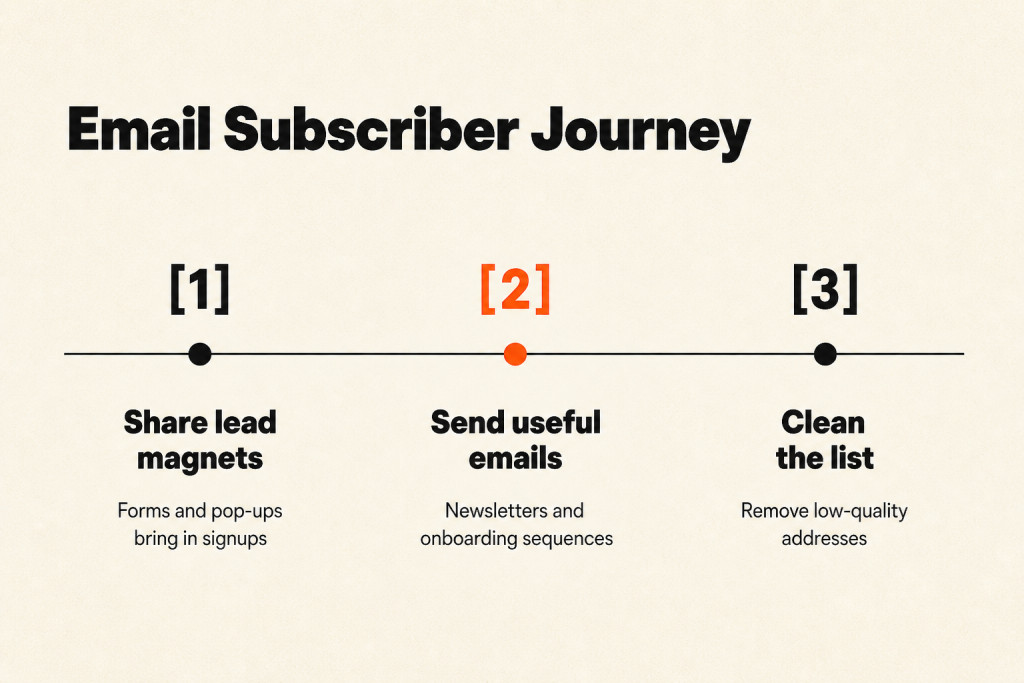
We use MailerLite across our email program, from the weekly newsletter, which is our regular send, to automated onboarding sequences for new signups. Forms and pop-ups share lead magnets, while Personalization and dynamic content let us send targeted emails.
For finer control, MailerLite offers A/B testing, send time optimization, and reporting. Set up the Automations that fit your goals, then pair dynamic content with Segmentation to put offers in front of specific groups and raise conversions. MailerLite is one of the most affordable choices for email marketing.
MailerLite doesn’t include migration help, so when you switch, you’ll need to move things yourself or bring in someone to handle the process.
With Mailerlite, the free plan accommodates up to 250 subscribers, while paid plans begin at $12 per month.
MailerCheck
MailerCheck flags invalid, risky, and inactive addresses, giving businesses a way to clean up and manage lists while keeping list quality in view. Removing those addresses cuts bounces and spam complaints, improving email deliverability. The tool also provides detailed reports and Analytics.
How we use MailerCheck
Our list brings in thousands of new signups each month. Every 4 to 6 months, our email marketing specialist runs it through MailerCheck to find and remove low-quality addresses.
She also checks the content and confirms that all links and content are working. MailerCheck gives us what we need to improve email deliverability and keep messages out of the spam folder.
Any downsides?
Checking a large email list can take a while, so you can run the process in the background while you handle other tasks.
MailerCheck starts at $10 for a check of 1,000 emails.
Analytics and Reader Intelligence Tools
Content marketing analytics tools connect visits and conversions to reader engagement, helping your team identify the pieces that attract attention and support business goals beyond traffic.

Content measurement now puts less weight on totals such as page views and more on quality, including how long readers stay on a particular page. Attention matters too.
Google Analytics
Traffic and behavior data
Google Analytics logs site visits and visitor behavior, including how people arrive and what they do. Its reports cover demographics, sessions, page views, conversions, and more.
The service can:
- Analyze conversion rates and marketing campaign effectiveness
- Use machine learning analytics to predict future actions visitors might take, such as purchasing or churning
- Share site sessions, page views, average session time, and bounce rate
- Track site visits by traffic source, such as social media platforms, search engines, and direct visits, as well as by geography
Content performance
With Google Analytics, you can see how readers reach your content and which pieces draw the most views or interaction, adding context to conversion rates. It’s free for most websites.
Managing the data
When Google Analytics data can feel overwhelming, choose the most important metrics for your site and keep your attention on them.
Hotjar
Hotjar shows how visitors use a site through click maps, recorded browsing sessions, surveys, and feedback polls, making it easier to spot where the experience needs work.
Visual heat maps show which parts of our web pages engage people most and which parts they ignore.
We mostly use Hotjar to learn what visitors click on our landing pages, then adjust those pages to pursue the highest possible click-through rate.
Hotjar can cost more as your site draws more visitors.
Hotjar’s no-cost plan allows up to 35 daily sessions; paid options start at $39 per month.
Brand24
Brand24 uses social media monitoring and analytics to follow online mentions related to a business and its competitors, as well as related search terms. Teams can use those details to judge promotion plans and build brand visibility.
How we use Brand24
We use Brand24 to follow online mentions and track brand sentiment by gauging how people feel about the brand. Our SEO team also finds mentions without links and contacts the people behind them as part of a linkbuilding strategy.
What we like about it
Brand24 routes every alert through its Slack connection, putting mentions in one place rather than making us check separate sources.
Any downsides?
The company gets talked about often, which can make it hard to keep pace with every mention.
Brand24 pricing begins at $149 per month.
How to Pick the Best Content Marketing Software
Three layers, not one suite
Build your stack around three layers instead of buying one suite: an editorial calendar, with CoSchedule, Loomly or Lytho Planner as options; a content scorer, such as Clearscope, Frase, MarketMuse or Conductor; and reader analytics from Parse.ly, Chartbeat or PathFactory. A Content Marketing Agency can use Loomly’s client approval workflows to collect sign-off. Each covers a different part of the content workflow, from planning through measurement.
Capabilities you can’t live without
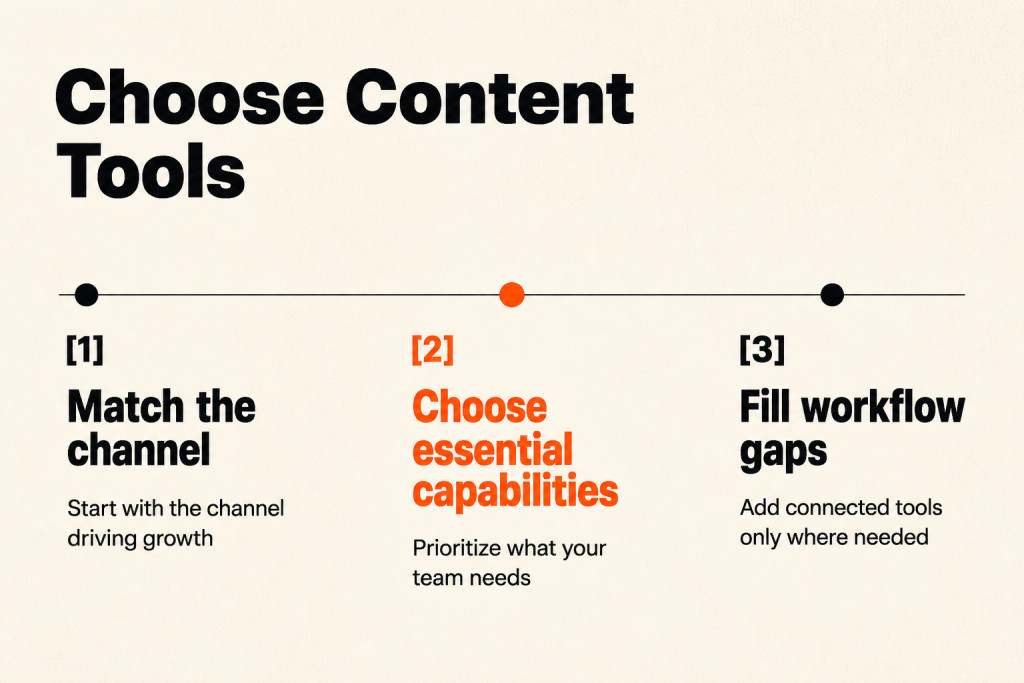
First decide whether content software fits your brand. Sure, look into individual vendors and what they offer, but also write down what your team has now, what it would like to have, and what it can’t do without. Align those requirements with your overall content marketing strategy. Audit organizational capacity before investing in new content marketing technology. That must-have list can help you steer clear of a costly mistake.
Compare vendors
If creating content is a primary need, put it front and center in vendor interviews and demos. Any vendor missing that must-have capability isn’t a fit. Keep that bar in place.
Compare vendors
Once you’ve listed the capabilities you need, look into vendors and narrow the field to those that meet your criteria. Send every vendor the same list, along with a timeframe for replies, so you can compare their answers. A formal RFI/RFP process is optional; either way, keep the questions consistent.
Strong RFPs stick to relevant questions and give vendors enough detail about your brand and its call analytics needs. They should tie back to high-level strategic goals and KPIs. A well-written RFP can support the sales process and help both sides agree on the purchase’s purpose, requirements, scope, and structure. Based on vendor replies, select three or four tools to demonstrate.
Among the 19 external tools, nine disclose pricing or offer a free tier; eight provide pricing only by quote.
Match tools to your channel
Let the channel driving growth guide your first tool choices: if organic search is your main channel, start with keyword intelligence and brief-scoring tools; for direct account outreach, begin with document tracking and engagement analytics.
Frequently Asked Questions
What does content marketing software cost?
Published prices span three orders of magnitude. CoSchedule starts at 19 dollars per user a month; Frase is listed at 39, Screaming Frog costs 199 pounds a year, and Clearscope runs 129 dollars a month, though billing periods vary. Parse.ly sits near 2,000, seoClarity at 2,500, Chartbeat around 13,000 dollars a year, and Contently near 5,000 dollars per project. Contentful has a free tier, while MarketMuse, Lytho Planner, Bynder, Acquia DAM, Uberflip, PathFactory, Conductor, and BrightEdge quote per scope. Pricing terms aren’t uniform.
Is one all-in-one platform better than three tools?
A stack of specialist tools is the more common choice, since one all-in-one rarely gives every job the same depth. Teams evaluating all-in-one content marketing platforms should weigh that trade-off. It does save teams from managing multiple vendor agreements and building bespoke connections, but its secondary modules rarely match the specialist depth of standalone category leaders. Those vendors focus on their own areas. With a single suite, teams usually accept a weaker version of two of the three jobs. The compromise sits in the modules.
How much has AI changed content tooling?
AI has become an expected feature across content tools, rather than a way to stand apart. Ahrefs links AI use to 42 percent more content published each month; as discussed above, editorial judgment remains the constraint, and choosing which topics merit a page still matters. Buyers increasingly treat AI as a baseline capability, not a differentiator.
Do we need digital asset management?
A dedicated asset repository suits teams where dozens of people need to find the approved logo, product image, or video edit. The wrong asset can cost you.
Which tool actually proves content works?
Parse.ly and Chartbeat track reader attention and editorial results in real time; PathFactory shows how buyers move through content during a session. Conductor is enterprise content marketing software for large brands, while Conductor and BrightEdge tie search visibility to how individual pages perform.
Key Takeaways
Choose a content stack that matches the work and applies automation where it saves time, leaving the team free to focus its effort on making valuable content. Content stays central.
- For smaller teams: Choose tools that fit the type of content you’ll create (the content type guides the choice), so you can focus your efforts on the things that really matter.
- For more time to create: The best content marketing tools automate processes and free up time to create valuable content.
The best content marketing stack follows your team’s bottleneck, not the biggest suite: start with the channels you need to support, then add focused tools as publishing volume grows. To choose your first tools, identify the part of your current workflow that most limits publishing and look for a tool that addresses that need.