15+ Best SEO Chrome Extensions to Grow in 2026: Free & Paid
Jaden Le
at 03:24 AM on 15 Oct 2025
Contents
Most “best SEO Chrome extensions” lists look useful, until you install five of them and your browser slows down and your workflow gets messier.
In our audits, teams don’t struggle because they lack tools, but because they use too many overlapping extensions, rely on surface-level metrics, and spend more time checking data than making decisions. That usually leads to wasted hours and missed opportunities (and yes, a lot of tab switching).
Having and using the right SEO Chrome extensions can cut audit time by 30–40% and help you validate ideas instantly without leaving the page.
This guide by Golden Owl Digital walks through the best free SEO Chrome extensions and paid ones based on real use cases. You’ll see what each tool actually does, where it fits, and how to use it without overloading your workflow.
How We Chose These SEO Chrome Extensions
We didn’t rank these tools from best to worst, because that’s not how they are used in practice. Each extension solves a specific problem, and the right choice depends on what you are trying to do at that moment.
In most real workflows, teams only rely on 3 to 4 extensions consistently. The rest are used occasionally when a specific issue comes up.
Here’s how to think about it:
On-page SEO analysis Tools that help you quickly understand page structure, metadata, and content setup. Used during content audits, publishing checks, and competitor reviews.
Keyword research and validation Tools that bring keyword data directly into search results. Used when validating ideas, checking intent, or refining content direction.
Technical SEO checks Tools that surface issues like redirects, Core Web Vitals, or broken links. Used during audits, migrations, or troubleshooting.
Competitor and market insights Tools that give you a high-level view of traffic, channels, and positioning. Used for benchmarking and strategy planning.
Outreach and link building Tools that support contact discovery and link acquisition workflows. Used during backlink campaigns and partnerships.
One thing we often tell clients is this: Adding more tools doesn’t always improve SEO outcomes, but removing unnecessary ones usually does.
Summary Table: 15+ Best SEO Chrome Extensions in 2026
Tool
Top Features
Price
Best For
Limitations
Glimpse
Real search volume, trend forecasting, topic map, channel insights
Free / ~$49+ per month
Content strategists and SEO teams focused on trends
Limited value for evergreen content and long-term SEO planning
MozBar
DA/PA metrics, link highlighting, SERP overlay
Free / ~$99+ per month
Junior SEOs and agencies doing quick authority checks
DA is not always reliable for decision-making, occasional stability issues
Keywords Everywhere
Search volume, CPC, keyword suggestions, AI clustering
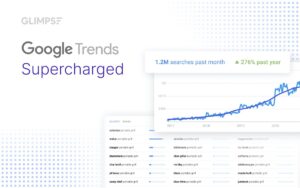
Glimpse upgrades Google Trends by adding real search volume, forecasting, and deeper trend insights directly into your browser. As content cycles get shorter in 2026, this kind of visibility helps you catch opportunities before they peak.
Best for: Glimpse fits content strategists and SEO teams in fast-moving industries like eCommerce or media, where timing matters more than volume.
MozBar
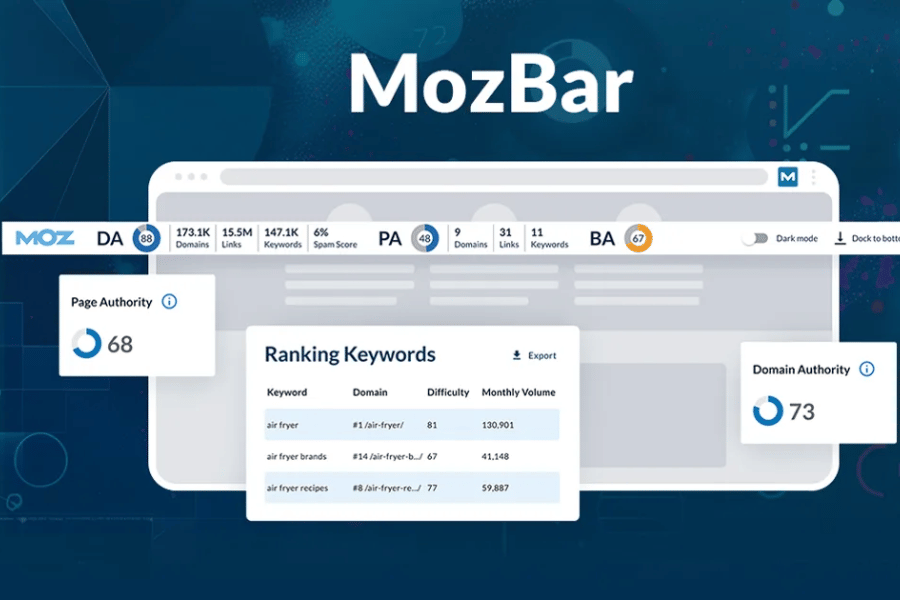
MozBar provides instant authority metrics directly in your browser
MozBar has been around for years, and most SEO teams have used it at some point. It gives you a quick snapshot of a website’s authority while browsing, which is useful when you need a fast sense check on competitors or backlink prospects.
Top features:
Displays Domain Authority (DA) and Page Authority (PA)
Highlights followed vs nofollow links
SERP overlay with authority metrics
Custom search filters by location
Price:
Free version available
Moz Pro starts from ~$99/month
Best for:
MozBar works best for junior SEO teams and agencies doing quick backlink vetting, but relying only on DA often leads to poor-quality link decisions.
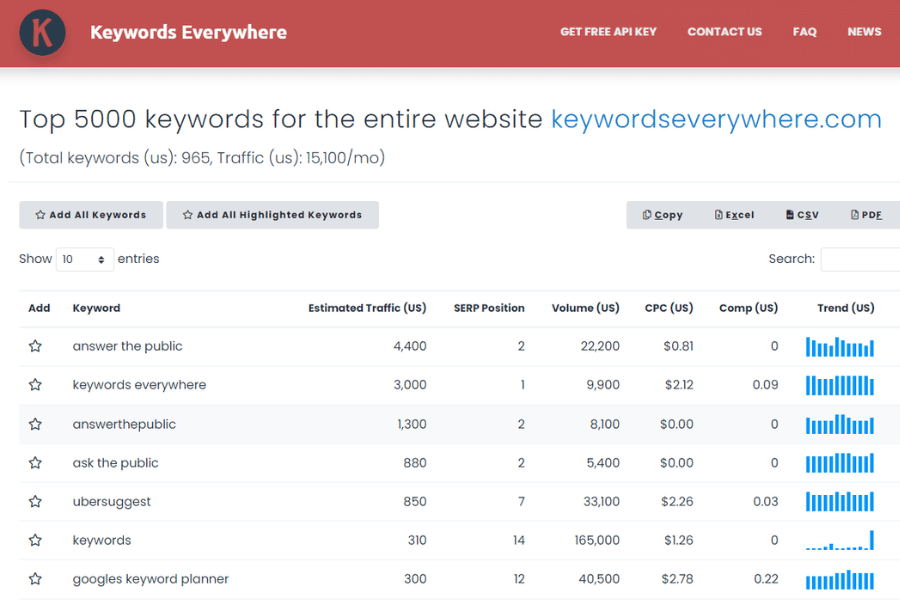
Keywords Everywhere displays keyword data directly within Google’s search results
Keywords Everywhere brings keyword data directly into your search results, which saves a surprising amount of time when validating ideas. Over the past year, it has also started integrating AI features to help generate keyword clusters and content direction on the fly.
AI-powered keyword clustering and intent insights (2025–2026 update)
Price:
Credit-based system, typically starting around $15/year depending on usage
Best for:
Keywords Everywhere fits content marketers and lean B2B teams who need fast keyword validation, especially when speed matters more than deep accuracy.
If you’re looking to complement these extensions with a comprehensive toolkit, check out our guide on the best SEO tools for small businesses
Keyword Surfer
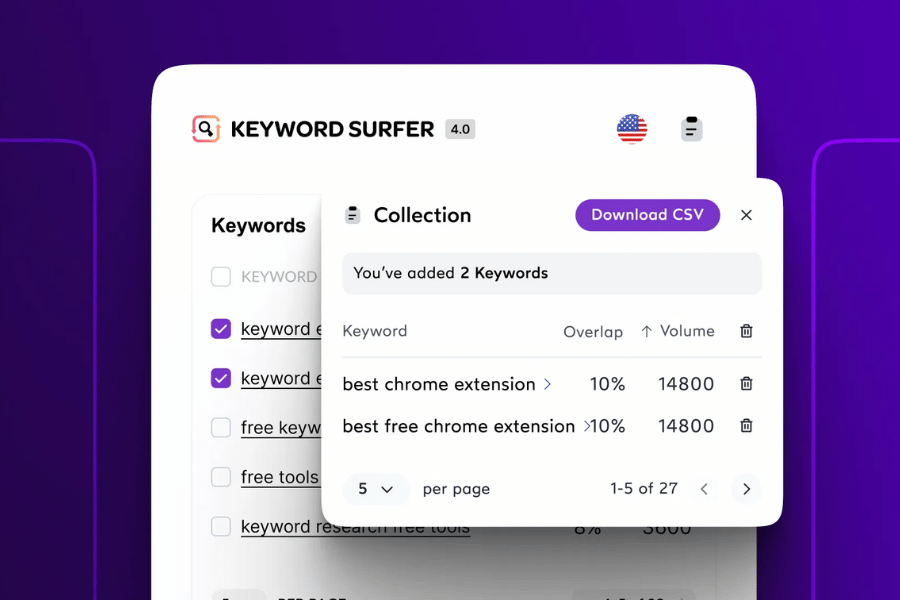
Keyword Surfer offers a free way to see search volumes inside Google SERPs
Keyword Surfer is often the go-to free alternative for quick keyword checks. It focuses on giving you just enough data inside Google to make decisions without overwhelming you with metrics.
Top features:
Estimated search volume directly in SERP
Traffic estimates for ranking pages
Content similarity score across results
On-page word count and keyword usage
Detects when Google rewrites title tags
Price:
Free
Best for:
Keyword Surfer suits beginners and small teams exploring content ideas, but it becomes limiting once you need reliable data for scaling SEO.
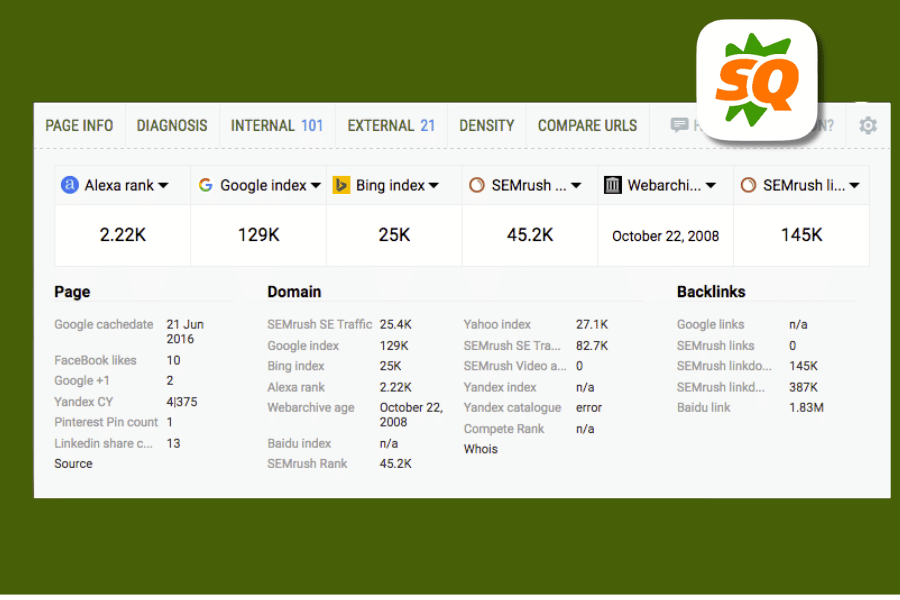
SEOquake provides a detailed dashboard of SEO metrics for any webpage
SEOquake is a data-heavy extension that gives you a broad overview of any page. It is especially useful when you want to quickly scan technical and on-page signals without opening multiple tools.
Top features:
SEObar with page-level metrics
SERP overlay with domain data
On-page SEO audit (“Diagnosis” tab)
Internal and external link analysis
Price:
Free
Best for:
SEOquake is useful for technical SEO practitioners who want a quick page overview, though inexperienced users can easily get lost in too many metrics.
Although this tool helps teams check their sites’ performance at a glance, it is often recommended to do a full technical SEO audit to find the root cause of any problems.
Perplexity Extension
Perplexity Extension acts like a research assistant inside your browser, helping you break down competitor content without manually reading through everything. It is especially useful when you need to quickly understand what others are doing and where they fall short.
Top features:
Instant page summaries and key insights
Ask contextual questions about any page
Source-backed answers with citations
Quick comparison across SERP results
Price:
Free
Best for: Perplexity Extension fits SEO content teams and marketers who want to speed up research and identify content gaps without spending hours reading.
Ahrefs SEO Toolbar
The Ahrefs SEO Toolbar delivers trusted Ahrefs metrics for any page
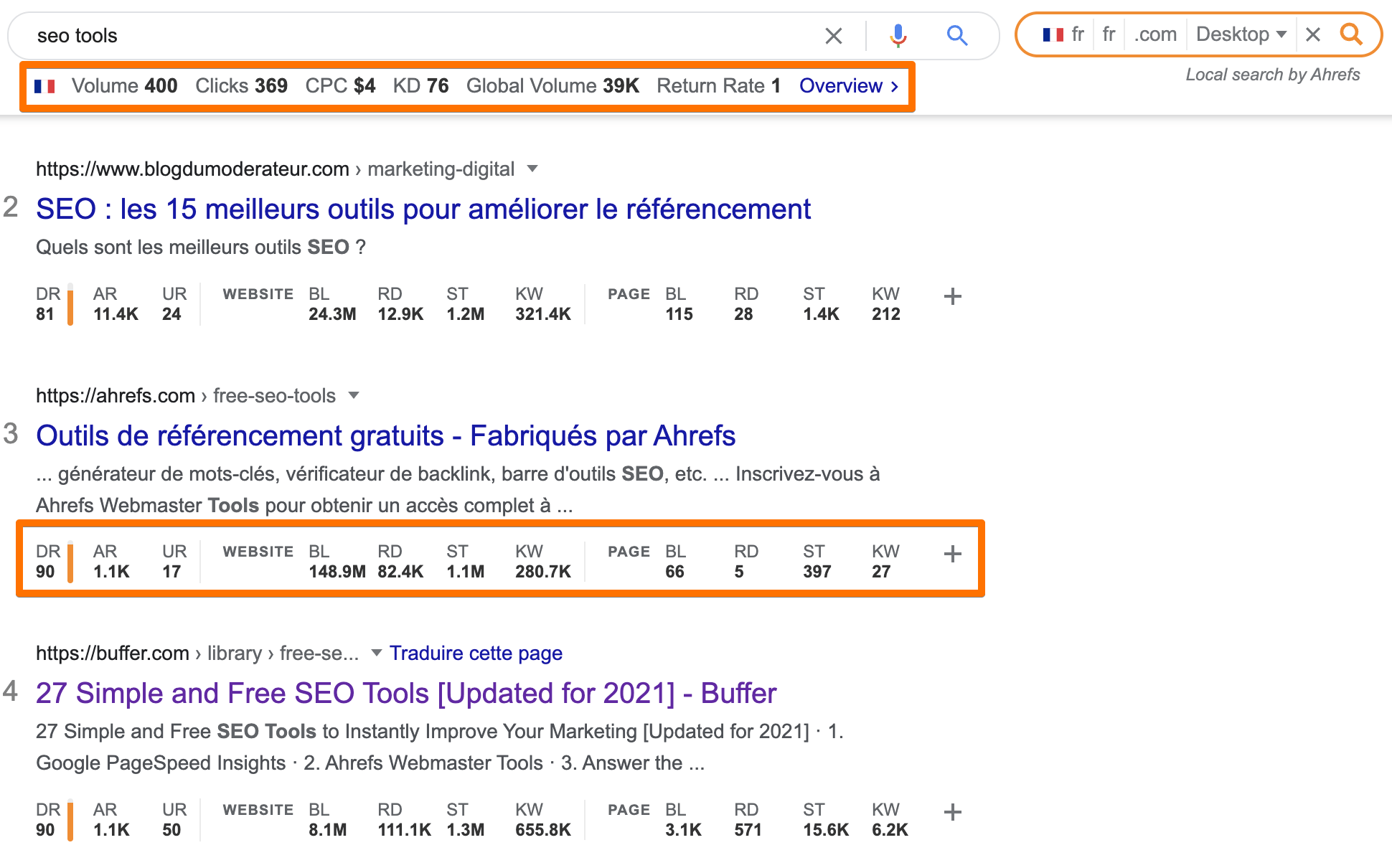
If you are already using Ahrefs, this extension becomes a natural extension of your workflow. It pulls reliable backlink and authority data directly into your browser and combines it with useful on-page checks.
Top features:
Domain Rating (DR) and URL Rating (UR)
Backlink and referring domain counts
On-page SEO report (headings, word count, meta)
Broken link checker
Redirect tracer
Price:
Free for limited features
Full functionality requires Ahrefs subscription (~$99/month+)
Best for:
Ahrefs SEO Toolbar is ideal for in-house SEO teams and agencies already using Ahrefs, as it speeds up validation during audits without replacing deeper analysis.
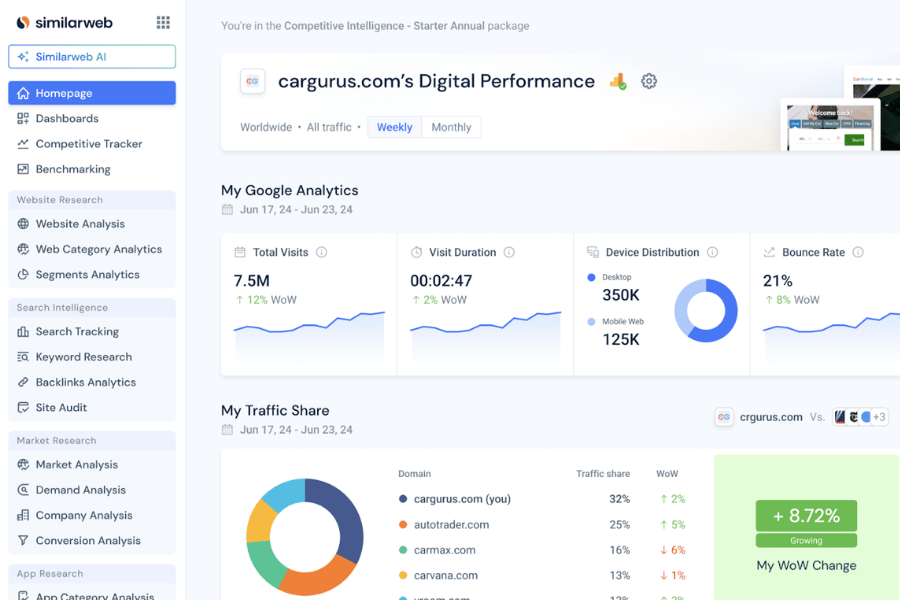
SimilarWeb provides a snapshot of any website’s traffic sources
SimilarWeb gives you a quick snapshot of how any website performs in terms of traffic and acquisition channels. It is commonly used during competitor analysis to understand where others are getting their growth from.
Paid plans from ~$125/month (pricing varies by package and region)
Best for: SimilarWeb fits B2B owners and marketing teams doing competitor research, but traffic estimates should be treated as directional rather than decision-level data.
Meta SEO Inspector
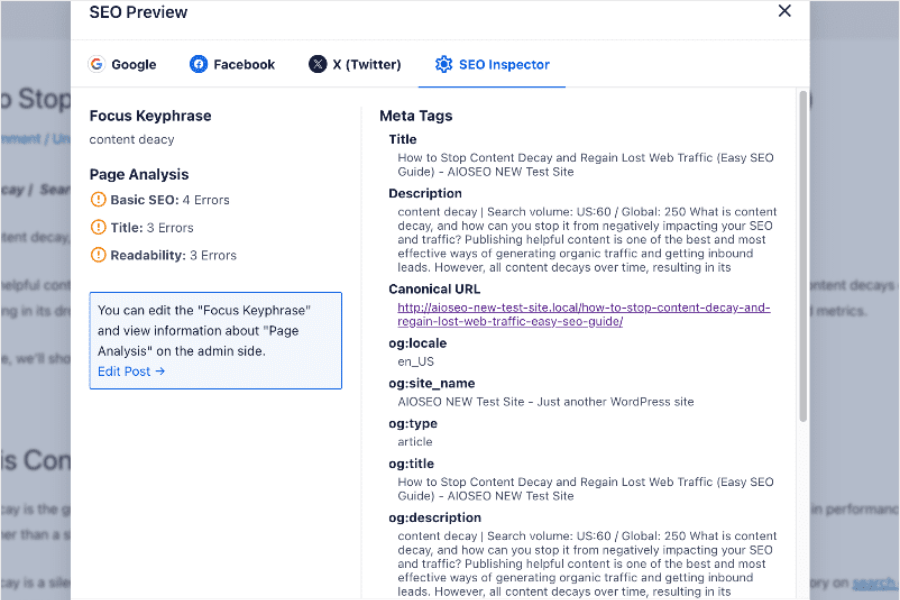
Meta SEO Inspector helps you spot on-page meta tag issues with a single click
Meta SEO Inspector helps you quickly review the invisible parts of a page, especially metadata and technical tags that impact indexing and sharing. It is simple, but often catches issues that are easy to miss during publishing.
Top features:
Meta title and description with length validation
Open Graph data preview (social sharing)
Canonical and robots tag detection
Structured metadata (such as schema markup) overview
Price:
Free
Best for: Meta SEO Inspector fits junior SEO teams and content managers who need quick on-page checks, especially when validating metadata before publishing.
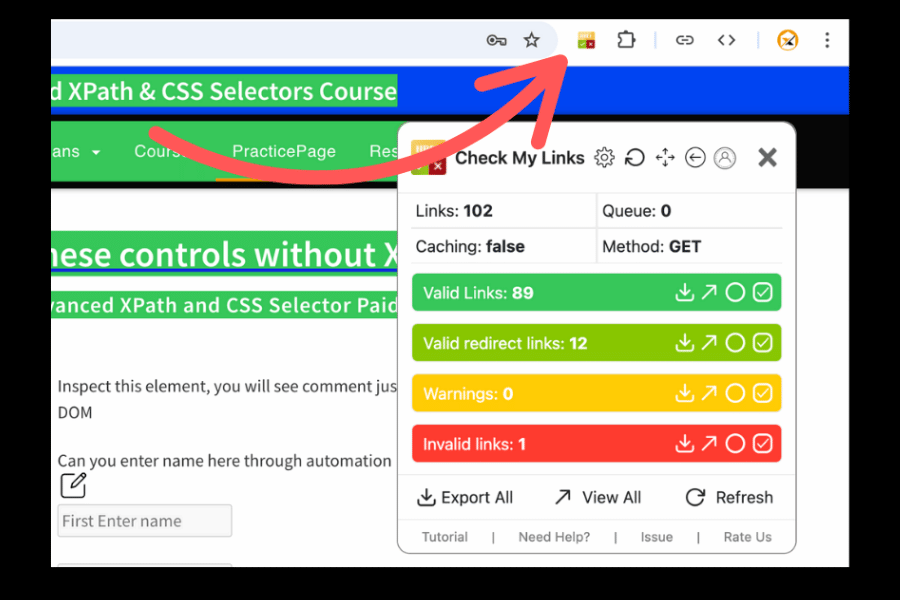
Check My Links is an effective utility for finding and fixing broken links on any page
Check My Links focuses on one job, finding broken links on a page, and does it efficiently. It is especially useful for maintaining content quality across large websites.
Best for: Check My Links fits content teams and SEO specialists maintaining large blogs, where broken links quietly damage both user experience and rankings.
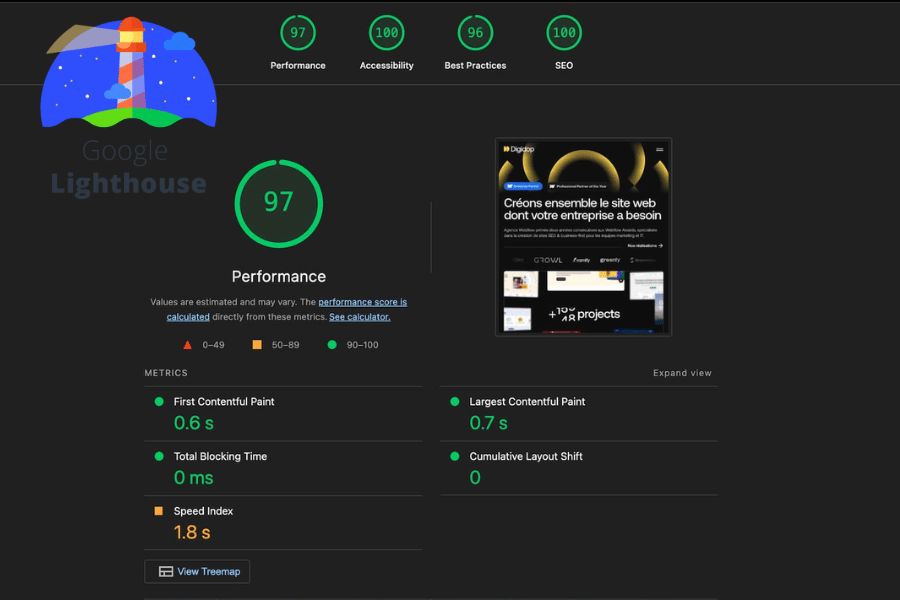
Lighthouse is Google’s own utility for auditing page performance and technical SEO
Lighthouse is Google’s built-in auditing tool for performance, accessibility, and technical SEO. It plays a key role in evaluating Core Web Vitals, which directly impact rankings and user experience.
Top features:
Core Web Vitals metrics (LCP, CLS, INP)
Performance scoring (0–100)
Accessibility and best practices audit
Basic SEO checks (indexability, metadata)
Price:
Free
Best for: Lighthouse fits technical SEO specialists and product teams focused on Core Web Vitals, but scores alone do not explain what is actually hurting conversions.
Redirect Path
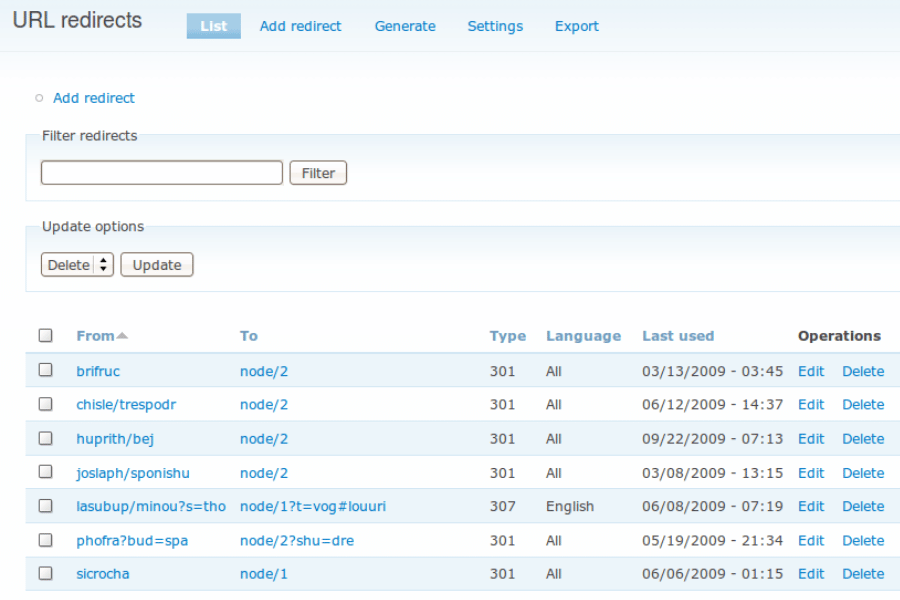
Redirect Path makes it easy to see and diagnose HTTP redirects
Redirect Path helps you identify HTTP status codes and redirect chains as you browse. It is a lightweight tool that makes hidden redirect issues immediately visible.
Top features:
Displays HTTP status codes (200, 301, 302, 404)
Visualizes redirect chains
Highlights redirect errors instantly
Price:
Free
Best for: Redirect Path fits technical SEO practitioners and developers who need to quickly diagnose redirect issues, especially during migrations or site updates.
Link Redirect Trace
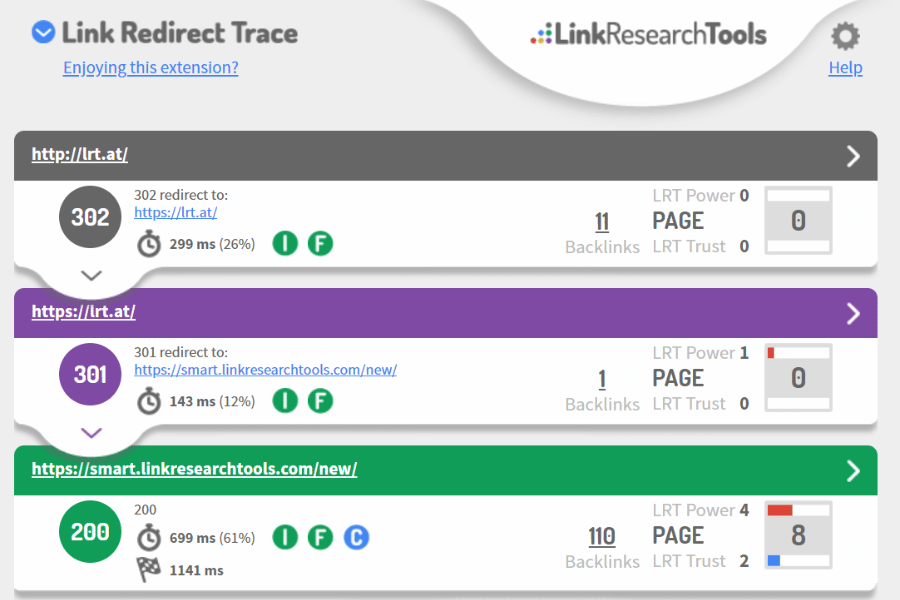
Link Redirect Trace provides a deep analysis of redirect chains and link strength
Link Redirect Trace provides a deeper analysis of redirect behavior and link signals. It goes beyond basic redirect checks by highlighting SEO-related issues in the redirect flow.
Top features:
Full redirect chain analysis
Canonical and robots.txt validation
Link strength and SEO signal checks
HTTP header insights
Price:
Free
Best for: Link Redirect Trace fits advanced SEO specialists handling complex redirect structures, though it can feel heavy for simple day-to-day checks.
Hunter
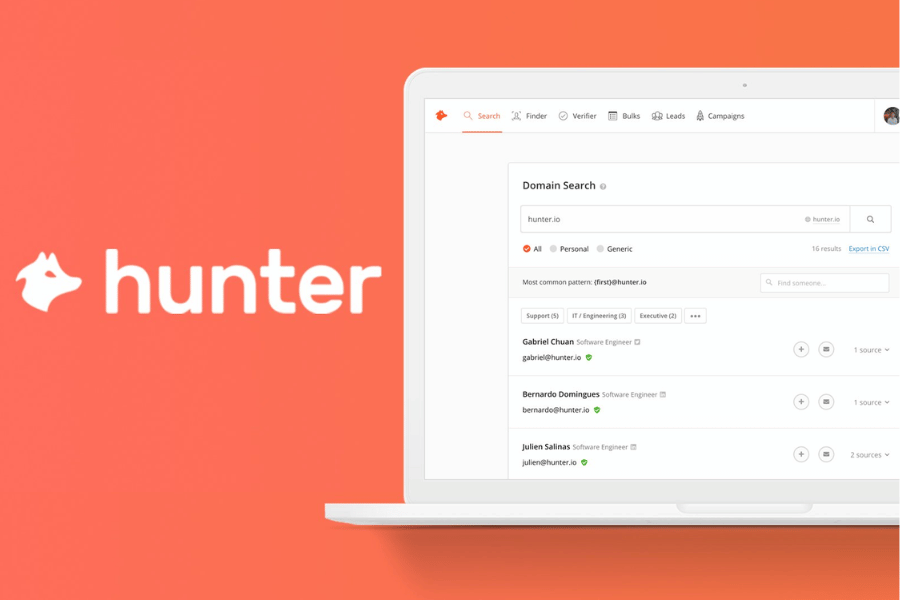
Hunter software finds professional email addresses for outreach campaigns
Hunter is designed for outreach, helping you find professional email addresses associated with a website. It is widely used in link-building and partnership campaigns.
Top features:
Finds email addresses by domain
Shows names and roles when available
Email verification with confidence score
Integration with outreach workflows
Price:
Free plan with limited searches
Paid plans start from ~$49/month
Best for: Hunter fits link-building teams and agencies running outreach campaigns, but email accuracy still needs manual validation to avoid wasted effort.
View Rendered Source
View Rendered Source helps you see what search engines actually process on modern websites. With JavaScript-heavy frameworks becoming standard, this tool makes it easier to spot differences between raw code and rendered content.
Top features:
Side-by-side raw vs rendered HTML comparison
Highlights differences in titles, meta tags, and content
Identifies missing or altered elements after rendering
Helps diagnose JavaScript-related SEO issues
Price:
Free
Best for: View Rendered Source fits technical SEO specialists and developers working with modern frameworks, where hidden rendering issues can directly impact indexing.
SEO Minion
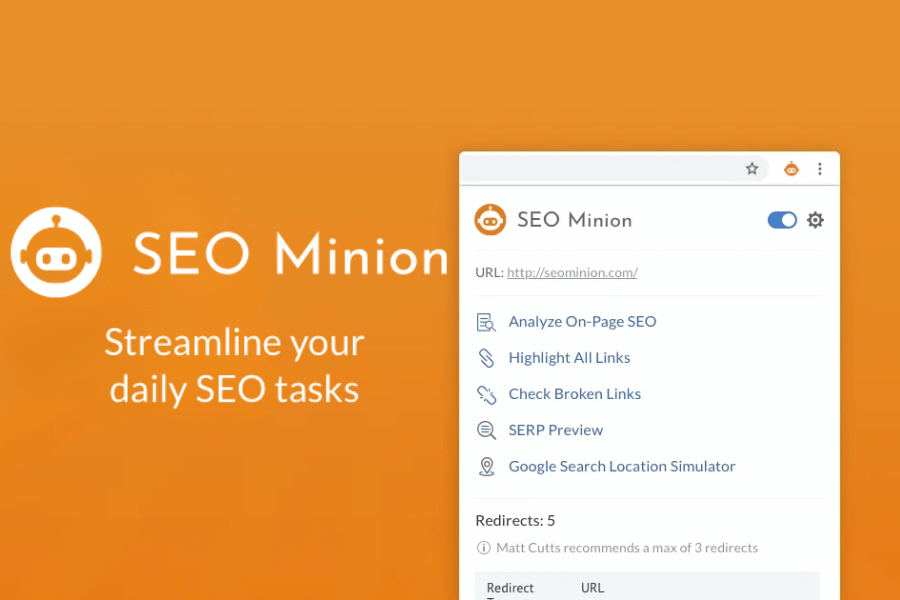
SEO Minion helps with on-page analysis, broken link checking, and more
SEO Minion combines multiple everyday SEO tasks into one extension, making it a convenient tool for quick audits and checks. It has recently moved into a paid ecosystem, which changes how teams should approach using it.
Top features:
On-page SEO analysis
Broken link checker
SERP preview tool
Hreflang validation for international SEO
Price:
Limited free features
Full access via Keywords Everywhere subscription
Best for: SEO Minion fits small teams and freelancers who need an all-in-one tool for daily tasks, though its paid shift means you should be selective about usage.
Detailed SEO Extension
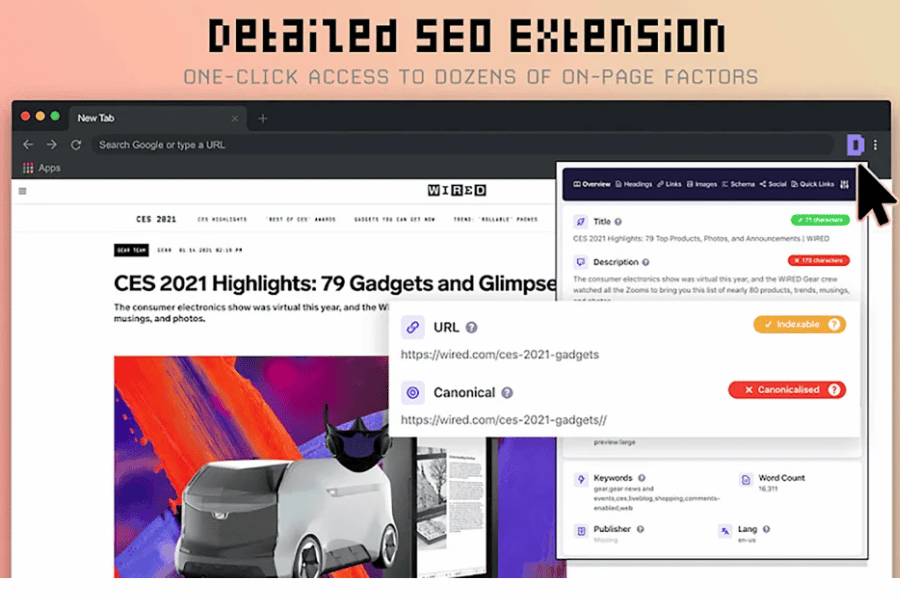
Created by SEO expert Glen Allsopp, this extension provides deep on-page insights
Detailed SEO Extension is one of the most widely used on-page analysis tools today. It presents clean, structured data without overwhelming the user, which makes it a favorite across experience levels.
Top features:
Clear view of title, meta, canonical, and robots tags
Structured heading hierarchy (H1–H6)
Schema markup detection
Internal and external link export
Price:
Free
Best for: Detailed SEO Extension fits both beginners and experienced SEO practitioners who want clean, reliable on-page insights without digging through source code.
How to Choose the Right SEO Chrome Extensions (Without Overloading Your Workflow)
By this point, you’ve probably seen more tools than you actually need. That’s normal. The goal isn’t to install everything on this list, it’s to build a small setup that fits how your team works.
In most cases, 3 to 4 extensions are enough for daily use. Anything beyond that tends to slow you down more than it helps (and your browser will remind you).
Here’s a simple way to choose:
Start with your primary use case
Content-heavy teams → prioritize keyword + on-page tools
Technical teams → focus on audits, redirects, and performance
Growth or marketing leads → add competitor insight tools
Build a lean stack
1 tool for on-page SEO (e.g. Detailed SEO Extension)
1 tool for keyword validation (e.g. Keywords Everywhere or Keyword Surfer)
1 tool for technical checks (e.g. Lighthouse or Redirect Path)
Optional: 1 tool for competitor insights (e.g. Ahrefs Toolbar or SimilarWeb)
Avoid common mistakes
Installing multiple tools that show the same data
Trusting a single metric like DR or traffic estimates
Using extensions as your main data source instead of validation
In our experience, most teams improve faster when they simplify their stack. Fewer tools, clearer signals, better decisions.
Conclusion
The best SEO Chrome extensions won’t make your strategy better on their own, but they will make your execution faster and sharper if you use them with intent.
Most teams don’t need more tools. They need a clearer workflow and a smaller stack that actually supports how they work day to day. A few well-chosen extensions can help you spot issues faster, validate ideas instantly, and spend more time on decisions that move rankings.
If you’re at the point where tools are no longer the bottleneck, that’s usually where a deeper SEO strategy comes in. This is where we step in at Golden Owl Digital, helping teams turn scattered insights into a clear roadmap that drives traffic, rankings, and pipeline.