A higher education SEO guide should address the enrollment challenge behind the search: connecting search activity to qualified applications. When university information spans thousands of pages and different systems, it can be hard to see whether that path is working.
Read on for practical ways to decide when agency support may help, organize program keywords and authoritative content, and connect search activity to admissions outcomes. The measurement section follows that connection through UTM parameters, CRM lead sources, assisted conversions, and application records. Use this higher education SEO guide as a checklist for your next admissions cycle.
Campus Obstacles in This Higher Education SEO Guide
When departments use separate systems and organize content differently, university information becomes harder for searchers to find.

Higher education institutions need a different SEO approach from general education providers because their audiences and search intent vary. Universities, community colleges, trade schools, and private institutions each serve distinct student populations, so their SEO plans should reflect those differences.
The makeup of higher education websites creates another hurdle: academic programs, admissions information, faculty profiles, and research publications often share the same site. SEO needs a clear site architecture with strategic internal linking, plus optimized content, to help people find those pages across thousands of URLs.
Choosing Between In-House and Agency SEO Support
When evaluating an agency, look for experience with the mix of program, admissions, faculty, and research content on university sites, and a clear plan for connecting SEO work to admissions outcomes. An SEO outsourcing agency can supplement in-house staff; ask how its higher education SEO services will support your enrollment goals.
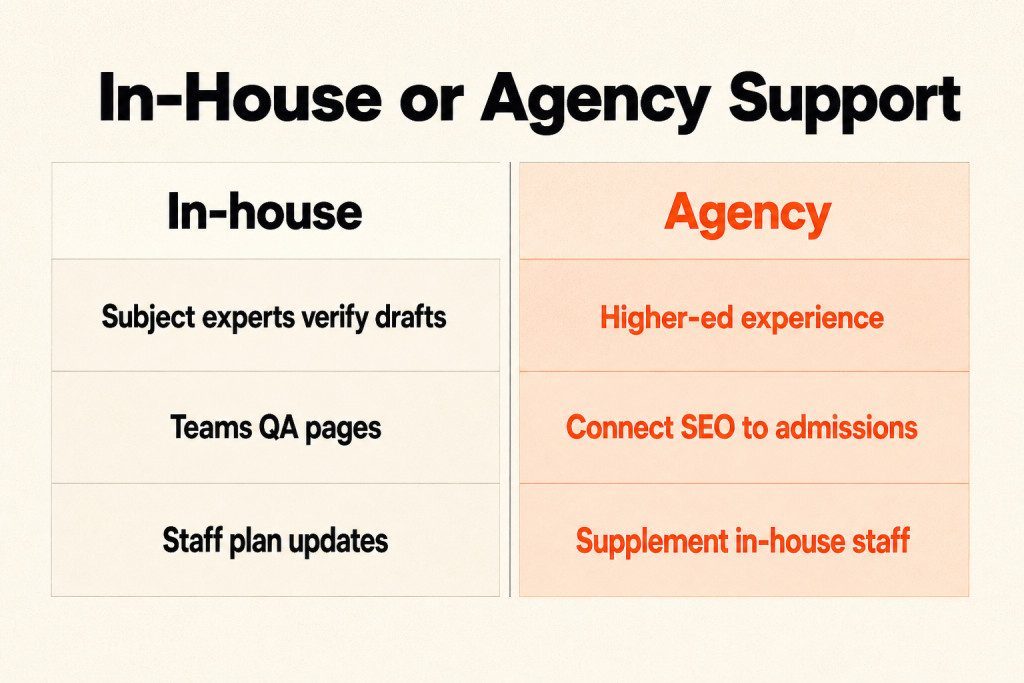
For teams handling this in-house, follow these review and publishing steps:
- Have subject-matter experts verify AI drafts before publishing program facts, accreditation details, or course requirements.
- Send drafts to departmental reviewers to check facts such as course codes and faculty lists.
- Before publishing, QA the final page for schema, internal links, and accessibility.
- Record changes and plan periodic updates, either annual or per term.
Technical SEO for Multi-Department Web Ecosystems
Across a university site, technical SEO helps prospective students find useful information and navigate pages in ways that keep them engaged, while supporting search rankings. Search engines favor sites that load quickly and work securely on mobile screens, so those basics matter to higher education institutions.
Start with site speed, mobile responsiveness, structured data markup, and a site layout people can follow. Redirects, broken-link repairs, and image optimization also improve site performance. Sites that meet web accessibility guidelines are easier to use and can help SEO rankings.
Subdirectory Architecture vs Subdomains
When organizational governance allows, place degree offerings in subdirectories beneath a shared domain, such as example.edu/department, to strengthen the domain’s standing and help search engines crawl pages more efficiently. This setup also makes sitewide analytics simpler, though departmental teams give up control of their own servers and work from centralized templates. Subdomains fit systems that need to operate on their own, such as a research portal with distinct goals.
Crawl Health and Duplicate Content
Add canonical tags to program versions for each year or term, as well as print-friendly formats. For thin or parameterized pages, block them with robots rules or point rel=canonical to the preferred version.

For deprecated course pages, redirect visitors to equivalent up-to-date pages using 301s and maintain a redirect map. Avoid month-by-month event pages that stay indexed year after year. Use a rolling events calendar with event schema, then canonicalize or remove old events once they expire.
University sites can become sprawling and crowded with legacy content. Tag and archive pages may stay indexed by accident, and duplicate program pages, a long list of departmental subdomains, and event pages repeated every year add to the mess. Check your crawl budget: catalog variants, printable course schedules, and expired event archives all use it up. Keeping historical catalogs and outdated event archives live without canonical controls doesn’t preserve institutional history; those duplicates use crawl depth and pull prospective students away from active degree pages.
Academic Program Keyword Architecture
Career-, problem-, and credential-based searches often come before a prospective student looks up an institution’s formal degree name. Program-specific searches convert at far higher rates than broad institutional-brand searches, so match keyword targets to what students are looking for at each stage.
Build target phrases from the degrees your school offers, such as “business administration degree” and “computer science major”; “universities in [city]” can bring in people searching locally.
Some prospective students are still gathering information. Answer those searches with useful content on terms such as “prepare for college entrance exams” or “how to choose the right college,” since those searchers may not be ready to apply yet.
Specific long-tail searches such as “best affordable engineering colleges” and “top-ranked medical schools with research opportunities” answer narrower questions and improve visibility among people with niche interests.
Sort keyword targets into program, institution, and local or event groups:
- Program-level: “masters in computer science curriculum,” “data science internships,” “computer science scholarships”
- Institution-level: “X University admissions requirements,” “X University tuition,” “X University campus tours”
- Local and event intent: “open day [city],” “campus tour [weekday],” “spring graduation 2026 [campus]”
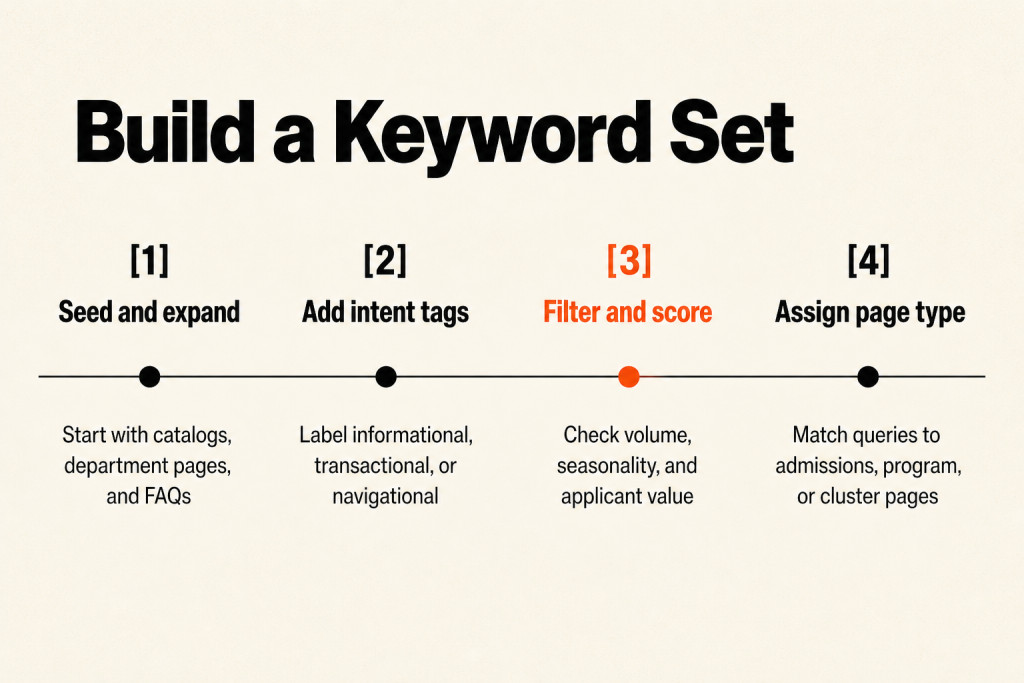
Use four steps to build and organize your keyword set:
- Seed and expand: Pull seed terms from course catalogs, department pages, and admissions FAQs. Use Google Keyword Planner and Google Trends to expand the list and check seasonality, since application cycles spike each year.
- Add intent tags: Label each keyword informational, transactional, or navigational. “What is in a master’s thesis” is informational, while “apply to masters in computer science [university]” is transactional.
- Filter and score: Check monthly search volume, seasonal lift in Google Trends, and priority; calculate applicant value as estimated conversion rate × lifetime value of a student.
- Assign page type: Direct high-intent transactional queries to admissions or program pages, and long-form informational queries to cluster articles.
Application periods bring predictable traffic spikes, so refresh content 6-8 weeks before each program’s search volume peaks.
High-Authority Educational Content Strategy
A high-authority educational content strategy gives prospective students detailed information about academic programs, campus life, facilities, and the local area. Over 33% of website traffic comes from organic search, giving SEO a direct path to stronger visibility with prospective students.
Universities can bring videos, infographics, and interactive features into the mix. Short-form videos featuring faculty insights or student testimonials can appear on social media and program pages. Virtual campus tours and online tools such as tuition calculators and career outlook assessments keep visitors on the site longer.
Degree Pillar and Cluster Pages
A degree pillar-and-cluster structure connects a faculty-level pillar to program and course pages through internal links. Institutions that organize content into faculty pillars and program clusters often see measurable gains in impressions and clicks within 3-6 months, and organic visibility can rise by 30% or more when program pages and faculty pillars match what people are looking for.
A faculty pillar, such as “Computer Science at X University,” can point to program pages, course pages, faculty profiles, research highlights, and student outcomes. Pillar pages build topical authority, while cluster pages draw long-tail informational queries into the applicant funnel.
The table pairs page types with the searches they serve and shows how the pages link to each other.
| Page type | Primary intent | Ideal length | Suggested schema | Internal linking pattern |
|---|---|---|---|---|
| Faculty pillar | Informational/brand | 1,200-2,000 words | Organization, BreadcrumbList | Links to programs, clusters, top-level admissions |
| Program page | Transactional/informational | 800-1,500 words | Course, FAQPage, BreadcrumbList | Links back to faculty pillar and admissions CTAs |
| Course/syllabus | Informational | 600-1,200 words | Course | Links to program and faculty pages |
Academic E-E-A-T and Faculty Spotlights
Academic E-E-A-T combines firsthand experience, subject expertise, credible authority, and trustworthy sourcing; faculty profiles demonstrate expertise by connecting faculty to their research, publications, and courses taught. The table gives page details and internal links for faculty profiles and research centers.
| Page type | Primary intent | Ideal length | Suggested schema | Internal linking pattern |
|---|---|---|---|---|
| Faculty profile | Navigational/informational | 300-800 words | Person | Links to research, publications, courses taught |
| Research center | Informational | 800-1,200 words | Article | Links to faculty, projects, news releases |
Each part of E-E-A-T shows up in academic content in a specific way:
- Experience: Someone with firsthand involvement in the subject creates the content.
- Expertise: The content creator has formal knowledge of the subject.
- Authoritativeness: The content offers credible information, and the website has a good reputation for quality content.
- Trustworthiness: Clear, transparent sourcing lets readers check the information’s accuracy and reliability.
Clear content about faculty and student experience and expertise helps universities meet these expectations.
Off-page citations and backlinks
When an institution appears on U.S. News and Wikipedia, those references give Google signals that back up the brand. Informative content also draws backlinks from other sites, which supports a higher education site’s authority and rankings.
These approaches can attract links and references to an institution’s content:
- Guest blogging: Contribute guest posts to reputable sites and blogs related to your programs or region.
- Scholarships: Offer scholarships to students and promote them on scholarship sites.
- Alumni outreach: Ask alumni to link to your institution’s site from personal or professional sites.
- Faculty contributions: Encourage faculty to contribute articles and research papers to reputable publications in their field.
- Partnerships: Build partnerships with educational institutions, organizations, and businesses; collaborate on projects, events, or research initiatives.
- Local media: Offer expert commentary or contribute articles to local media outlets.
- Resource creation: Create guides, tutorials, or research papers that other sites in the field will find useful and link to.
Enrollment-Driven Measurement and Attribution
Linking web analytics tools and admissions software with shared identifiers supports multi-touch enrollment attribution from inquiry through matriculation.
Universities need to tie SEO numbers to enrollment outcomes. Broad measures still help because they’re easy to pull, but funnel measures tied to conversion events deserve priority. When enrollment is the goal and SEO reports focus only on traffic, it’s harder to show SEO’s impact and value.
The primary KPIs are:
- Organic sessions and users for program clusters
- Program page conversions, including inquiries, application starts, and completed applications
- Assisted conversions attributed to organic search
- Indexed pages per cluster and coverage errors
- Average position and impressions for priority keywords
- CTR for SERP features and rich results
To carry program-page leads through to admissions outcomes, use this sequence:
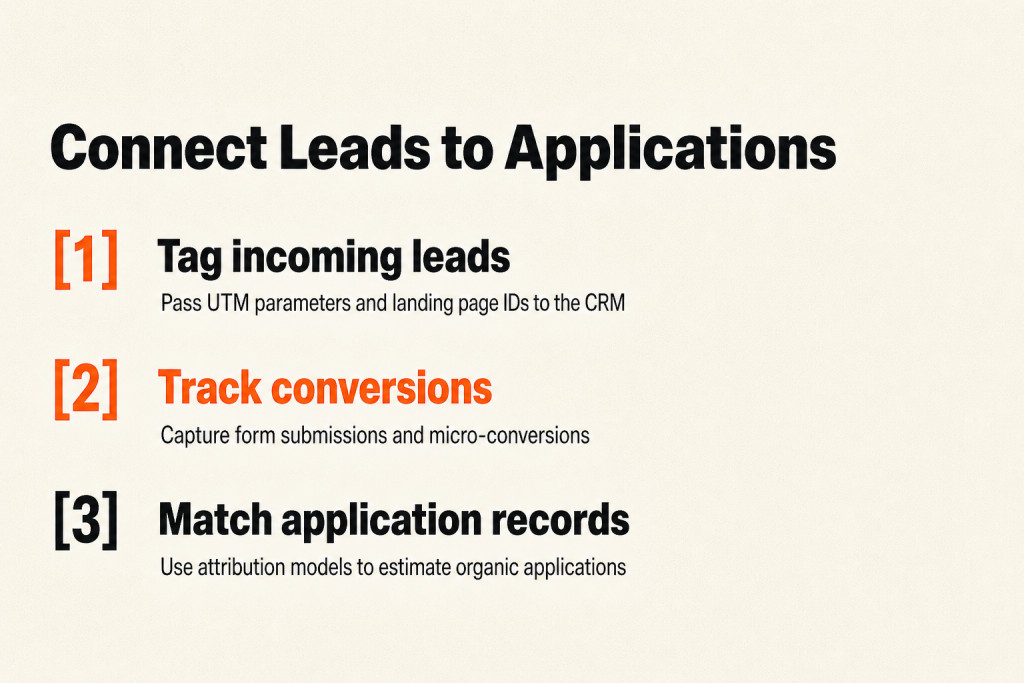
- Tag incoming leads from program pages with UTM parameters and landing page IDs, then pass those identifiers into CRM and admissions workflows.
- Use client-side or server-side event tracking, including GA4 and server-side tagging where needed, to capture form submissions and micro-conversions.
- Match organic referral data to application records to calculate cost per acquisition and lifetime value for students acquired via SEO. Quarterly attribution models (first touch, last touch, or data-driven) help estimate how many applications came from organic search.
Use this cadence for regular reviews and tests:
- Weekly: Check health dashboards for crawl errors, sitemap status, and index coverage.
- Monthly: Review ranking reports, top-performing pages, and content gaps.
- Quarterly: Review content ROI by connecting organic traffic to applications and yield.
- Example experiment: Test two versions of a program page’s hero copy, one emphasizing outcomes and one emphasizing scholarship availability, and measure the lift in inquiry rate.
Multi-Campus and Local Search Optimization
When colleges target searches tied to a place, location-based terms help them appear higher in local results and attract students from those regions. When prospective students look for education options in a particular area, content tailored to that location makes the university’s offerings easier to find. Review local visibility quarterly alongside site visits, applications, and yield.

Dedicated pages for campuses, nearby cities, and regional partnerships help institutions rank for a wider range of local searches.
Claim your Google Business Profile and keep its location, contact details, and operating hours current. Fill in every field students need, including the institution’s name, address, phone number, website, and amenities, then choose the closest-fit category, such as university or private college. Encourage students and alumni to leave reviews, which build credibility and support local rankings.
One technical school, UTI, shows what is at stake. When Google began showing local map-pack listings ahead of its campus pages in Q2 2023, its national organic rankings slid down the results page. People could still reach those pages but often had to scroll below the fold, and both organic sessions and new-student inquiries from organic search fell sharply.
The school used generative AI to pinpoint cities around its campuses and produced more than 200 local pages. In under three months, organic sessions and inquiries climbed above their pre-update levels. The campus and program pages hit hardest recorded session increases of more than 75% compared with their April 2023 lows, and organic search inquiries grew by more than 18% year over year.
Frequently Asked Questions
Should research pages be on the main domain?
Generally, yes. Keeping research centers and labs on the main domain concentrates topical authority and helps prospective students find related programs. A research site with distinct branding and a separate audience, such as contract research with external partners, may call for a subdomain; link it to relevant programs so search equity reaches admissions-focused pages.
How do you measure SEO-driven applications?
Tag program-page leads with UTM parameters, pass those identifiers into your CRM, and match organic referral data to application records. Assisted conversions and a quarterly attribution model then show how many applications organic search helped produce.
How often should program pages be updated?
Review program pages at least once per academic year or admissions cycle, and check high-priority programs every 3-6 months. Curriculum changes, new faculty hires, accreditation changes, and employer outcome data all call for updates.
Conclusion
A practical higher education SEO guide comes down to connecting search activity to applications. Organize program keywords by intent, keep the site crawlable across departments, build faculty pillars and program clusters that show real expertise, and track leads from program pages through to enrollment. Review program pages every admissions cycle, and check high-priority programs every 3-6 months. Share this higher education SEO guide with admissions and department teams so everyone works from the same plan.