Trying to decide whether Demand Gen belongs in an account where Search is already capturing intent? That’s the real question behind “what is demand gen google ads”—and a placement with “Search” in its name can make the choice less obvious.
You’ll leave with a way to judge where the ads can appear, which audience and creative choices matter, and when a test makes sense alongside Search—before you commit budget. Each section answers part of what is Demand Gen Google Ads, from placements and targeting to creative and testing.
What Is Demand Gen Google Ads?
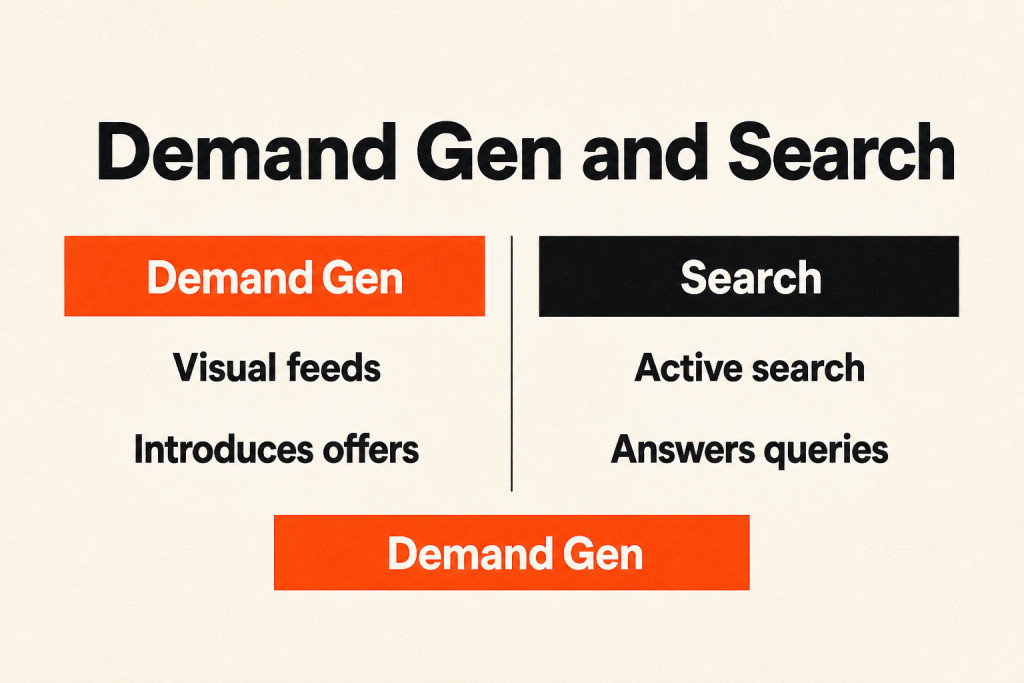
Demand Gen campaigns are an automated campaign type in Google ads and Google’s visually-focused advertising format: they place ads before users as they scroll, view videos, or check email, instead of when they actively search for products.
Google changed the campaign lineup in stages: Discovery campaigns were replaced in 2023-24 (the first step), Video Action Campaigns were absorbed in 2025, and standalone Display campaigns are absorbed from June 2026.
An engaging storefront display introduces an offer. Demand Gen works this way for people who had not yet started seeking it out, unlike Search ads, which answer a customer walking into your store asking for help.
Where Do Demand Gen Ads Show?
Google’s video, content, email, map, and partner surfaces are the only places where Demand Gen ads run.
- YouTube: Ads run in-feed (home and watch-next), in-stream, and Shorts; short-form viewing keeps growing in Hong Kong.
- Discover feed: Google’s content feed in the Google app and on the Android home screen.
- Gmail: Ads appear in the Promotions and Social tabs. Standalone Gmail (GSP) campaigns ended in 2021, making this the main way to buy the inbox.
- Google Maps: Promoted pins appear on the map as people browse, search, and get directions. Google’s channel controls page says Maps serves only when a location asset is enabled on the account; Google’s Display migration page still labels Maps beta.
- Google Display Network: Ads can appear on partner websites and apps, with the network opted in per ad group.
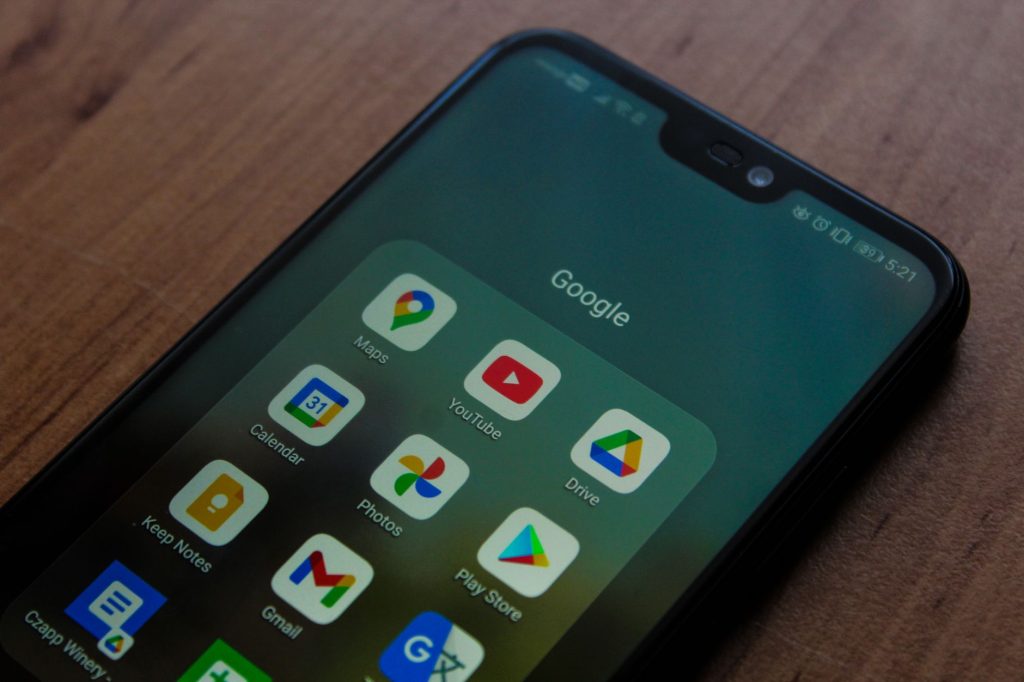
Google added channel controls in 2025, allowing you to choose individual surfaces, such as YouTube only, rather than purchase the complete bundle; controls apply per ad group. Current options are YouTube’s in-stream, in-feed, and Shorts placements, Discover, Gmail, Maps, and the Google Display Network.
Google Search results never carry Demand Gen ads. YouTube Search can muddy a report: the label refers to YouTube’s search box, which is a Demand Gen placement, not Google Search.
How Does Audience Targeting Work in Demand Gen?
Demand Gen targeting uses remarketing lists, prospecting segments, and intent, demographic, interest, and behavior signals to reach people, with audience expansion able to extend beyond those inputs.
- Remarketing first. Start with site visitors, video viewers, and customer lists. These warm audiences give you a baseline to check that the funnel works before spending on cold reach.
- Lookalike segments for prospecting. Use your best list as a seed list, then pick a narrow, balanced, or broad reach level. This is Google’s closest match to Meta’s lookalikes (the setup is changing). Since March 2026, Google has been moving Demand Gen lookalikes to suggestion mode in phases. The seed list and reach level now act as signals, and the system may reach people beyond the similarity threshold. Google’s lookalike segments page also says the old 100-user minimum for a seed list no longer applies. Advertisers who want the old behavior can opt out through a Google form; controls for opting out in the interface are due later in 2026.

- Custom segments and in-market audiences help describe intent when your lists are small.
- Optimized targeting may go beyond your audience once conversions start coming in. Test it, and watch where the extra volume comes from.
Demographic, interest, and custom intent targeting can also shape the audience.
- Apply Demographic and Interest Targeting: Explore interests that fit your target audience, alongside age and gender.
- Implement Custom Intent Audiences: Reach users actively searching for solutions tied to your offerings. For IT decision-makers, build a custom intent audience with terms such as “cloud migration tools” or “enterprise software solutions.”
Demand Gen does not show ads in response to specific queries; instead, it uses user behavior and interests as signals, much like a paid social platform. People asking “what is demand gen google ads” often expect keyword search targeting to match each keyword one by one.
What Creative Formats Do You Need?
Demand Gen supports single images, carousels, and video. Build the placement-ready set from day one with square (1:1) and landscape (1.91:1 image / 16:9 video) assets. Add vertical (4:5 image / 9:16 video for Shorts) creative too. A 16:9 TV edit on its own can make Shorts placements look awkward or disappear, since Shorts uses 9:16 video. Retailers can also add a Merchant Center product feed. In our accounts, creative quality and freshness shape results more than any bid setting. Run the campaign like a social channel: keep several angles live and refresh them before fatigue sets in, with vertical leading the mix.
Keep video ads to 30 seconds or less, make each one mobile-friendly, and earn attention in the first few seconds of a busy feed. Small businesses can make effective videos with smartphone cameras and simple editing apps, rather than expensive production, and tell an authentic story. Show the product being used, and draw on customer testimonials or behind-the-scenes material to build trust and connection.
When video inventory is thin, fill the gap with high-quality landscape images in 1.91:1 and square images in 1:1. Use portrait images in 4:5 as well. Choose clear, professional photos that represent the brand and make the product or service easy to see. Keep each image bright and uncluttered, using restrained text overlays so the product or service remains the focal point. Avoid using stock photos.
The image asset table gives the ratios, size rules, file caps, and recommended asset counts.
| Asset | Ratio | Recommended | Minimum | Max file size | How many |
|---|---|---|---|---|---|
| Horizontal | 1.91:1 | 1200 × 628 | 600 × 314 | 5 MB | 1 to 20, 3 recommended, required |
| Square | 1:1 | 1200 × 1200 | 300 × 300 | 5 MB | 1 to 20, 3 recommended, required |
| Vertical | 4:5 | 960 × 1200 | 480 × 600 | 5 MB | 1 to 20, 3 recommended, optional |
| Vertical | 9:16 | 1080 × 1920 | 600 × 1067 | 5 MB | Recommended for Shorts |
| Logo | 1:1 | 1200 × 1200 | 144 × 144 (128 × 128 on some Google pages) | 150 KB | 1 to 5, 1 recommended, required |
Choose .jpg or .png for image files. Logo files top out at 150 KB, while every other image is capped at 5 MB. An export straight from a brand kit will usually exceed the logo cap.
The video asset table spells out length, format, file-size limits, and HD resolution options.
| Spec | Value |
|---|---|
| Minimum length | 5 seconds |
| YouTube in-stream eligibility | Videos under 10 seconds cannot serve there |
| Recommended length | Over 15 seconds, to stay eligible across the most formats |
| Format | MPG (MPEG-2 or MPEG-4) |
| Max file size | 256 GB |
| HD resolutions | 1:1 at 1080 × 1080, 16:9 at 1920 × 1080, 4:5 at 1080 × 1350, 9:16 at 1080 × 1920 |
The listed rules cover minimum and recommended video lengths, in-stream eligibility, file type, file size, and HD resolutions.
The copy table lays out each ad field’s character limits and allowed quantities.
| Field | Limit | How many |
|---|---|---|
| Headline | 40 characters (the Google Ads API states 30, so keep at least one at 30 or fewer) | 1 to 5, at least 3 recommended |
| Long headline (video ads) | 90 characters | At least 3 recommended |
| Description | 90 characters (40 on carousel ads) | 1 to 5, at least 3 recommended |
| Business name | 25 characters | 1, required |
| Final URL | 2,048 characters | 1, required |
| Call to action | Set automatically | 1, required |
Give headlines a clear, conversational feel, and focus them on customer problems and the outcomes they want rather than technical terms. Google allows up to 5 headlines of 30 characters each and 5 descriptions of 90 characters each; those fields have fixed limits. Include strong calls to action that invite people to learn more or take the next step in their customer journey.
Is Demand Gen Right for Your Business?
Demand Gen can make sense for brands ready to grow beyond Search, once Search impression share or click share is above 60% and strong visual assets are ready. Conversion tracking should be in place, and the sales cycle needs room for a longer test. When a brand captures most available high-intent Search traffic, Demand Gen’s visual reach can build top-of-funnel pipeline. But if Search is budget-limited or the business needs immediate conversions to stay afloat, put money into Search first for quicker returns before opening visual feeds.
Check your Google Ads account signals before deciding whether the business can stretch beyond Search.
- Search and Shopping campaigns have a search impression share or click share above 60%.
- You’re struggling to scale ad spend while maintaining healthy profit margins.
- You have profitable Performance Max campaigns focused on new customer acquisition, with Brand Exclusions in place.
- You’re running active social media campaigns with high-performing video and image assets.
- Your product or service doesn’t have a well-established search theme, or you’re in a market with high CPCs.
- You have video assets that educate your audience or explain your product or service.

A recent audit shows why Search opportunity should guide any Demand Gen test.
The audit
One e-commerce brand got a recommendation from its Google Ads rep to run Demand Gen, then put $60,000 into it over six months, about $10,000 per month, with nothing impressive to show for the spend.
The results
Demand Gen produced no measurable conversion gains, and neither Search nor Performance Max improved. Once the company shifted that $10,000 into Search, revenue climbed by 15% over the next two months. The money went to Search.
The reason
The brand’s Search impression share sat under 15%, leaving significant opportunity to grow its Search campaigns profitably before trying Demand Gen.
Ready accounts should start Demand Gen with a daily budget sufficient to gather enough data for meaningful results.
Give campaigns 2-4 weeks to learn and gather performance data; significant campaign adjustments happen across 60-90 days, so small businesses should keep them running steadily for at least 3 months before judging success.
Conclusion
For anyone asking “what is demand gen google ads,” the practical answer is to keep Search funded when Search impression share is under 15%, and consider Demand Gen once Search captures most of its available opportunity and the account has visual assets and room for a longer test. Judge the test using engaged-view conversions and assisted brand search. The ad still has to fit its headline and description limits, give people a clear call to action, and point them toward a next step. Understanding what is Demand Gen Google Ads, and when it fits, keeps your budget where it earns the most.