Adding more keywords feels like throwing a wider net, but if you’re asking is adding too many keywords bad for Google Ads, the answer is yes—it usually works against you.
Here’s what I’m getting at: winning at Google Ads is about control and relevance, not how many keywords you can pile up. A tight, well-built account beats a bloated one every time.
A messy keyword list doesn’t just sit there being inefficient. It burns your budget, drags down your Quality Score, and confuses the very algorithms that are supposed to work in your favor. We’ll start with how the bloat quietly bleeds your money dry.
Then we’ll dig into diagnosis, with a simple way to catch the problem yourself before your cost-per-click catches it for you. And we’ll wrap with a full fix.
Why Is Adding Too Many Keywords Bad for Google Ads Campaign?
Isn’t there a gut feeling a lot of advertisers have, that more keywords means more shots on goal, so pile them on? It sounds right. It isn’t.

These days the platform pays you back for tidy, relevant setups, not for sheer size, which is the simplest answer to is adding too many keywords bad for Google Ads. And if you’re running broad match with no negative keywords, the account will cheerfully burn cash on searches you never wanted in the first place.
It Wastes Your Budget on Irrelevant Clicks
A messy, overstuffed keyword list starts firing your ads at searches that have nothing to do with your product. You don’t see it happening in real time. You just watch the budget drain on clicks that were never going to turn into anything.
Wide, unrestricted matching with no negative list is where the bleeding really picks up speed. You end up paying for visits from people who were never in the market for what you sell. Put a real negative keyword list behind that broad match, or every off-target click just keeps quietly inflating your cost per acquisition.
It Lowers Your Account’s Quality Score
The damage doesn’t end at wasted clicks. Google is also grading you on relevance the whole time. Quality Score is basically that grade, a read on how well your keyword, your ad, and your landing page line up. Jam a couple dozen unrelated keywords into one spot and that grade drops across all three pieces: ad relevance, expected CTR, and landing page experience.
And when the score slides, the bill goes up. You get higher CPCs and fewer impressions, while your ads slide into less favorable positions on the page. A weak match earns a Quality Score of 4 or below and takes the penalty, while a tight one sits at 7 or higher and gets rewarded.
It Dilutes Your Ad Relevance and CTR
Say you cram 50 to 80 keywords under a single ad group and try writing ad copy that actually speaks to each one. You can’t. To cover that many terms with one ad, the copy has to go vague, and vague copy doesn’t sell.
Picture it in action. Someone types “running shoes for flat feet” and someone else types “cheap athletic sneakers online,” and both of them get served the exact same ad. It doesn’t really answer either search, so clicks dry up and Quality Score follows them straight down. Wildly different people getting one generic message, and way fewer of them bother to click.
It Confuses Google’s Bidding Algorithm
One clean, focused stream of data is what automated bidding learns from fastest. Think of a student with a single clear textbook versus a student handed a hundred loose, unrelated pages. The first one picks it up quick.
The second one is lost, staring at scraps, unable to see any pattern worth acting on. That second student is your bidding when your spend is smeared across dozens of low-volume keywords.
The more you scatter that spend, the longer Google takes to figure out what’s actually working. Starve each keyword of clicks and conversions and a lot of them never collect enough data to get optimized at all.
Smart Bidding strategies like Target CPA, Target ROAS, and Maximize Conversions all run on conversion data, that’s the signal they steer toward, and they simply can’t read a trend when the budget’s been broken into crumbs.
It Creates Internal Keyword Competition
When you’ve got near-identical keywords scattered around the account, they start bidding against each other. If several could match the same search, Google only lets one into the auction, and which one it picks is often anybody’s guess.
What you’re left with is bidding conflicts and ad serving that jumps around with no rhyme or reason, on top of performance data that’s a pain to make sense of.
It Spreads Your Budget Too Thin
On a small budget, the “spray and pray” launch (brainstorm a giant list, shove it all live at once) leaves every keyword running on fumes. Split the money that many ways and no single term gets enough clicks to tell you anything you can trust. Run dozens of keywords on a tight daily budget and most of them limp along at 1 to 3 clicks a day.
But a keyword’s numbers don’t start meaning anything until you’re closer to 20 to 30 clicks. At a trickle of 3 clicks a month, you’d be testing nearly a year before you could honestly judge one keyword. There’s no reaching that finish line when 60 keywords are all fighting over a single daily budget.
None of this stays buried, though. Every one of these leaks leaves a fingerprint in your account numbers if you know where to look, and that’s exactly where we’re headed next. If you want a refresher on the ad pieces themselves, our post on what are sitelinks in google ads has you covered.
Signs Your Keyword List Is Too Large
Your list sends up signals when it has outgrown you. You don’t need a diagnostic tool for this. Bloat shows up in four places you already look at, and once you spot the pattern, you can’t unsee it.
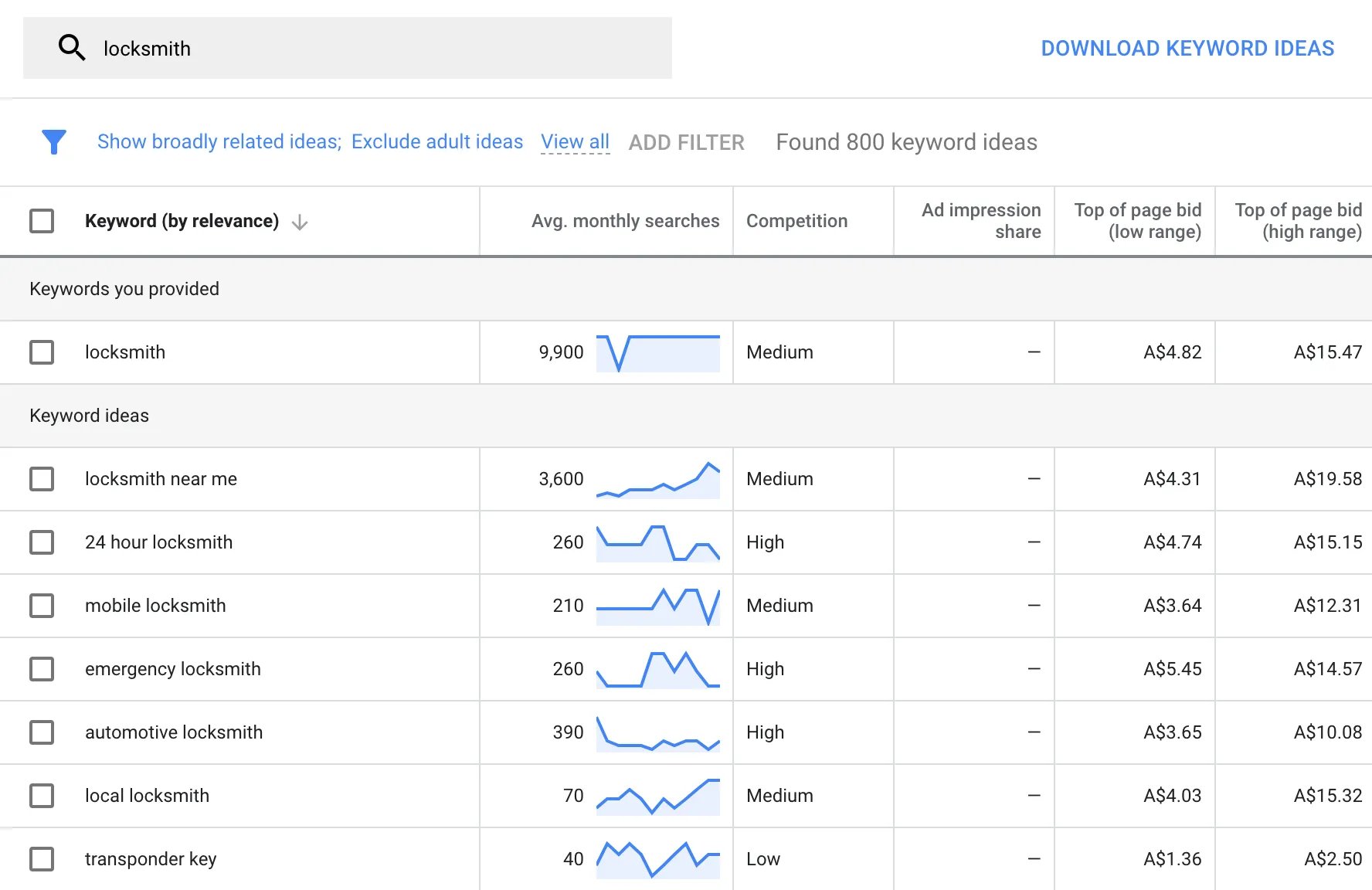
The fastest tell is your reporting: if you open the Search Terms Report and half the queries make you cringe, the structure underneath is already cracked. Let’s walk through all four.
Your Search Terms Report Is a Mess
Picture yourself opening the Search Terms Report and reading, line by line, the searches that triggered your ads. When a list is too big, it starts catching stuff that has zero to do with your business, wrong intent, weird typos, phrases you’d never in a million years choose to bid on. Piles of junk queries showing up like that is the earliest and clearest warning you’ll get.
And it’s not just an eyesore. A junky report quietly drags your average Quality Score down, because your ads keep landing in front of searches they were never built for. It feeds on itself: a sloppy keyword list produces a sloppy report, and that sloppy report chips away at your scores.
Many Keywords Have Zero or Low Impressions
Consider the keywords that pile up impressions but hardly ever pull a click. And then there’s the other bucket, the ones that barely show at all, week after week (which stings a little when you burned an afternoon digging them up).
The knee-jerk move is to pause the lot of them and call it tidying. Feels productive. But a lot of the time a keyword goes quiet not because nobody’s searching for it, but because its Quality Score is too weak to win the auction. So before you start pausing things, address the relevance problem first, then decide.
Your Average Quality Score Is Low
What is Quality Score? It is Google grading you, 1 to 10, on how tightly your keywords, ads, and landing pages fit together. When the number’s low across your whole account, that’s a signal the mismatch is baked in everywhere, not hiding in one rogue keyword.
In a bloated setup it just keeps sliding, because your ads drift further and further from the terms they’re supposed to answer. Google’s rule for cutting is pretty blunt: toss any keyword with no conversions after 30 to 60 days, or with impressions too thin to bother with. But the thing that really settles it is the account-wide average sitting, month after month, below 5.
Good news is you don’t have to guess at any of this. Head into your account, open the Keywords > Search keywords report, click the Columns icon sitting above the table, and pick Modify columns. Type “Quality Score” into the search box, tick Qual. score, Ad relevance, Exp.
CTR, and Landing page exp., then hit Apply. Now every keyword carries its own score right there in the table, and that account average turns from a hunch into a number you can trust.
Ad Groups Feel Unfocused or Too Broad
This last one is quieter, and it hides inside your ad groups. When a single group is stuffed with keywords pointing in different directions, no ad can genuinely speak to all of them at once, and you find you can’t compose one single, extremely specific ad that is a perfect fit for every keyword in the group. Here’s a dead-simple test: try writing one sharp, specific headline that fits every keyword in the group.
If you can pull that off, you’re fine. But if the only headline that covers everything is so vague it says nothing, the group’s too broad and bloat has snuck in. That’s your signal to split it into smaller, tighter pieces.
Your 4-Step Plan to Clean Up Keyword Bloat
Knowing how to optimize google ads when an account is bloated isn’t complicated, but it does take four honest passes: you prune the dead weight, then rebuild the whole thing so every dollar lines up with something relevant. Each pass forces one clear call about where your money’s really going. And I know it sounds like grunt work until you actually total it up.

I took over a client’s account once that everyone swore was “working great,” and when I dug into the numbers, roughly 80% of the monthly spend was pouring into keywords that had never converted a single time. That’s not a slow leak, that’s a burst pipe. Running this same cleanup on it chopped the costs in half and the leads still went up.
Find Irrelevant Queries in Your Search Terms
Your Search Terms Report is the only place that shows you the actual phrases people typed before your ad popped up, so that’s where you start. How often you check it depends on the campaign’s age. A fresh campaign needs eyes on it every one to two weeks, because that’s when spend wanders off in weird directions the fastest.
Once things settle and the data holds steady, you can back off to a monthly look on a stable, mature campaign. To pull it up, head to ‘Keywords’ > ‘Search terms’ in the left-side menu, scan for anything that has nothing to do with what you sell, and dump those straight into your negatives.
That off-topic junk is exactly where the quiet money drain hides.
How to Edit Keywords in Google Ads: Pause or Remove Underperformers
Now sort your keywords by cost and stare down the pricey ones. Any keyword that’s racked up clicks but hasn’t converted once in the past 30 to 60 days? Pause it. The second thing to watch for is a Quality Score below 5, which is Google flat-out telling you your keyword, ad, and landing page don’t match, and that mismatch quietly jacks up what you pay per click.
For everything left standing, run a quick gut check. A keyword with clicks and no conversions is money going nowhere. One that gets impressions but no clicks means your ad just doesn’t fit what people are searching.
And one sitting there with zero impressions is simply cluttering up your account and doing nothing at all. In all three cases, pause it and hand that budget over to the keywords actually pulling their weight.
Rebuild Ad Groups Around Tight Themes
Take the survivors and rebuild them with the Single Themed Ad Group (STAG) method, where every group is built around one narrow idea and nothing else. The payoff with STAG is control: you get way more say over how your ad copy matches your landing page.
I saw this play out in an account where one group named ‘digital marketing services’ was crammed with everything under the sun, from ‘SEO pricing’ all the way over to ‘social media agency’. Since the ad copy was trying to talk to all of it at once, it landed with none of it.
We broke that pile apart into separate groups for ‘SEO services’, ‘social media management’, and ‘PPC agency’. Suddenly the ad matched what people were actually typing, and engagement jumped almost immediately.
Where you draw the lines is up to you and your catalog. Most accounts do fine splitting by where the buyer is in their journey, by product type, or by the problem someone’s wrestling with and the solution they’re hunting for when they search.
Use Negatives to Block Unwanted Traffic
Your last move is building a wall. To understand what are negative keywords in Google Ads, think of them as a list that tells Google which searches should never trigger your ads, period. Say you sell high-end jewelry. Toss in ‘cheap’, ‘DIY’, and ‘free’ as negatives and you’ll stay off the searches from people who were never opening their wallet anyway.
Here’s the thing though, don’t sit around waiting for waste to reveal itself. Build out a starter list carrying at least 10 to 15 negatives before you ever flip a new campaign live. Negatives also keep your different keyword groups from overlapping, so two groups aren’t competing to answer the same search.
The nice part is how it stacks up over time: it keeps irrelevant clicks from nibbling at your budget, cuts down on your keyword groups stepping on each other, keeps your conversion data clean, and pulls up relevance scores across the whole campaign at once.
Still, everything above is cleanup after the damage is done. The smarter play is a setup that never lets the bloat gather in the first place.
How to Structure Ad Groups to Prevent Bloat
Chasing keyword coverage carries a quiet tax: eventually your account starts caving in on itself. A tighter build wins over a bigger list, and it comes down to a handful of habits. Keep your ad groups few and tightly themed. Draw clean lines between your services.
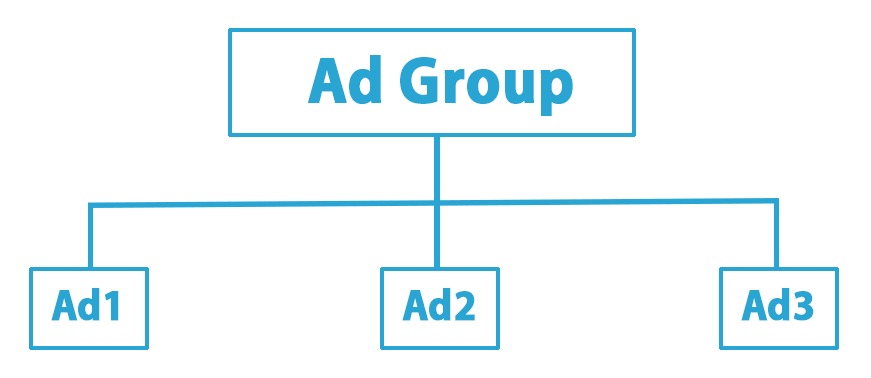
Build out a full negative list. Track conversions with real precision. Do that, and the structure carries the weight. Piling on keywords just runs up your bill.
Stick to 5-20 Keywords Per Ad Group
Your best ad groups almost never need to stretch past 10-20 relevant keywords to pull their weight. Ask around and experienced advertisers keep landing on that same window (plenty run tighter, somewhere in the 5 to 15 zone), and even Google points you to 10 to 20. Grow My Ads draws the line in the same spot.
As you get close to the 20 mark and a group starts creeping up on it, that’s your cue to stop and ask whether it should be split so the ad and the keywords line up more cleanly. The boring truth holds up here: a solid rule of thumb keeps every group parked inside 10, 20.
Before you push a new group live, run it past four checks. Can you boil down the searcher’s goal for every keyword into one specific phrase? Have you picked a small, closely tied cluster of 5-15 keywords?
Will the headline speak directly to each keyword? And does the landing page actually make good on what the ad and keywords promised?
Focus on User Intent, Not Literal Keywords
The easy question is how many keywords belong in a group. The better one is whether they all point at the same intent. These days Google reads a search for what the person actually wants, weighing meaning, context, and goal instead of just the words on the screen. So one sharp keyword now does the work that used to eat up ten of them.
Look at two searches that seem like twins: “buy running shoes online” and “what are the best running shoes.” They fall apart the second you check what the person’s after. One’s got a card out ready to check out, the other’s still deep in reviews. Different intent, different ideal ad, and no reason on earth they should live in the same group.
Use Match Types to Control Your Reach
Match types set how far Google throws your net. Each one plays by its own rules. Exact match keeps you on the shortest leash with the most control.
Phrase match sits in the middle. Broad match casts the widest. Rather than stacking all three on one keyword, pick a single type per keyword and let it do its job.
I still see too many accounts running the same keyword as Exact, Phrase, and Broad inside one group, which chops your performance data into three sad little piles. Pair one phrase or exact keyword with a solid negative list instead, and you’ll pull in the same traffic while your reports stay clean enough to actually read.
Let Smart Bidding Handle Broad Match
There’s really one spot where Broad match pulls its weight, and that’s with Smart Bidding riding alongside it. Run them together and you’re swapping a chunk of manual control for automation. Google’s AI takes over the hunt for fresh queries you’d never have thought to write down.
That trust isn’t free, though. It also asks you to be more watchful with your negative keyword lists to steer the algorithm effectively. You’ve got to keep a closer eye on your negative keyword lists to nudge the algorithm back toward where you actually want it going.
When Is It Okay to Add More Keywords?
So, now that we know the answer to is adding too many keywords bad for Google Ads, does a longer list always spell trouble? Not really. A bigger list earns its keep when it buys you sharper targeting and tighter relevance. The trick is that every single keyword needs its own matched ad copy and its own landing page, which pulls up your click-through and conversion rates together.

When there’s a real reason behind each one you add, performance can climb in a noticeable way. But that only holds if your budget can actually pay for honest testing. So the real question is which situations make going wide worth it.
For Tightly Grouped, High-Intent Terms
Brand campaigns are the easiest one to point at. You can pack a single brand campaign with dozens of spellings of your business name, your product names, and the misspellings people fat-finger into the search bar, and it still won’t feel bloated. Why?
Because every one of those searches has the exact same goal behind it. Somebody already knows who you are and they’re actively looking for you. That shared intent keeps the whole thing tight, no matter how long the list gets.
There’s also a short list of other spots where extra keywords earn their place. Think about introducing a new product or service and needing to genuinely discover which user intent signals actually turn into conversions. Or running a big ecommerce account where separate product categories deserve their own ad groups.
Or moving into a new region where you’re still figuring out how locals search. The same goes when each keyword points to a different service or product, when different keywords need their own landing pages, when legal or compliance wording has to stay locked down (that’s phrasing you can’t let drift), and when the account brings in enough conversions to make that level of detail pay off.
To Target Specific Long-Tail Funnel Stages
This is where the bigger list really shines. Say you’re marketing a project-management tool. You could set up three separate ad groups, one for each stage of the buyer’s journey.
At the top, you’d catch people just starting to look around with something like ‘best way to manage team tasks’. The middle group goes after folks weighing their options with ‘trello vs asana comparison’. And at the bottom, where people are ready to sign up, you’d land on ‘monday.com pricing plans’.
Here’s the catch: every one of those keywords needs its own stack of data before it can prove anything, so this falls apart fast on a small budget. To feed a test the right way, each keyword should realistically pull 20 to 30 clicks a month, so do the math before you go splitting things out. And even in a list built this carefully, you’ll spot something interesting: a tiny handful of your keywords ends up carrying most of the weight, which is exactly what the numbers show us next.
Proof: Why a Lean Keyword List Wins
Everything I’ve said about going lean stops being a nice theory the moment you open a live account and start reading the numbers. The same pattern shows up over and over: a thin slice of keywords does almost all the real work, while the rest just quietly nibble at a budget you’d rather spend on the terms that actually bring in sales.

Clean out the dead weight and accounts get tighter and cheaper within a few weeks. Every account I’ve ever audited tells the same story, and the split is almost never anything close to even.
The 90/10 Rule: How a Few Keywords Drive Most Results
You already know the 80/20 rule. 20% of the inputs drive 80% of the outputs, and it holds up in sales, effort, support tickets, you name it. Google Ads takes that idea and cranks it further.
Here the ratio sits often closer to 90/10, which means roughly 10% of your keywords are pulling 90% of the results. Next to that, plain old 80/20 starts looking downright generous.
Here’s one that stuck with me. An account I dug into burned over $80,000 in a single month, all inside one ad group with 55 keywords, and those keywords together landed 3,124 conversions. Sounds like a healthy spread, right? Not even close.
A single keyword accounted for 2,234 of those conversions all by itself. The runner-up managed 325. The one after that scraped together 200. So basically a couple of terms carried the whole group while the rest went along for the ride.
Trimming the fat also rewards you at the auction. Once you kill the irrelevant terms, you stop showing ads on searches that were never going to convert, and cutting those wasted impressions lifts the ad group’s expected click-through rate and its relevance. Higher relevance feeds straight into Quality Score, which is the number the auction genuinely cares about.
WordStream’s benchmark data backs this up: raising the Quality Score of a keyword by a single point cuts its cost-per-click by 13% on average. Making pruning a routine habit is exactly what drives this cheaper CPC. That’s real money saved for doing nothing but housekeeping.
What the Pros Say About Keyword Volume
Talk to anyone who does this for a paycheck and you’ll hear the exact same tune. The seasoned PPC managers I trust, the ones actually managing spend instead of just filling spreadsheets, all repeat one flat rule about keyword counts. Poke around the Google Ads forums and the advice barely shifts either: control beats coverage every time. Given the choice, you want to own a tight, well-run set of terms rather than smear yourself thin across a sprawling one.
Running 50 carefully chosen keywords properly will always beat limping along with 500 random ones. Dominate your niche with 50 handpicked keywords you actually maintain, and you’ll come out ahead of chasing weak results from 500 that were thrown together at random. None of it clicks, though, until you quit chasing coverage and start guarding control.
We had an e-commerce client show up dead set on covering every single product variation on their site. So we pulled the sales data, and 90% of the revenue traced back to just 12 keywords. Twelve.
We paused the rest, and revenue didn’t so much as flinch. All that happened was the account became something a human could actually manage without losing their mind. The rest of that giant list was contributing nothing but a slow leak in the budget.
FAQ
How to Add Keywords to Google Ads?
Need to add a keyword fast? Open the ad group, head to the ‘Keywords’ tab, and pick ‘Search keywords’. Tap the blue ‘+’ icon and the entry field pops open.
One thing to nail down first: double-check you’re actually sitting in the campaign and ad group you meant to touch. From there, type or paste your keywords in, and give each one a match type on purpose. That means picking Broad, Phrase, or Exact deliberately, not just letting them default.
What Are Negative Keywords in Google Ads?
If you want to know how to find negative keyword list in Google Ads, where you look depends on how far the negatives need to reach. For one campaign or ad group, jump into the ‘Keywords’ tab and click ‘Negative Keywords’. But when you want a list that covers several campaigns at once, it lives somewhere else. Head to ‘Tools & Settings’, open the ‘Shared Library’, and you’ll find ‘Negative keyword lists’ waiting there.
What Happens When You Pause a Keyword in Google Ads?
Say you pause a keyword and it goes dark. It stops firing ads and stops costing you a cent. It won’t trigger for any search anymore, and it stops gathering cost and impression metrics. While it sits there paused, it racks up no fresh clicks, no impressions, no spend.
The good news is nothing you’ve built disappears. All the past numbers stay put, so your clicks and conversions, plus your Quality Score, are all sitting right where you left them. The keyword just idles until you flip it back on.
Is It Better to Pause or Delete a Keyword?
Pause it. Almost every single time. Deleting wipes out the entire performance history along with the keyword, so you lose the Quality Score and the conversion record, all of it, for good.
Pausing just sets the tool back on the shelf for later. The sting of deleting usually doesn’t hit right away, though. It shows up weeks or months down the line when you go looking for that history to dig into something and it’s gone.
By now the shape of a healthy account should be pretty cut and dry. You’ve seen why the answer to is adding too many keywords bad for Google Ads is yes, watched a bloated list bleed budget on the quiet, and seen why pruning and tighter structure beat piling on more coverage, and figured out where a big keyword count actually earns its keep. Every tactical call up here serves the same end: negatives to keep things relevant, match types chosen with intent, pausing over deleting so your data lives to fight another day.
None of it is about owning more keywords. It’s about staying in charge of what your ads show up for, and letting a lean, well-built account carry the results.