Google Search Console Impressions Dropped: How to Fix
Have your Google Search Console impressions dropped recently? If yes, you’re not alone, since many site owners see these fluctuations. While it can feel alarming, it doesn’t always signal a major problem; more often, it reveals underlying search visibility issues, whether technical glitches, content gaps, or external shifts.
We are Golden Owl Digital and in this post, we’ll break down what a drop in impressions really means, examine the key reasons behind it, and guide you through how to assess the data and restore your search visibility.
Key takeaways:
|
What Are Google Search Console Impressions and Why Do They Matter?
In GSC, an impression is counted each time a user sees a link to your website in Google’s search results. They don’t need to click it; just viewing it counts. For example, if your URL appears in search results, even on page two, and the user’s browser loads or scrolls down far enough to see it, that’s an impression.
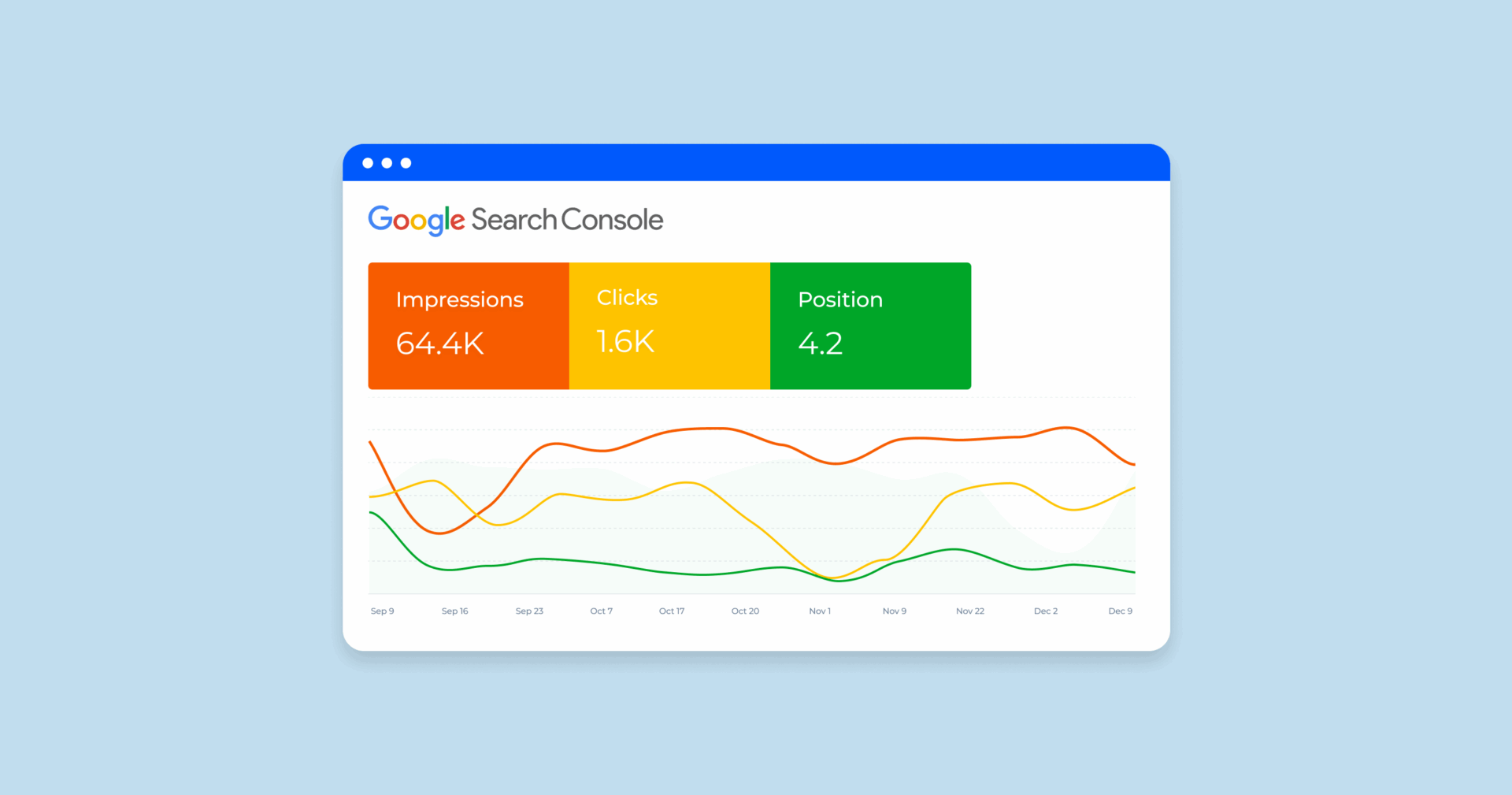
Understanding the link between impressions and clicks is key—impressions reflect visibility. When they rise, your site is reaching more users; when they fall, it could signal issues with rankings, indexing, or changes in search behavior. That’s why monitoring impressions is essential to any effective SEO strategy
6 Common Causes When Google Search Console Impressions Dropped
Below are six of the most common causes behind an impression drop and how to recognize them.
- Google Algorithm Updates
- Technical Issues: Crawling, Indexing, Canonical Tags, and Sitemaps
- Indexing and De-Indexing Problems
- Seasonal or Market Search Trend Changes
- Increased Competition on SERPs
- Impact of New SERP Features
1. Google Algorithm Updates
Google rolls out thousands of algorithm changes each year, from small adjustments to major core updates that can reshape ranking distribution across entire industries. Updates such as the November 2024 core update, the March 2025 update, and the broader rollout of AI Overviews have already shifted how pages appear in search results.
When these updates occur, ranking distribution often changes across keywords. Some pages may lose visibility for certain queries even if their overall rankings appear stable.
If your content no longer aligns with Google’s evolving ranking signals, such as helpfulness, authority, or topical relevance, your pages may gradually lose impressions.
We often see this after core updates through an SEO Audit. One SaaS client we reviewed lost nearly 32% of impressions within two weeks of a core update, even though most rankings stayed between positions 5–8. The drop happened because competitors gained new featured snippets and AI Overview citations for the same queries.
Tips
- Monitor industry news and Google’s Search Status Dashboard for confirmed updates.
- If the timing matches your drop, review affected pages and evaluate content quality, topical coverage, and search intent alignment.
Want to stay ahead of future updates? Check out our article: When Is the Next Google Update in 2025? What to Expect?
2. Technical Issues: Crawling, Indexing, Canonical Tags, and Sitemaps
Technical issues are another frequent reason Google Search Console impressions dropped. Google must be able to crawl and index your pages before they can appear in search results.
If something interrupts that process, page-level visibility can drop quickly.
Common problems include:
- Broken internal links or redirect loops
- Incorrect canonical tags pointing to the wrong URL version
- Robots.txt rules or meta noindex directives blocking important pages
- Outdated or incomplete XML sitemaps that no longer reflect your site structure
Technical problems can also reduce crawl frequency, meaning Google revisits key pages less often. Over time, this can lead to slower indexing updates and reduced visibility.
3. Indexing and De-Indexing Problems
If a page is no longer indexed, it cannot appear in search results, which means impressions disappear entirely. In some cases, entire keyword clusters vanish simply because a page drops from the index.
Common causes include:
- Manual actions or penalties
- Sudden page deletions or URL restructuring
- Duplicate content where Google selects another canonical version
- Site migrations or URL changes that disrupt indexing signals
To diagnose the issue:
- Run a site:yourdomain.com search to check which pages remain indexed
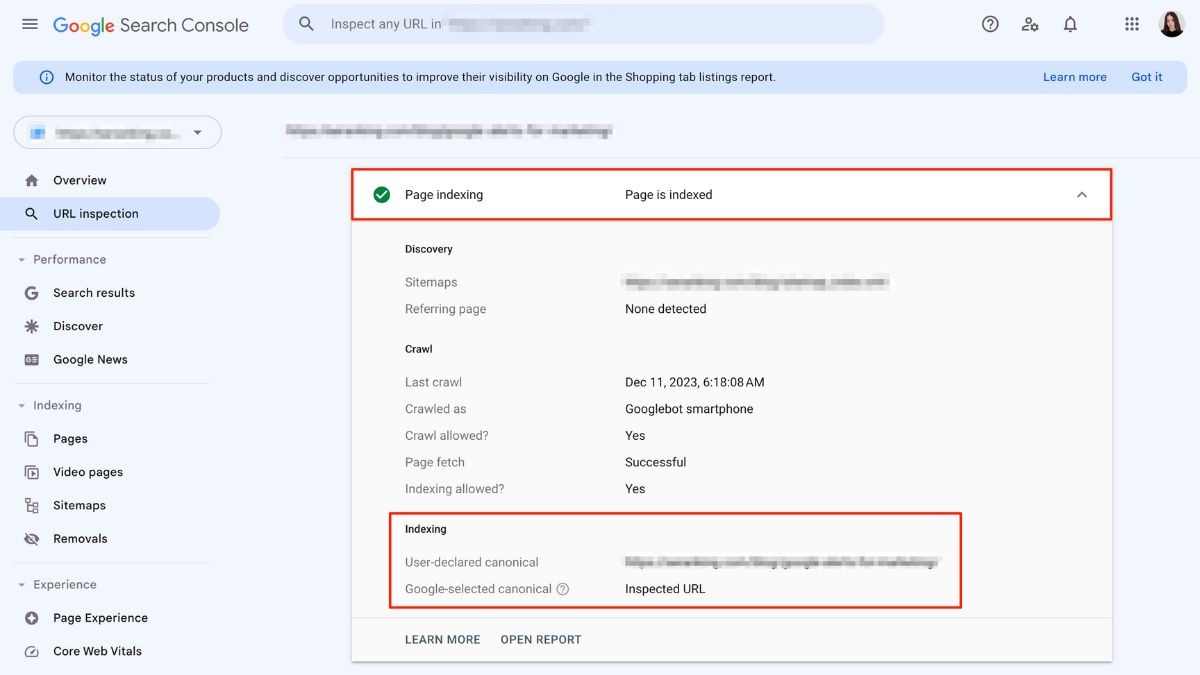
- Use Google Search Console’s Index Coverage report and URL Inspection tool to confirm index status
These checks help identify page-level visibility loss, which is often the fastest way to explain a sudden impression decline.
4. Seasonal or Market Search Trend Changes
Sometimes the cause sits outside your website. Search demand fluctuates throughout the year, especially in industries with seasonal buying cycles.
For example, a ski equipment store will naturally see fewer impressions during the summer months. Similarly, shifts in economic conditions, industry trends, or viral topics can change how people search.
When search demand declines, impressions fall even if rankings stay stable.
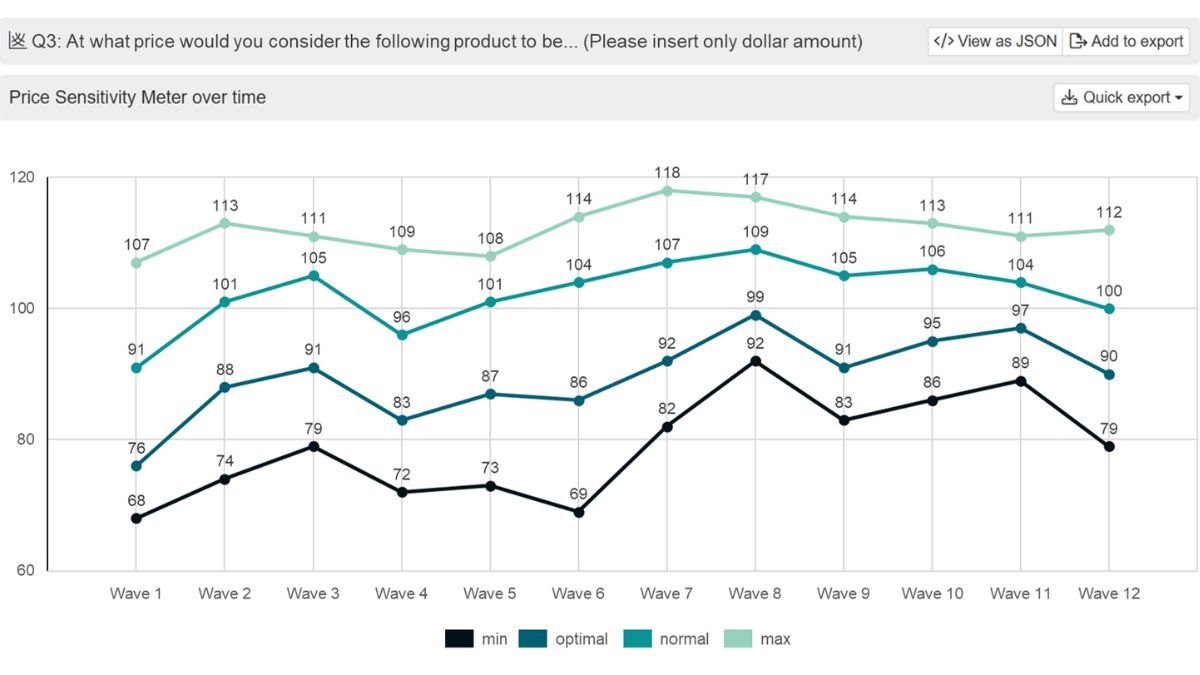
To verify this:
- Compare year-over-year data in Google Search Console
- Use Google Trends to identify broader search demand changes
- Analyze keyword seasonality with tools like Ahrefs or Semrush
This step helps distinguish between search demand decline and actual SEO performance issues.
5. Increased Competition on SERPs
Search rankings are relative. If competitors improve their content or authority, your pages may gradually lose visibility.
This often happens when:
- Competitors publish more comprehensive content
- New domains enter the market with stronger authority
- Competitors optimize internal linking and topical coverage
Signs include:
- Rankings shifting from position 3–5 to 10+
- Competitors appearing above you for key queries
- New content dominating featured snippets or media results
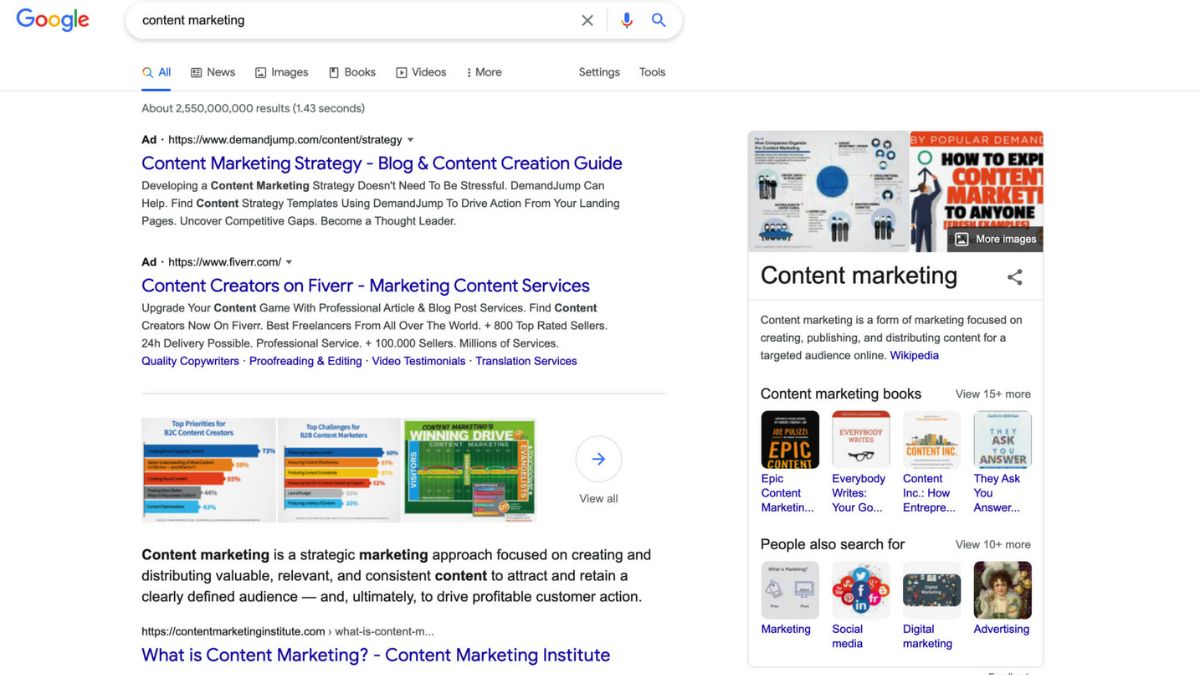
When rankings shift across several keywords at once, the result is often query loss, where your site stops appearing for certain search terms altogether. If this starts happening across multiple pages, it usually signals a broader visibility issue that requires a deeper SEO strategy review service, like one of ours.
6. Impact of New SERP Features
Google’s search results have evolved rapidly in recent years. New SERP features can significantly change how much space traditional organic listings receive.
Examples include:
- AI Overviews
- People Also Ask (PAA) boxes
- Image carousels and video results
- Knowledge panels and rich snippets
These features can push organic listings further down the page. Even if your ranking position remains similar, the amount of visible real estate may shrink.
As a result, fewer users scroll far enough to trigger impressions for lower listings.
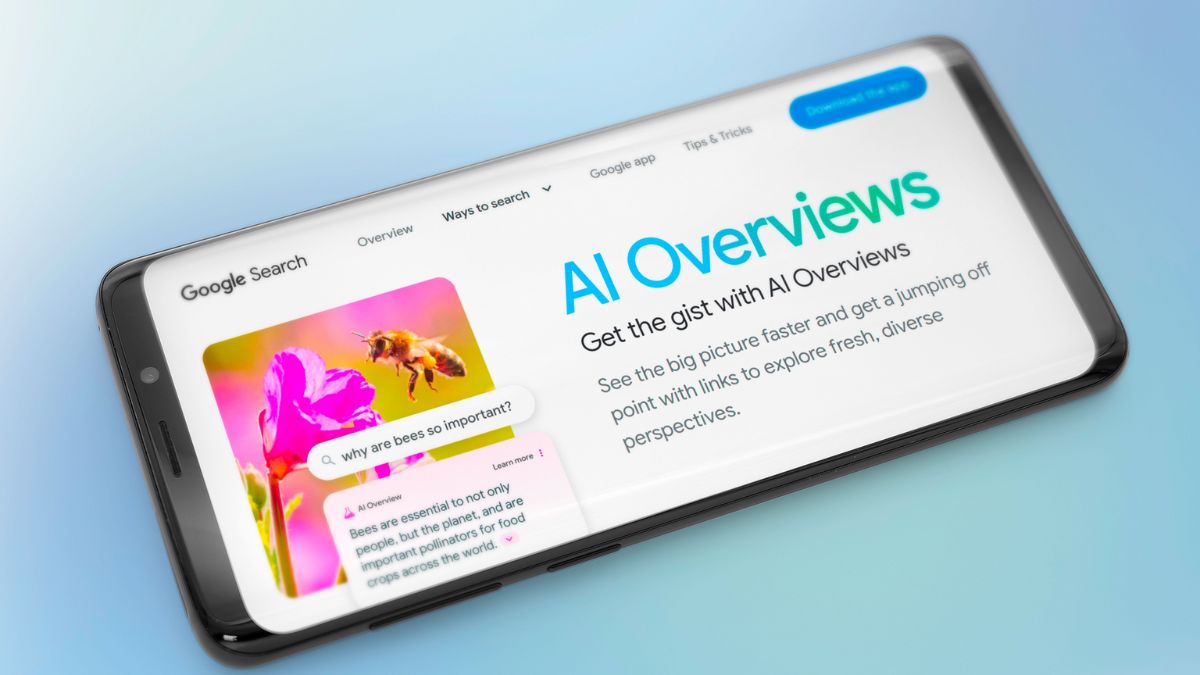
For example, when an AI Overview provides a summarized answer at the top of the page, many users never reach traditional organic results. In these cases, the issue is not always ranking loss, but reduced SERP visibility caused by layout changes.
For several informational queries in B2B SaaS, AI Overviews now occupy the top third of the results page. We have seen pages maintain the same ranking position while impressions dropped simply because fewer users scroll past the AI summary.
Other Less Obvious Causes of Impression Drops
Some visibility changes are harder to detect because they happen gradually.
Additional factors that may explain why Google Search Console impressions dropped include:
- Content updates that unintentionally remove keyword coverage
- Internal linking changes that reduce page authority signals
- Search intent mismatch after updating or rewriting content
- Lost keyword clusters after merging or deleting pages
- Site migrations that disrupt ranking signals
- Changes in query demand or search behavior
These situations often appear as slow declines rather than sudden drops. Reviewing query-level data in Google Search Console can help uncover these patterns.
How to Analyze When Google Search Console Impressions Dropped
After noticing your Google Search Console impressions dropped, it’s important to dig into the data to find out why. Here’s how to start analyzing the metrics to identify the cause and plan an effective fix:
1. Use the Performance Report in GSC
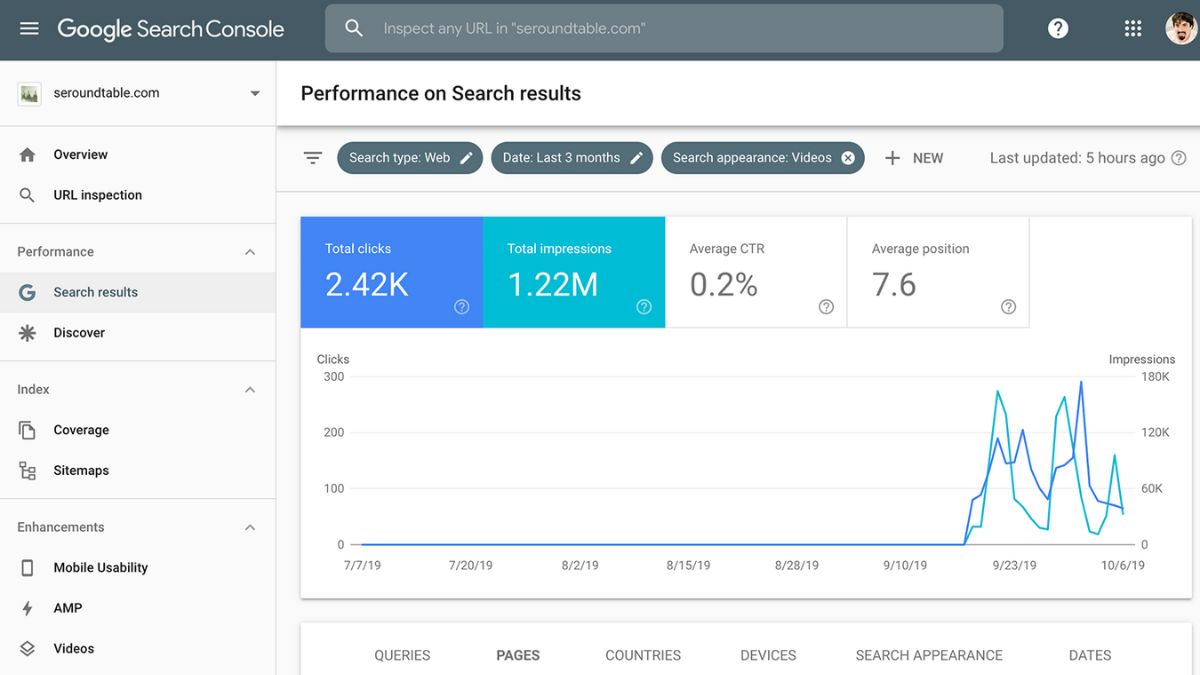
GSC Performance Report with date comparison enabled
Start with the Performance report in Google Search Console. This section provides a detailed overview of impressions, clicks, CTR, and average position for your site.
- Set the date range to include both before and after the drop.
- Focus on total impressions and check if the decline is sudden or gradual.
- Enable compare mode to visualize changes over time and filter by metrics like clicks or queries.
2. Segment by Page, Query, Device, and Country
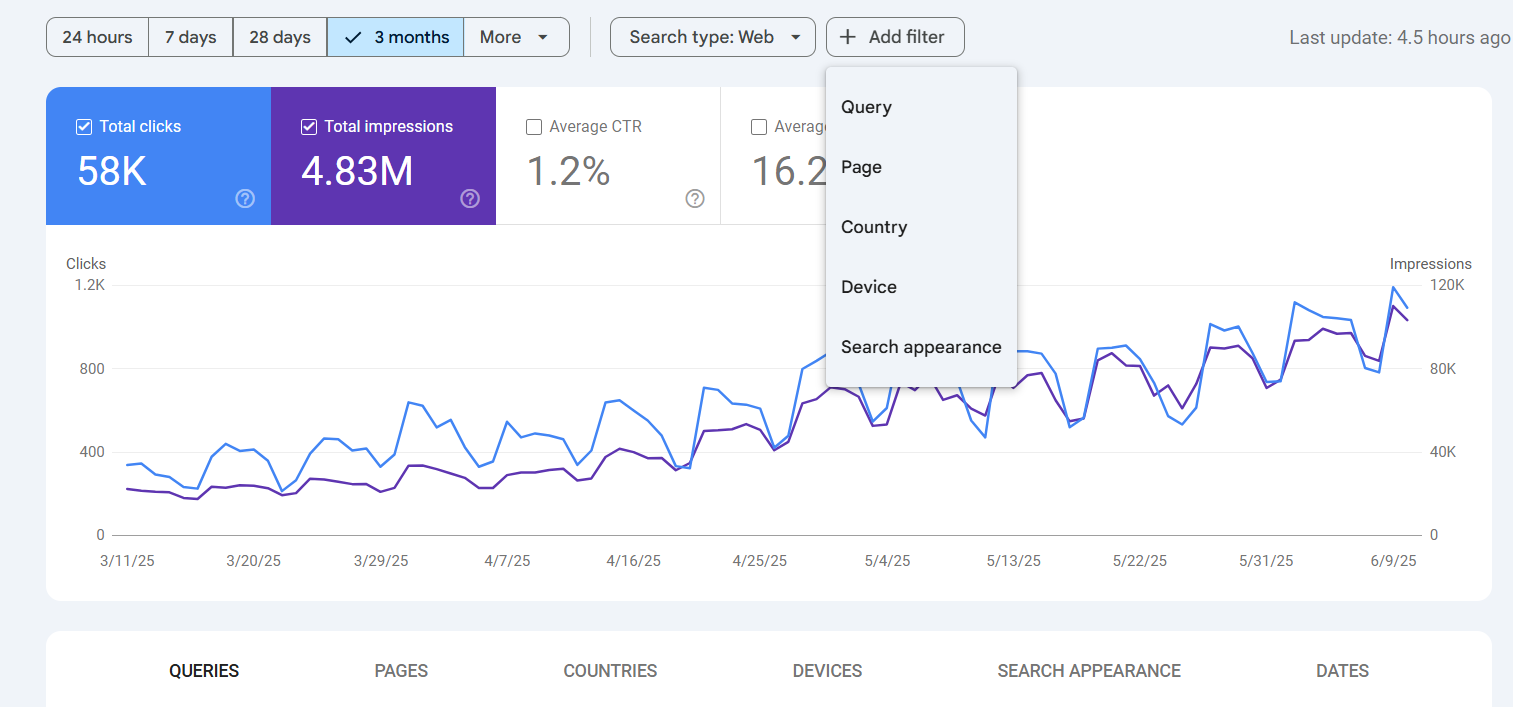
Segment by Page, Query, Device, and Country
To uncover more specific issues, segment your data:
- By Page: Spot which URLs lost the most visibility.
- By Query: Which search terms dropped in impressions? This helps identify if you’ve lost visibility for high-volume or branded queries.
- By Device: Drops on mobile but not desktop may signal usability or speed issues.
- By Country: Drops in specific regions may suggest localized issues (e.g., hreflang errors, slow CDN performance).
3. Compare Data Before and After the Drop
Use the compare feature to analyze periods before and after the impressions drop (e.g., “Last 28 days vs. previous 28 days”). Look for patterns such as:
- Sharp declines on specific dates
- Drops across all pages or just a few
- Changes in user behavior or CTR
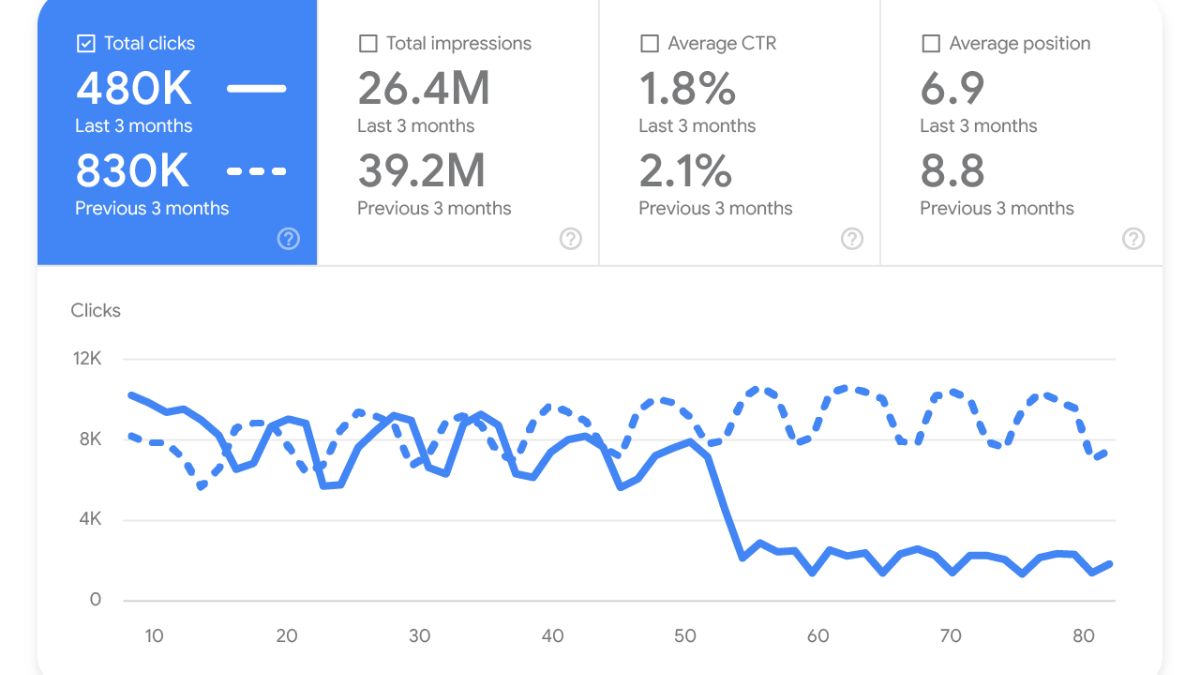
This comparison helps you correlate the drop with known external factors like Google updates,..
4. Identify Patterns & Correlate with Algorithm Updates
If your impression drop aligns with a known Google Core Update, that may be the cause. Use tools like:
- Google Search Status Dashboard: to see official updates from Google.
- MozCast, SEMrush Sensor, or Rank Ranger for SERP volatility: to track SERP volatility and detect major ranking shifts across the web.
Then, review your affected pages to see if they meet Google’s latest quality guidelines (e.g., helpful content, EEAT, etc.).
Evaluate your pages based on Google’s latest quality standards
5. Check for Indexing and Canonical Issues
Finally, verify whether technical issues are preventing your pages from being indexed or displayed correctly:
- Use the URL Inspection Tool in GSC to check individual pages for indexing status, canonical tags, and crawl issues.
- Review the Index Coverage report for crawl errors or warnings (e.g., “Crawled – currently not indexed”, “Duplicate, Google chose different canonical”, etc.).
- Make sure important pages haven’t been accidentally marked as noindex or excluded via robots.txt.
Check for Indexing and Canonical Issues
| You might be interested in: How to Tell If Your SEO Company Is Working? 7 Clear Signs |
What to Do When Google Search Console Impression Dropped
When faced with a Google Search Console impressions dropped, swift action is required to rectify the situation.
Before making major changes, work through these checks using this Quick Diagnostic Framework:
| Step | What to Check | Why It Matters |
| 1 | Crawl and indexing status | Pages must be indexed to generate impressions |
| 2 | Page-level visibility | Identify which URLs actually lost impressions |
| 3 | Query performance | Determine whether impressions dropped due to keyword loss |
| 4 | SERP changes and CTR | New SERP features or weak titles can reduce visibility |
| 5 | Keyword coverage | Expanding long-tail queries often restores lost impressions |
Once you identify where the drop occurred, you can apply the right fix.
1. Check for and Fix Crawl and Indexing Errors
Your pages can’t appear in search results if they aren’t properly crawled or indexed. Start with the basics:
- Submit a new sitemap in GSC if pages were recently updated or added.
- Remove accidental noindex tags or disallow rules in robots.txt.
- Fix broken internal links and update outdated redirects.
- Use the URL Inspection Tool to manually request indexing for crucial pages.
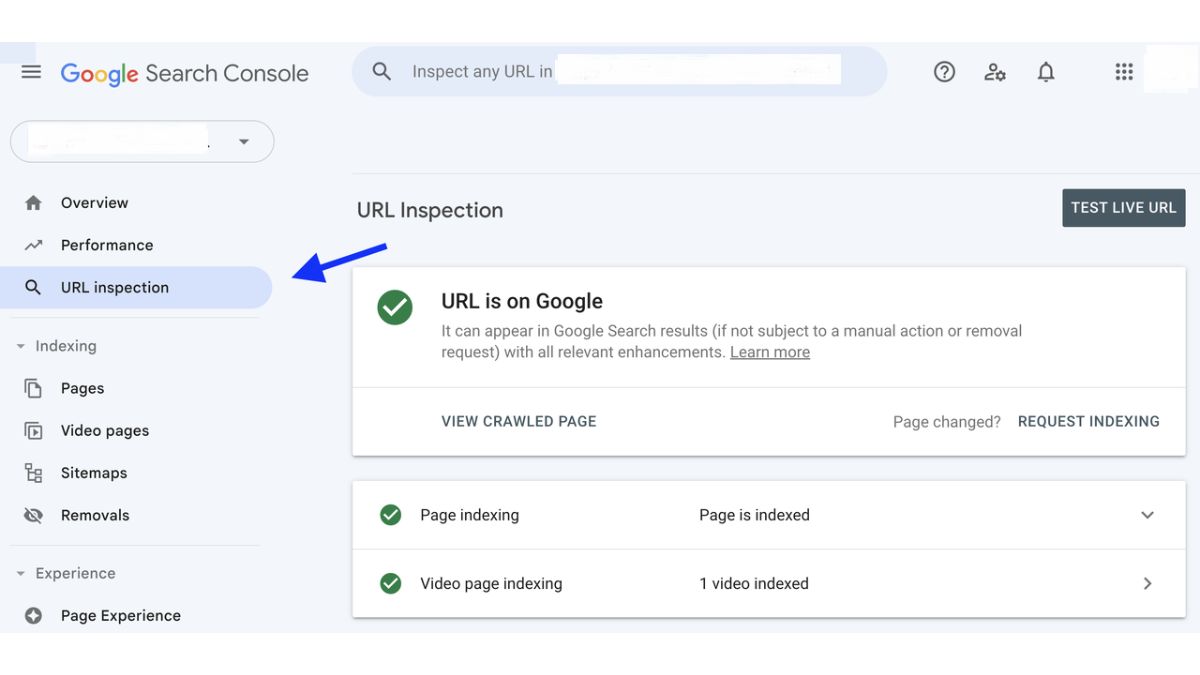
Resubmit updated pages for indexing once issues are resolved
2. Optimize Your Content According to GSC Recommendations
Google Search Console provides invaluable recommendations for improving your content and overall site performance. Review the ‘Enhancements’ section to see how your site can better align with Google’s guidelines.
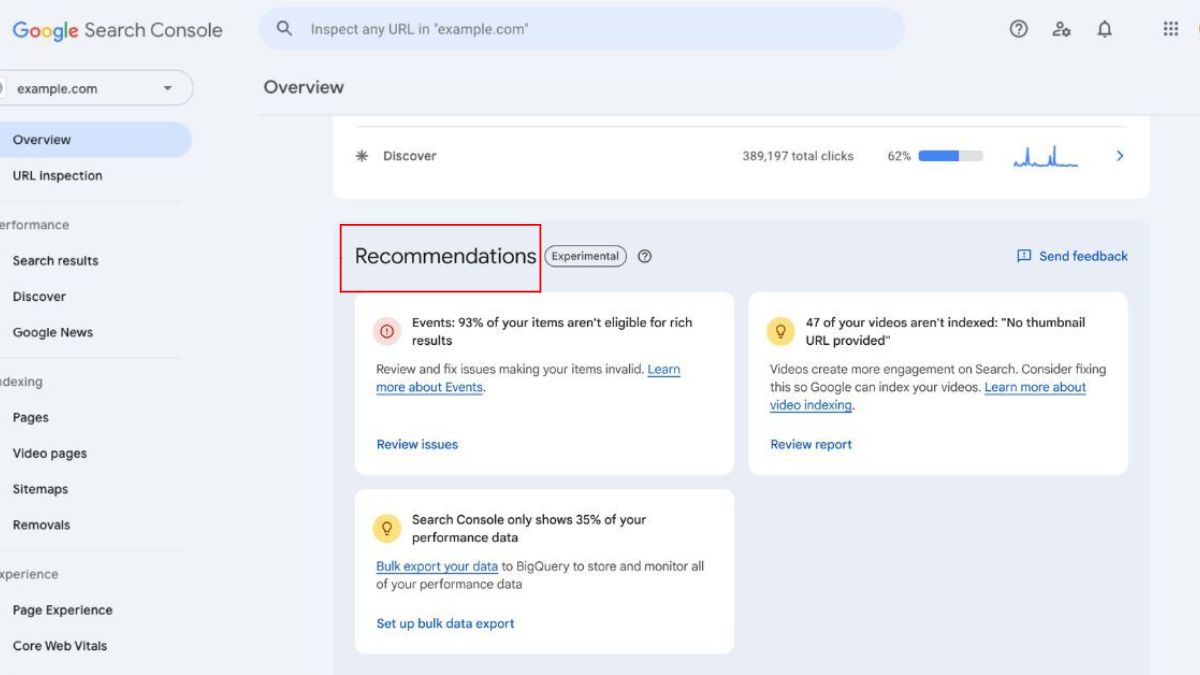
Content should be updated with relevance, freshness, and search intent in mind
Focus on optimizing aspects such as mobile usability, core web vitals, and structured data markup. Implementing these optimizations can enhance user experience and signal to Google that your site meets quality standards.
3. Improve Meta Titles and Descriptions to Boost CTR
As part of your strategy to regain impressions, revisiting your meta titles and descriptions is crucial. A consistently low CTR may eventually lead Google to downgrade your rankings.
Tips for boosting CTR:
- Include power words and emotional triggers in your titles.
- Use numbers or questions to spark curiosity.
- Ensure meta descriptions are clear, compelling, and match search intent.
- A/B test variations and monitor performance over time.
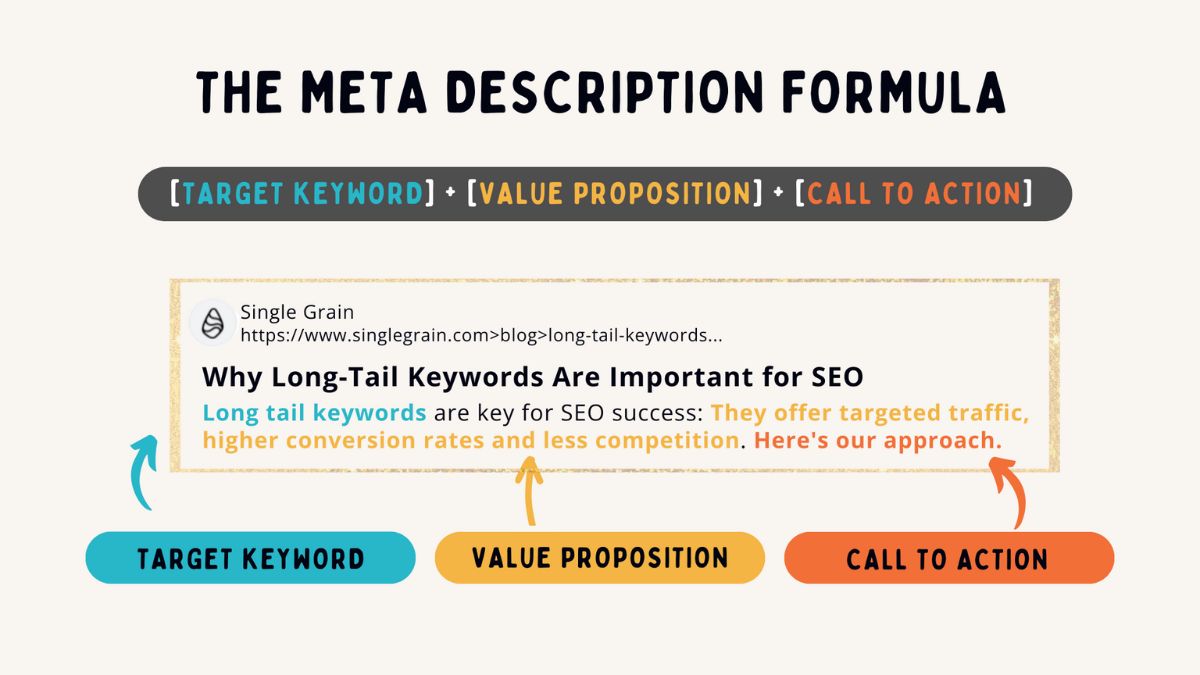
Include target keywords early in your title for better relevance
4. Optimize for Different Search Intents
Understanding user intent is key to improving your content strategy
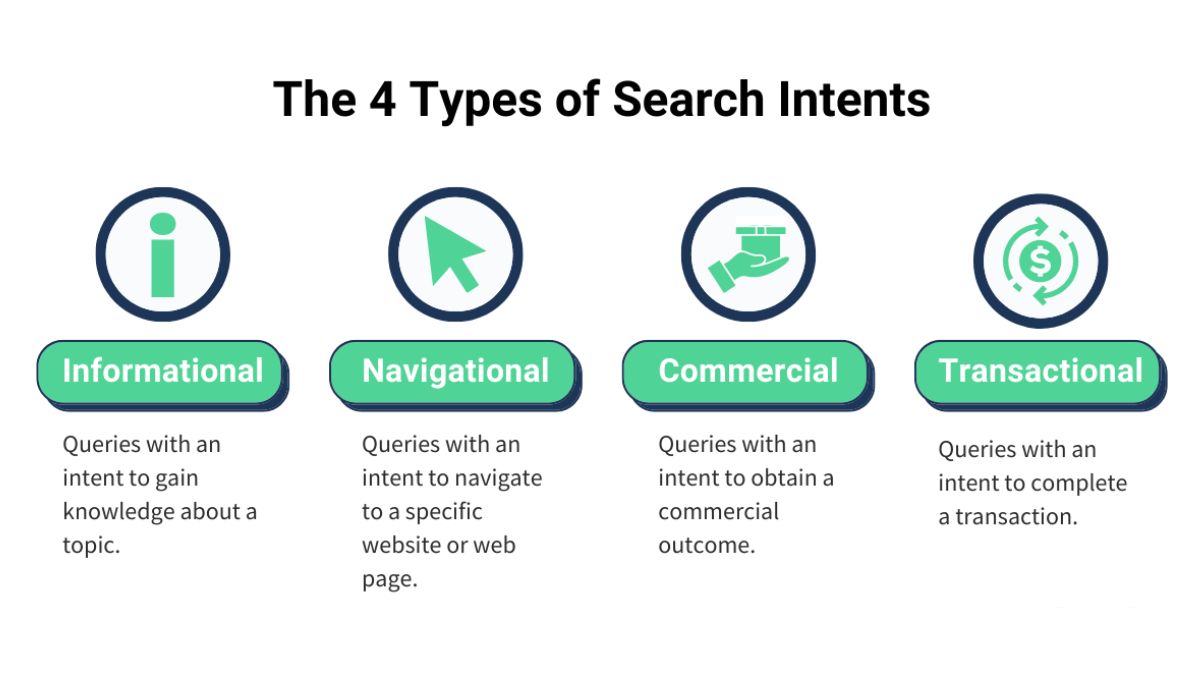
Search intent falls into categories like:
- Informational: “What is…”, “How to…”
- Navigational: Brand or site-specific queries.
- Commercial: “Review”,.. best…
- Transactional: “Buy”, “Price”, “Deals”
Analyze the search intents associated with your target keywords. Create content that effectively addresses these intents, such as informative articles, product reviews, buying guides, or FAQs. This approach can result in higher engagement rates and ultimately lead to a recovery in impressions.
5. Analyze and Adjust Based on Keyword Length
The length of your targeted keywords can significantly impact your chances of being discovered in search results:
- Short-tail: High volume, high competition, volatile rankings.
- Long-tail: Lower volume, higher conversion potential, more stable.
Analyze and Adjust Based on Keyword Length
If your impressions dropped due to over-reliance on short-tail keywords, diversify your strategy:
- Use tools like AnswerThePublic, Semrush, or Google’s “People Also Ask” for long-tail inspiration.
- Structure your content to target clusters of semantically related long-tail terms.
- Monitor performance by filtering queries by length or phrase match in GSC.
Final Thoughts
When Google Search Console impressions dropped, the cause usually comes from a mix of ranking shifts, search demand changes, technical indexing problems, or evolving SERP features like AI Overviews.
The key is diagnosing the root cause before making big SEO changes. Start by reviewing query trends, affected pages, and indexing status in Search Console. Once you understand where visibility was lost, the path to recovery becomes much clearer.
If the signals still feel messy or difficult to interpret, this is often where an outside perspective helps. Golden Owl Digital, we typically begin by mapping exactly where impressions disappeared, then prioritizing the fixes that bring visibility back fastest.