Quick attention is the first job when you’re learning how to write Google Ads copy.
Before the website gets a word in, your search ad has already had its say. Google Ads copy, the visible message a potential customer sees before reaching the website, needs to explain the offer and signal relevance. It gives them a reason to pick your link over a competitor’s, which can turn a search into a click, a conversion, or a missed opportunity.
The Foundations of Google Ads Copy
Defining Ad Copywriting and Its Impact on Your Campaign
Google Ads copy is the user-facing text in your ads, the headlines and descriptions searchers read before they reach your website. It tells users what you offer, what sets you apart, and why they should click. That’s your campaign’s on-screen promise.
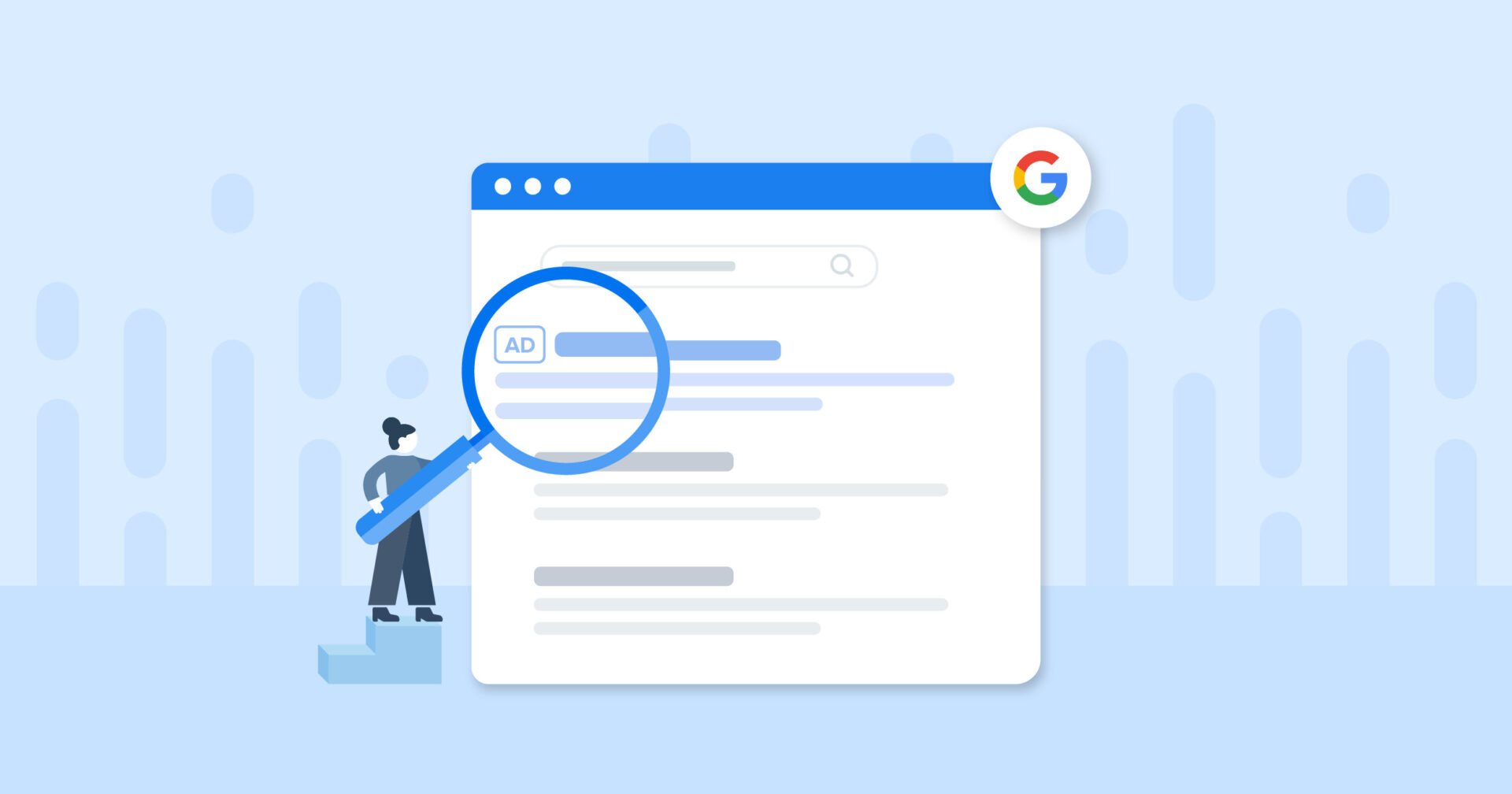
Bids, keyword research, and behind-the-scenes choices all count, but the only thing a customer sees is the copy. That initial view directly influences click-through rate (CTR), Quality Score, conversion rate, and return on ad spend (ROAS). With 80% of businesses globally using Google Ads, clear copy is what earns attention on a packed results page.
People arriving through a relevant ad are more likely to buy, request information, or join a newsletter. Keep the copy’s promise aligned with the landing page, then show searchers the next step.
Understanding the Components of a Google Ad
A Google ad turns several fields into one visible promise: headlines catch the eye, descriptions fill out the offer, display paths add relevance, and the CTA signals what comes next.
- Headlines: Max 30 characters each. Google shows up to three; you can provide up to 15 variations.
- Descriptions: Max 90 characters each. Space to explain the product, name the problem, lay out benefits, and add a CTA. Up to 4 variations.
- Display Paths: Max 15 characters each, up to 2 paths. Appear in the visible URL and can include search terms to tie the headline, description, and destination page together.
- CTAs: Tell the reader which action to take next. “Learn More” and “Get Started” turn interest into engagement.
Every piece has a job, yet together they must sound like one message.
How Quality Score and Ad Copy Are Connected
Relevant copy supports a higher Quality Score, which can bring lower costs and better ad positions. Think of Quality Score like a credit score for your ads: a good history gets you better terms.
Google scores every ad and keyword pairing from 1 to 10 based on expected CTR, landing page quality, and how well terms match. Copy that follows what users seek improves that assessment, and a higher Quality Score contributes to lower cost-per-click (CPC) and improved placement.
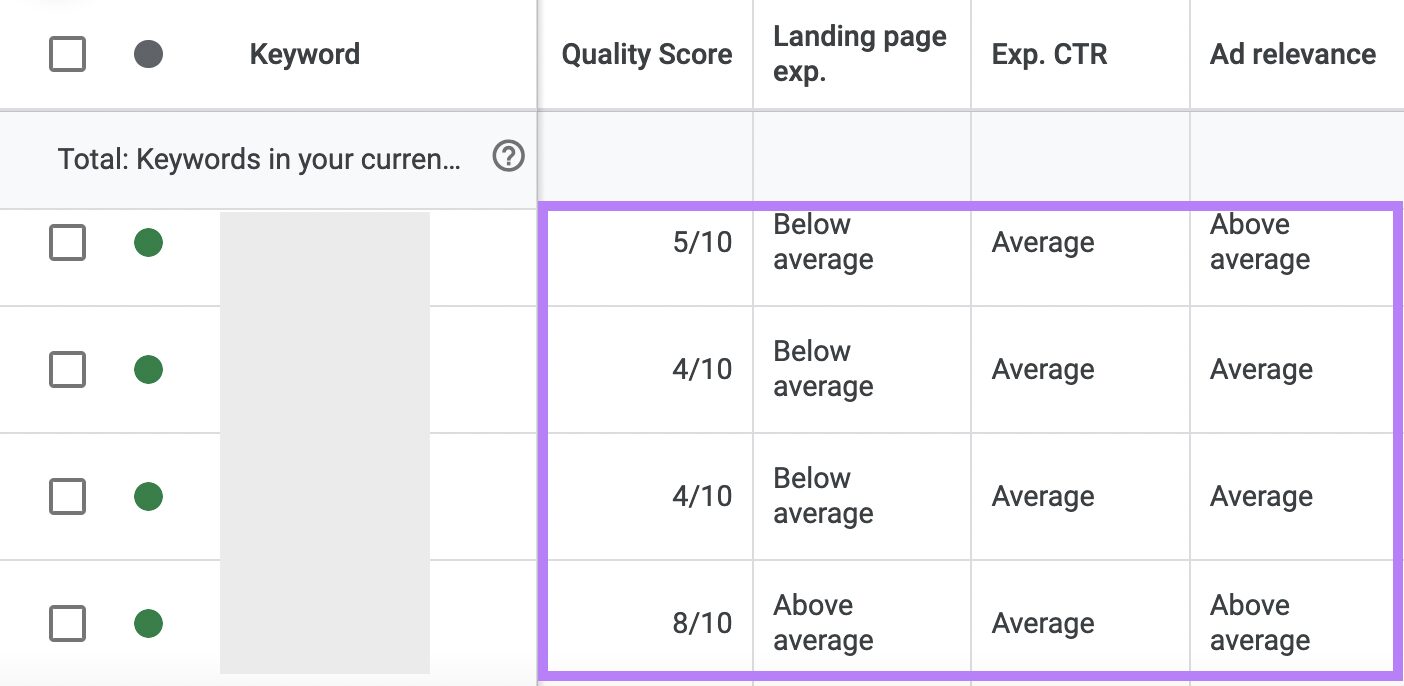
Put relevant keywords in headlines and descriptions so your ad has a stronger chance of appearing on searches using them. Track that score during campaign management.
Understanding Google’s Official Ad Copy Policies
Google’s advertising rules keep copy clear, trustworthy, and transparent. They cover how the message appears, the offer, the destination page, and any words or symbols you choose.
- Professional presentation: Clear writing, correct spelling, and appropriate capitalization and symbols signal a high-quality ad.
- Accurate representation: The words in each ad must describe what’s advertised, and the message must match the landing page.
- Inappropriate content: Some locations restrict inappropriate content, including sexual content. Businesses in affected industries should review the policies in detail.
- Competitor and counterfeit claims: Don’t make an ad look like it sells a competitor’s product to push counterfeits or knockoffs.
- Trademark use: Advertisers are responsible for using trademarks correctly. Check Google’s trademark policies before publishing.
- Symbols: Registered trademarks like ® and special characters like &, $ might not display correctly, and distracting symbols make an ad harder to read.
On symbols, clarity comes first. A number communicates a discount more clearly than a symbol (“20% Off” rather than “20%!”), and a strong verb creates urgency without repeated punctuation (“Hurry” rather than “Hurry!”).
Violations can result in ad disapproval or account suspension. Prohibited content includes counterfeit goods, dangerous products like recreational drugs, and material promoting hatred or discrimination. Restricted content includes alcohol, gambling, certain healthcare content, political content, financial products, and cryptocurrencies. Google updates policies periodically, so review the Google Ads Policies Help Center occasionally, especially in a sensitive industry.
Ad Copy Specs for Every Campaign Type
Each format comes with its own asset rules and character caps. Write for the campaign type instead of dropping the same lines everywhere.
Responsive Search Ads (RSAs)
With RSAs, Google rotates asset combinations to suit different searches.
- Headlines: Up to 15, max 30 characters each.
- Descriptions: Up to 4, max 90 characters each.
- Minimum assets: At least 3 headlines and 2 descriptions.
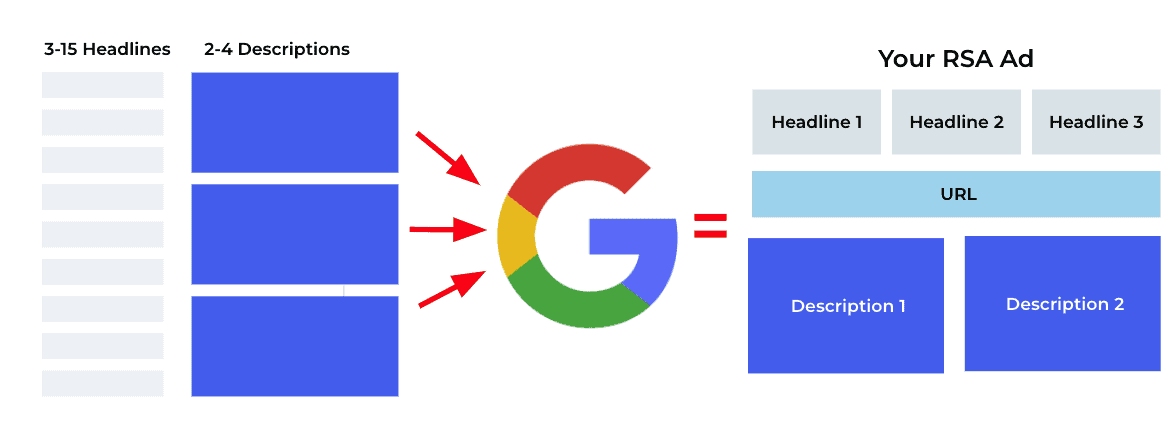
Google’s machine learning runs combinations of your assets and checks each against different search queries, showing the stronger pairs. Give it more assets, and it has more chances to land a strong combination. It can show up to three headlines even if you supply 15.
Responsive Display Ads
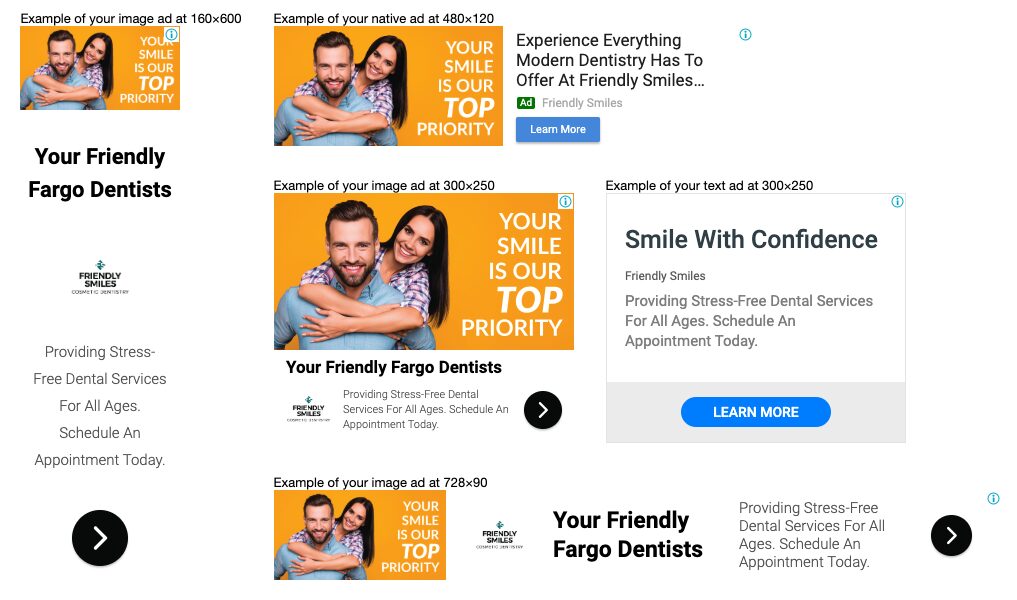
Responsive Display Ads bring together text, branding, and visual assets.
| Asset | Character limit / specs | Quantity |
| Short headlines | 30 characters each | Up to 5 |
| Long headline | Up to 90 characters | 1 |
| Descriptions | Up to 90 characters each | Up to 5 |
| Business name | Up to 25 characters | 1 |
| Images | 1.91:1 (horizontal), 1:1 (square) | Up to 15 |
| Logos | 1:1 (square), 4:1 (landscape) | Up to 5 |
Google requires one headline, one long headline, and one description. For images, you need at least one horizontal (1.91:1, 1,200 × 628 recommended, 600 × 314 minimum) and one square (1:1, 600 × 600 recommended, 300 × 300 minimum), though Google recommends at least five. For logos, Google recommends one square (1:1, 1,200 × 1,200 recommended, 128 × 128 minimum) and one landscape (4:1, 1,200 × 300 recommended, 512 × 128 minimum).
Performance Max (PMax) Campaigns
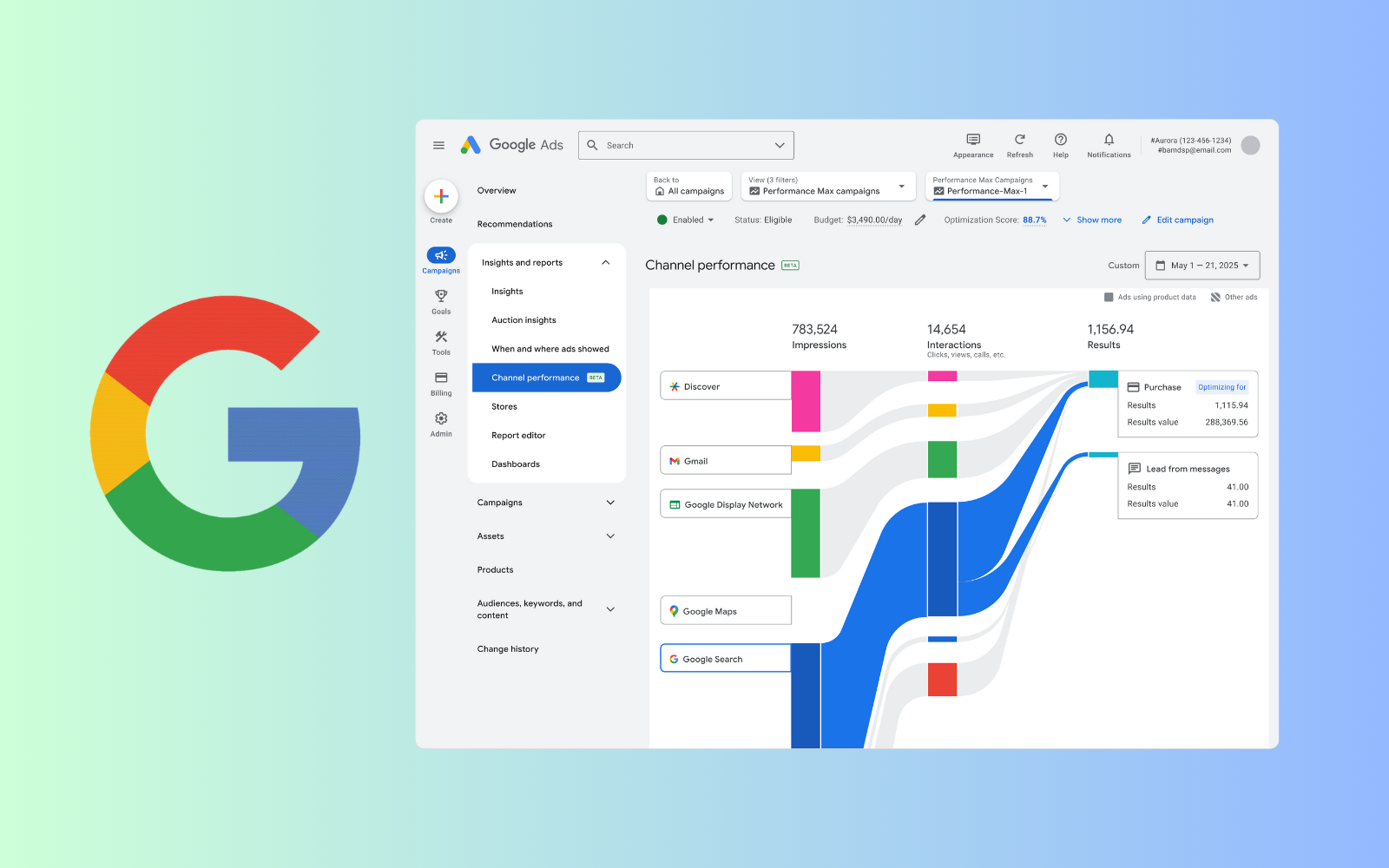
Performance Max puts one group of creative assets across YouTube, Display, Search, Discover, Gmail, and Maps. Give Google’s AI a broad mix of text and image assets so it can assemble ads for each channel.
- Headlines: Up to 5, max 30 characters.
- Long headlines: Up to 90 characters.
- Description: One 60-character description, required.
- Long descriptions: 1-4, up to 90 characters each.
- Business name: Up to 25 characters.
Google Shopping Ads
Google Shopping Ads appear in the shopping tab and fit products aimed at people ready to buy.
A product title gets up to 150 characters, but Google displays only the first 70, so put the key details first. Keep the title clear and descriptive with relevant keywords, like “golden heels UK6” for “golden heels.”
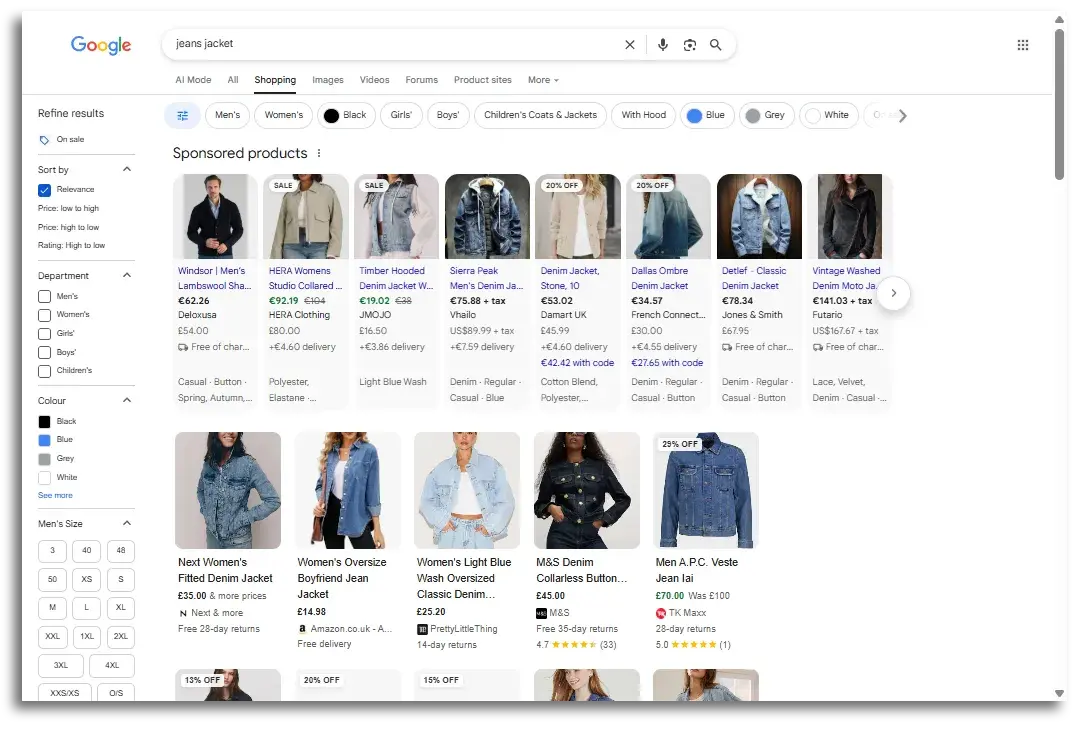
Descriptions can include promotions, such as “Buy running shoes today to get 10% off. Use code XYZ10.” Put the primary keyword in the title, then include it and its variations in the description. People won’t see descriptions beside the ad, but they affect which ads Google serves, so lead with key details and split ideas with commas, periods, or dashes rather than one crowded string.
Call Ads
Call Ads give you fewer text fields.
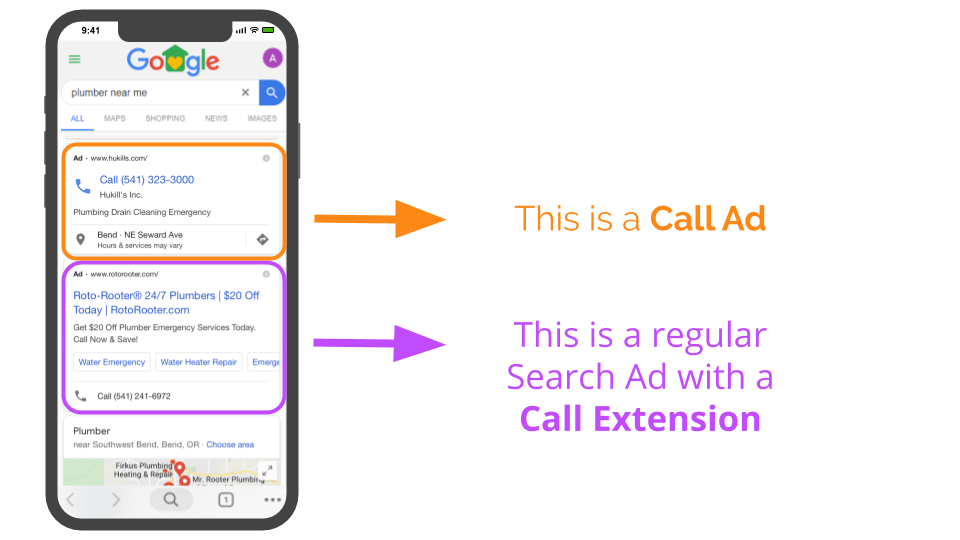
- Headlines: Up to 2, max 30 characters each.
- Descriptions: Up to 2, max 90 characters each.
- Business name: Up to 25 characters.
- Display path: Up to 15 characters.
How to Write Google Ads Copy Using Core Principles
Start with Research on Your Audience and Competitors
Good copy begins before you draft a single headline. Understand the people you’re speaking to, what they need, and how competing offers appear in the market.
Know your audience. Your offer should address real needs, so back up research with regular customer conversations. Start with four practical sources:
- Sending surveys to potential or existing customers.
- Reviewing the social media profiles of your followers.
- Examining Google Analytics.
- Asking your sales team for additional insight.
Study your competition. Any new product enters a market where alternatives exist. Look closely at competitors’ approach, whether their product matches yours, and where yours could improve. Notice how they present problems and solutions and the pain points they pick. Your best hook is usually sitting somewhere in that mix.
Know the hook of your product. Nail down what makes yours different and why it earns your audience’s time and money. Once that’s clear, build copy around that central hook and show it from a few angles, keeping your unique selling points in view.
Align Your Message with User Intent and Keywords
Relevant ads connect what someone types into Google with what your copy promises to deliver. Watch two things.
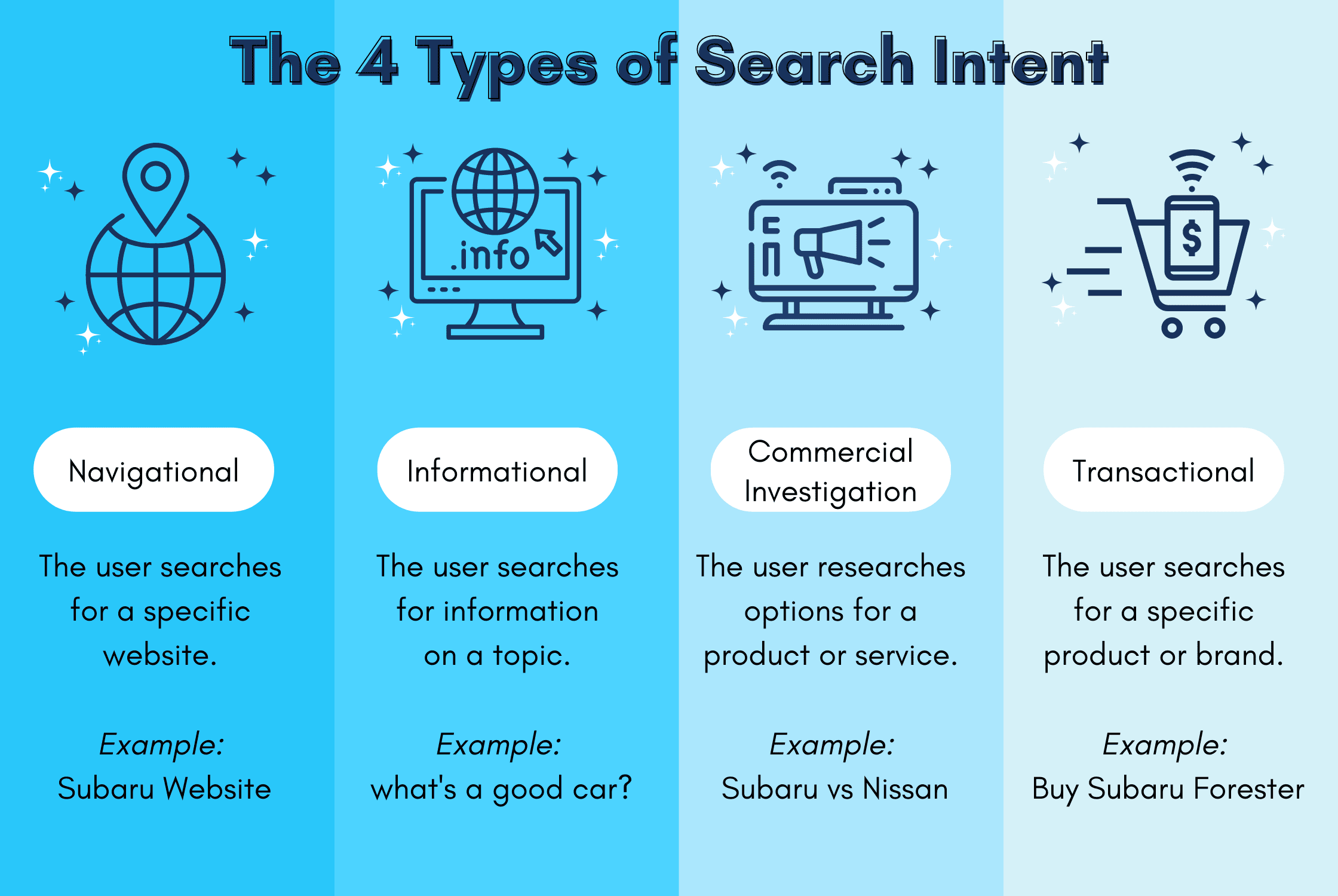
Search intent describes why someone searches: informational, commercial, navigational, or transactional. A simple test is to ask whether the person is shopping or learning. Shopping searches call for transactional language, while learning searches respond better to informational, benefit-focused copy. Match your wording to that goal and your CTR may improve, along with a stronger Quality Score that lowers prices and improves placement.
Keywords tie a search query to the message in your ad. Build headlines and description lines with wording from the keywords that get the most traffic in your ad group. Matching keywords can raise Quality Score, reduce CPC, and help CTR and ROI. Place a short keyword near the beginning of a headline so people can see it.
Focus on User Benefits and Needs, Not Product Features
Lead with the outcome a visitor gets. Qualities like reliability, broad selection, and other value often matter more than technical details. A feature alone rarely moves people; they care about the result it gives them. Starttech Ventures frames it as asking what the product does for the customer, not what the customer does for the business. Features appeal to logic, while benefits give people an emotional reason to buy.
To find those benefits, picture your customer without the product. Consider what they’d lose, the problem that would remain, and how their day would get harder. A waterproof-jacket ad could feature “Gore-Tex fabric, sealed seams,” or it could lead with “Stay completely dry on your commute, no matter the downpour.” The second version addresses the concern people really have.
Follow the Classic Headline-Description-CTA Formula
A solid ad combines three parts that each serve a different purpose but carry the same message.
- Headline: The first element a prospect notices. It needs to grab attention and hold it long enough to make them keep reading.
- Description: Carries the offer beyond the headline. Lay out the problem, build the value, spotlight benefits, and guide readers to the next step.
- CTA: Tells the user what to do next, whether visiting a website, starting a free trial, or making a purchase.
Every ad needs a CTA. Readers may understand the offer and still have no idea what to do next.
Ensure Message Match Between Keywords, Ad, and Landing Page
Carry the keyword’s promise into the ad and then onto the landing page, giving users a credible path. Keep three areas aligned:
- Landing-page agreement: The landing page must match the offer in the ad. A mismatch frustrates customers and may lead Google to suspend campaigns until you fix it.
- Keyword alignment: Include or closely match target keywords in the copy to support Quality Score and show users you provide what they searched for.
- Trust and conversion: When the landing page continues the ad’s message, the experience feels consistent, which builds trust and improves conversion rates.
Best Practices for Crafting Headlines and Descriptions
How to Write Attention-Grabbing Headlines
Your first headline carries the biggest load. Put relevant, high-intent keywords there when they line up with what your audience searches, and choose shorter terms when space gets tight. Use Headlines 2 and 3 to test messages that back up the primary one. Effective angles to test include:
- Call to Action: Invite quick engagement, like “Book a Free Consultation” or “Schedule Your Demo Today.”
- Pain Points: Call out a business problem, like “Reduce Operational Costs” or “Streamline Workflow.”
- Value Propositions: Put forward a clear edge, like “Save 20% with Our Annual Plans” or “Guaranteed Results in 30 Days.”
- Social Proof: Build credibility, like “Trusted by 1,000+ Businesses” or “Rated #1 for Customer Satisfaction.”
- Questions: A well-aimed question built around a benefit gives searchers curiosity to read the description for the answer.
- Numbers and power words: Facts land harder with numbers, and power words like “exclusive,” “proven,” “award-winning,” “instant,” “guaranteed,” and “effortless” add punch.
Put your brand name in one headline version for Google to test, then plainly spell out the offer and why your business is the better pick.
How to Write Compelling and Informative Descriptions
Write every description so it can stand by itself, since an ad may show just one.
First description: Make a short, convincing case for the value you offer. Decision-makers arrive with specific business concerns, so address those pain points here.
Second description: Nudge the potential client forward with a clear CTA that gives the next step direction and urgency. Choose a CTA that fits the business goal and the sales-funnel stage.
Keep the copy lean; extra words make the ad tougher to scan. If a key message can’t sit naturally inside the 30-character headline limit, put the full benefit in the 90-character description instead of squeezing it into an awkward abbreviation. Pin two or three distinct descriptions at each position and let Google compare them. You can also place several USPs in one description, separating each with a period so the statements stay easy to scan.
The Strategy of Pinning Assets
The core tradeoff with pinning is control versus performance. A pinned asset keeps a brand name or disclaimer where you need it, but Google’s AI gets fewer combinations to test.
- Keep essential messages visible: Pinning lets you choose which assets appear and keeps critical information present.
- Protect message order: Keep a keyword-focused headline in view so a secondary CTA headline like “Sign Up For A Free Trial” is less likely to appear alone.
- Use caution with B2B control: Pinning gives greater control when testing value propositions, but excessive pinning can lower ad strength, and Google may show the ad less often when ad strength is rated “Poor.”
Using Dynamic Features for Automated Relevance
Dynamic copy tools swap in terms like location for each viewer, making ads more relevant and building a stronger Quality Score. Inserted terms show in bold, get more attention, and may lift CTR.
Ad Customizers for Real-Time Updates
Start by putting the business details you need into an ad customizer data feed. Upload a spreadsheet with “Attribute,” “Data type,” and “Account value” columns. Google Ads accepts Text, Price, Number, and Percent, and allows up to 40 different ad customizer attributes. Find the upload tool at Tools → Bulk actions → Uploads.
Dynamic Keyword Insertion (DKI)
DKI drops a keyword into your ad copy, but it can produce awkward wording when the term doesn’t fit the sentence. For an ad group with “couch,” the configured headline “KeyWord:Great Prices on Couches” can generate “Great Prices on Couch,” leaving clunky grammar. WordStream flags that gap as an issue that can seriously hurt conversions.
Only use DKI with tightly-themed ad groups. Shape the group around plural keywords, or write a headline that reads correctly with both singular and plural terms, so you keep the message readable while holding onto the relevance benefit.
Maximizing Ad Space with Assets
Ad assets, also known as extensions, add detail and link people to more pages while they stay within the ad. Google sorts them into two buckets:
- Automatically Created Assets (ACAs): An optional campaign-level setting that lets Google produce extra headlines and descriptions for RSAs, based on the landing page, current ads, and keywords in the ad group.
- Manual Assets: Advertisers create these themselves, adding descriptions, links, CTAs, headlines, and other elements.
One common asset is the sitelink. If you’re wondering what are sitelinks in google ads, they’re ad assets that link to additional pages.
Testing, Measuring, and Optimizing Ad Copy
Treat PPC copy as a continuous process of testing and improvement, not a one-and-done creative task. Side-by-side A/B tests show which version delivers the best result. Creative instinct won’t reliably tell you which message people prefer once ads run: “Plumbers in Brooklyn” may outperform “Leaky Faucet Ruining Your Day?”, so don’t get too attached to one version.
Google gives you built-in testing through Ad variations. To set one up:
- Open Ad Variations: In your Google Ads account, select the “Experiments” tab, then “Ad variations.”
- Create the variation: Pick the campaign to examine, then use “Find and replace” to alter one part of the ad, like changing “Book Now” to “Get a Free Quote.”
- Set the experiment details: Name the variation, choose the experiment split (usually 50% of your budget), enter a start and end date, then let the test run.
Ad Copy Examples and Templates
Real-World Examples of Effective Google Ads
Useful ads put benefits and proof to work, pairing incentives or urgency with clear calls to action.
- Ballin Law: Fits several persuasive points into one ad. “Get a free consultation” is familiar CTA language, but asking users what their case may be worth in minutes adds urgency, and “award-winning” and “pay nothing until you win” make the offer stronger.
- Marshall Building and Remodeling: Gives people several ways in with sitelink assets, “award-winning” copy, a “get a quote” CTA, weather-proofing, and “$0 down and free consultations.”
- Sarah Davis MD: Leads with affordability, same-day appointments, and multilingual staff, plus a sitelink asset to other relevant pages.
- ServiceTitan: Speaks to results customers want (“get paid faster,” “grow your business,” “deliver amazing service”) and backs “book a free demo” with QB compatibility and a mobile app.
- Intuit QuickBooks: Pairs social proof with a practical promise: “89% of customers agree” reinforces that users can “get a clear view of your finances.”
- B2B SaaS Campaign: Centers on a time sheet lead magnet. First-position descriptions carry the value propositions, the CTA sits in the second headline and description, and callout, structured snippet, and sitelink extensions appear below.
- Fort Lauderdale maid service: Three ads, three angles. Speed (“online booking in 60 seconds,” plus “background checked” employees), quality (“extraordinary home cleaning” with a “floor-to-ceiling clean, every time”), and affordability (“Quality cleaning from $10 per hour”).
For a digital ads agency, a strong ad starts with the customer problem (generating leads), places the offer beside it, and uses “proven” and “experts” to build credibility, with a CTA that gives readers a reason to act. A weak version offers no clear value proposition, with broad phrases like “online marketing services” and “contact us now” that fade into competing results.
Ad Copy Templates to Get You Started
Treat templates as a starting point, then match the product, offer, and CTA to the real campaign.
- Product, Description, CTA: “New York Luxury Hotel. Stay near downtown New York with all the amenities; book for New Year’s now.”
- Brand Name, Product, USP: “Madewell | Women’s Aviator Sunglasses | Ethically-Made”
- Social Proof, Product, USP, CTA: “Orlando’s #1, best-rated landscaping and lawn company. Affordable costs. Reliable. Experienced. Licensed & insured. Get a free quote now.”
- Ask a Question, Offer Solution: “Tired of poor quality sleep? Try our Sleep Blanket, backed by science and clinical studies. Doctor approved, kid friendly, 100% guaranteed to help you sleep more at night.”
- Brand Name, Alternative Positioning: “BlueAir: The BEST eco-friendly air purifier alternative to big name brands.”
Industry-specific templates:
- Retail: “Shop [Product Category] at Affordable Prices.” / “Save Up to [X%] on [Product].” / “Discover premium [Product Category] with one-day shipping!”
- SaaS: “Simplify [Problem] with [Software Name].” / “Try Free for 14 Days, No Credit Card Needed.” / “Boost productivity with [Software Name]. Join [X] users today!”
- Local Businesses: “Find the Most Popular [Service] in [City].” / “Special Offer: [Discount or Freebie].” / “Book your appointment online today. [Service] you’ll love!”
- E-commerce: “Shop [Product] Online, Deals Expire in [X] Days!” / “[Offer] on Orders Over [X].” / “Explore [Product Category] today. Discounted prices and easy checkout!”
- Health and Wellness: “Kickstart Your [X] Goals with [Product/Service].” / “Get [X% Off] Your First Order!” / “Explore [USP] [Product]. Order now!”
- Education/Online Courses: “Learn [Skill/Topic] Online Today.” / “Get Certified in [X Weeks].” / “Join [Platform Name] and gain [X]. Start [X].”
Tools for Writing and Analyzing Ad Copy
Choose tools after you’ve settled the offer and landing-page promise. Each handles a different task in the work that follows.
Keyword Research Tools
These tools reveal the words people use and the competition around those searches, leaving you fodder for headlines and descriptions.
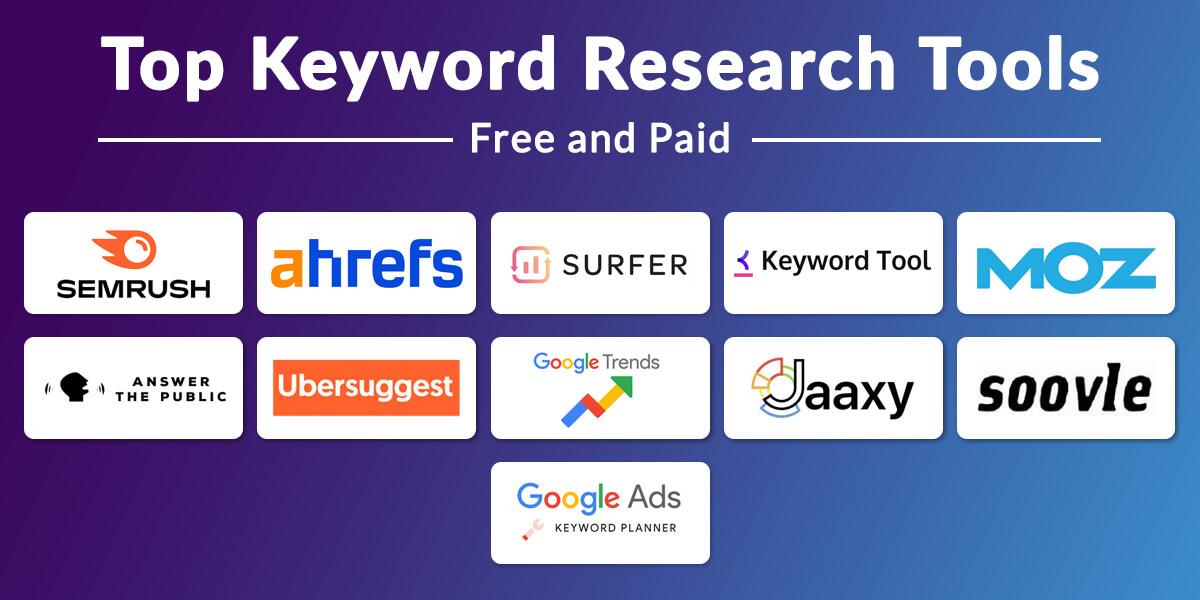
- Google Ads Keyword Planner: Discover relevant terms and assess search volume, competition, and estimated CPC.
- WordStream’s Free Keyword Tool: Enter seed keywords or a URL to find related phrases, monthly search volumes, and competition levels. Useful for spotting high-volume, low-competition terms.
- Semrush and Ahrefs: Examine competitor keywords, ad copy, and bidding strategies, and research keyword volume, competition, and costs.
Ad Assessment and Competitive Research Tools
Run WordStream’s Free Google Ads Grader to review performance. It looks at 10 key metrics and gives insights meant to improve Quality Score while keeping wasted spend in check and preserving impression share.
AI Copywriting Assistants
The tradeoff with AI assistants is speed versus strategic insight. They’re excellent for generating variations and beating writer’s block, but they lack deep understanding of your audience, brand voice, and campaign goals. Treat AI output as a first draft, not a final product.
- Idea generation: Ask ChatGPT or Copy.ai for headline, description, and offer-angle options.
- Copy refinement: Use the tools to revise wording you’ve already written.
- Tone and emotion: Request versions built around different techniques or emotional angles.
- Other tools: LocaliQ’s Google Ads AI Copy Tool generates headlines and descriptions to test, and Ahrefs, HubSpot, and Copy.ai offer ad copy generation too.
Give the AI detailed brand-guideline prompts that include campaign conditions and keywords, then review every line it generates and give it specific feedback. Strategic judgment, brand voice, and creativity stay with you.
Frequently Asked Questions About Writing Google Ads Copy
How often should I update my Google Ads copy?
Review performance at least monthly. Schedule a refresh every quarter to test fresh variations and replace anything marked “Low” in your asset report. Step in sooner if performance starts to weaken.
What is a good click-through rate (CTR) for Google Ads?
It varies widely by industry and keyword. In 2026, WordStream reviewed over 13,000 search campaigns and reported a 6.64% average CTR for Google Ads. Treat that as a reference point, not a fixed target. Results range from 12.75% for Arts & Entertainment to around 5.56% for Automotive, Repair, Service & Parts. Track your own CTR over time and weigh clicks against the quality of the conversions they generate.
Should I pin headlines and descriptions in my Responsive Search Ads?
Pin when a specific message needs to appear consistently, like a brand name or legal disclaimer. Avoid over-pinning, since fewer arrangements remain for testing, which can weaken Ad Strength and drop conversion volume. A safe approach is to pin your brand name to Headline 1 or 2 and leave other positions open.
What is a good example of a call to action (CTA)?
A good CTA is specific and uses an action verb, like “Shop Now,” “Sign Up Today,” or “Learn More.” Keep it matched to the offer and campaign goal so the intended response is unmistakable.
Learning how to write Google Ads copy starts with a specific value promise, then carries that same promise onto the landing page. In 2026, high-performing ads rely on technical accuracy that holds up, purposeful messaging, creative thinking, Research, strategy, and repeated testing to keep the writing grounded. Recommended tools can help. Use what you learn to lift visibility, clicks, and conversions without letting costs climb, then keep refining the copy.